Free trial
One free design render is available without an account, signup or credit card. Further designs and the edit tools require a paid pass.
Learn moreRedesign your own room from a single photo in about 30 seconds

Decoratly is an exterior home design tool. AI interior design app that redesigns a real room from one uploaded photo in about 30 seconds, with 75+ styles, single-change edit tools and a chat designer that reads your own image.
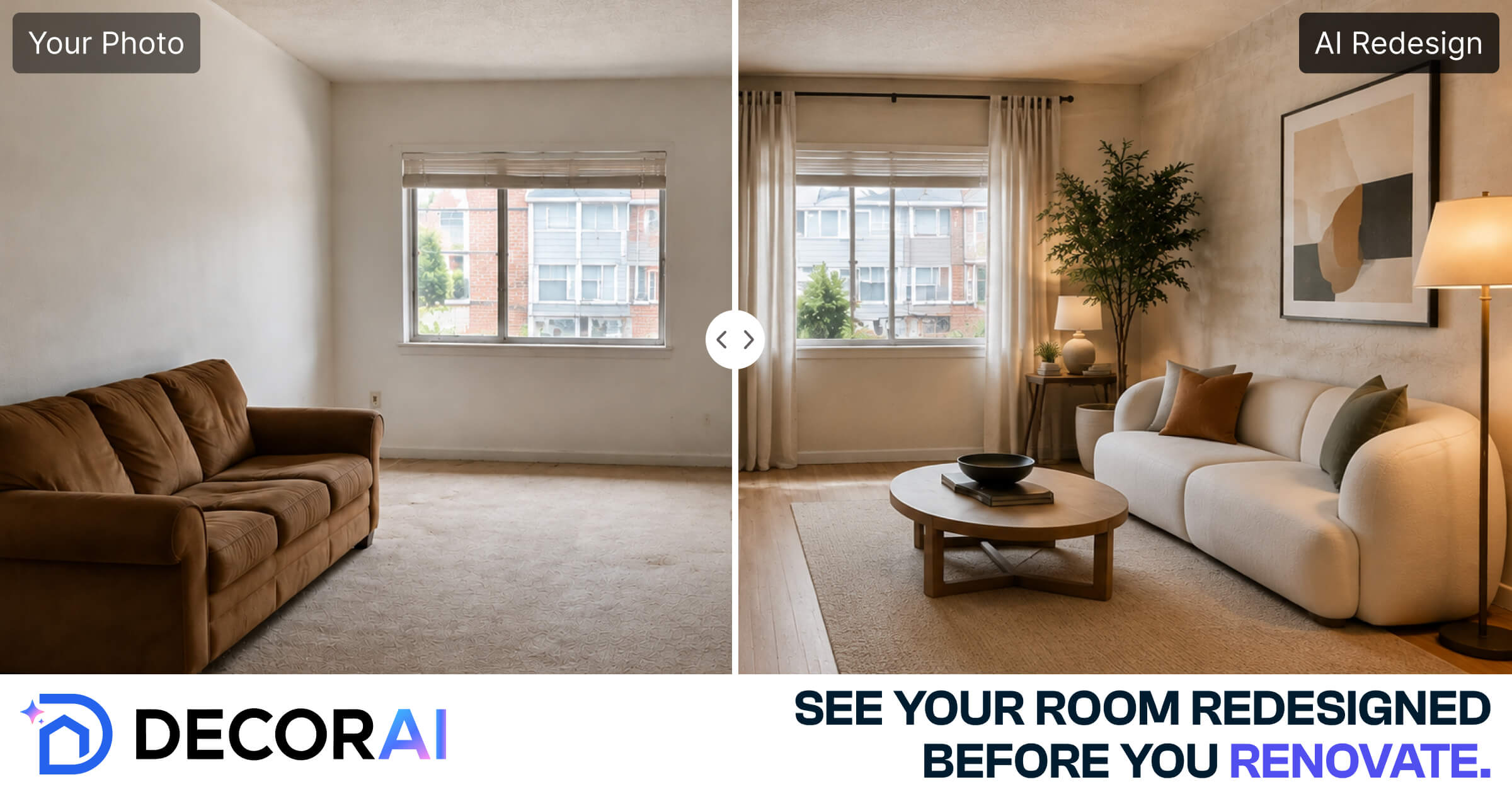
Decoratly is an AI interior design app that works from a photograph rather than a blank canvas. You upload one picture of your room, taken on any phone or pulled from a listing, and the system returns a photorealistic redesign in roughly 30 seconds. The room's walls, windows, floor and light stay where they are, and furniture, colours, materials and finishes change around them. No measuring, masking or markup is required, because the model reads the geometry of the space on its own. The workflow splits into two modes. Applying a style reimagines the whole room at once, and there are more than 75 curated looks to choose from, plus the option to describe a direction in plain language or build a custom style from a palette and materials. The edit tools take the opposite approach: repaint only the walls, remove a single object, swap the lighting, add one specific piece or rearrange the layout while everything else stays untouched. A built-in chat assistant looks at the uploaded photo and discusses layout problems, palette choices and material suggestions that suit the existing light, then converts the conversation into a style you can render straight away. Room-specific pages cover living rooms, bedrooms, kitchens, bathrooms, home offices and studio apartments, which helps when you are previewing a renovation decision such as cabinet colour or a backsplash. The output can also be shopped for the furniture shown in it. The tool suits homeowners deciding between directions before spending on a renovation, renters planning around fixed walls, and estate agents testing virtual staging. Compared with a human decorator, it is fast and cheap for visual exploration, but it produces images rather than measured floor plans, sourcing lists or trade guidance.
One free design render is available without an account, signup or credit card. Further designs and the edit tools require a paid pass.
Learn moreFree to try with no signup and no card, including one free design. Full access to the edit tools and 30-day passes is paid, with a $9.99 one-time option mentioned on the homepage. Monthly or annual rates are not stated in the source.
Learn moreA support page is published on the site, alongside a blog and an about page. No response times or channels are stated on the homepage.
Learn morePhoto-based AI room redesigns in about 30 seconds across 75+ styles, with custom styles built from palettes and materials. Edit tools cover wall repainting, furniture removal, lighting swaps, adding pieces and layout changes. An AI chat designer reviews your photo, and results can be shopped for the furniture shown.
Learn more AI Angels400+ customizable AI girlfriends for NSFW chat, voice calls, and roleplay
 Candy AIExperience the future of companionship with AI friends who chat, role-play, and connect with you on a human level.
 ourdream.aiA vast AI roleplay platform with millions of characters for chat, images, video and voiceAI Angels400+ customizable AI girlfriends for NSFW chat, voice calls, and roleplayCandy AIExperience the future of companionship with AI friends who chat, role-play, and connect with you on a human level.ourdream.aiA vast AI roleplay platform with millions of characters for chat, images, video and voice