Free trial
One 30-minute trial per new user with all features, no credit card and no renewal. A server can host three trials or 90 minutes total, and sharing a paid plan ends trial access.
Learn moreAI meeting notes for Discord voice calls, posted to your channel
Own Discord NotesBot? Verify ownership to get a dofollow link

Discord NotesBot is an AI transcriber tool. A Discord bot that records voice calls, transcribes each speaker, and posts AI notes plus an MP3 and transcript to a text channel after /leave. Includes a searchable dashboard, Google Docs export, auto-record, and plan sharing across servers.
Discord NotesBot is a bot that sits inside a Discord server's voice channel, records the call, transcribes each participant, and posts a formatted summary back into a text channel when the session ends. It is aimed at teams, communities and gaming groups that already run their conversations on Discord but still need a written record of what was decided. Invite the bot, type /join while in a voice call, and type /leave when the discussion wraps up; the notes, a speaker-labelled transcript, and an MP3 of the call appear in a thread. Recording quality is the core of the pitch. Every speaker is captured on a separate track and mixed to 48kHz audio before transcription, which the company says keeps busy multi-person calls accurate. The bot reports more than 80 supported languages and posts notes in two modes, a standard meeting format and a D&D session format. Whatever is recorded also reaches the NotesBot dashboard, where past calls can be searched by full text, replayed, and exported to Google Drive as a formatted Google Doc. A custom prompt lets a server steer the summary toward a specific focus, such as action items, and the setup panel covers where notes land, auto-record triggers, skip roles, and what gets sent (summary, transcript, audio). Pricing is per account rather than per server, from $3 per month for 5 hours of recording up to $40 for 100 hours, with annual billing taking 20 percent off. One person's plan can be shared across a server through the Team & billing page, and invitees approve once by DM. Up to seven assistant bots can record separate channels simultaneously, all drawing on the same hour balance. It competes with general meeting note takers that expect Zoom or Google Meet rather than Discord, and its advantage is that the workflow never leaves the server. The trade-off is scope: the tool is tied to Discord voice and does not cover other conferencing platforms.
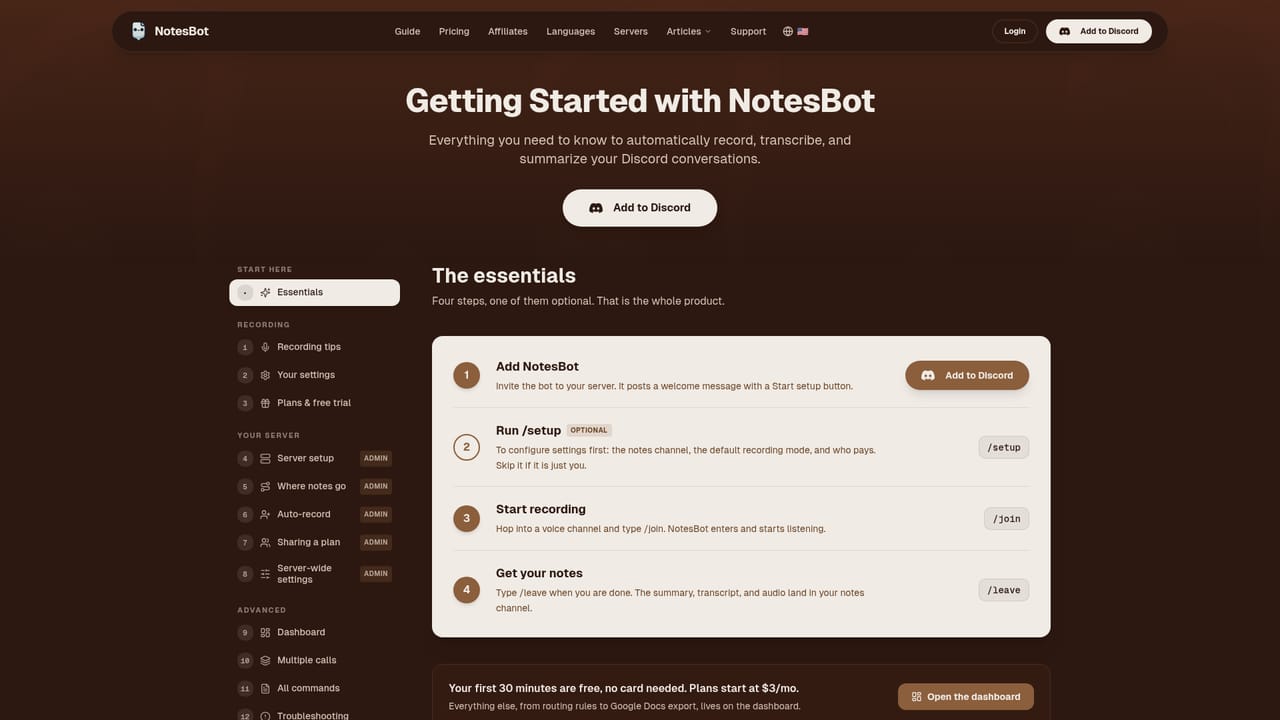
One 30-minute trial per new user with all features, no credit card and no renewal. A server can host three trials or 90 minutes total, and sharing a paid plan ends trial access.
Learn moreTiered monthly subscription priced per account: Basic $3 for 5 hours, Standard $5 for 10 hours, Plus $10 for 20 hours, Pro $15 for 30 hours, then Premium $20 for 40 hours and Ultimate $40 for 100 hours. Annual billing saves 20 percent. Hours reset each billing cycle and every plan includes the full feature set.
Learn moreA 13-topic /help command inside Discord covers common questions, and a getting started guide walks through install and server configuration. A community Discord server is listed for custom plans and contact.
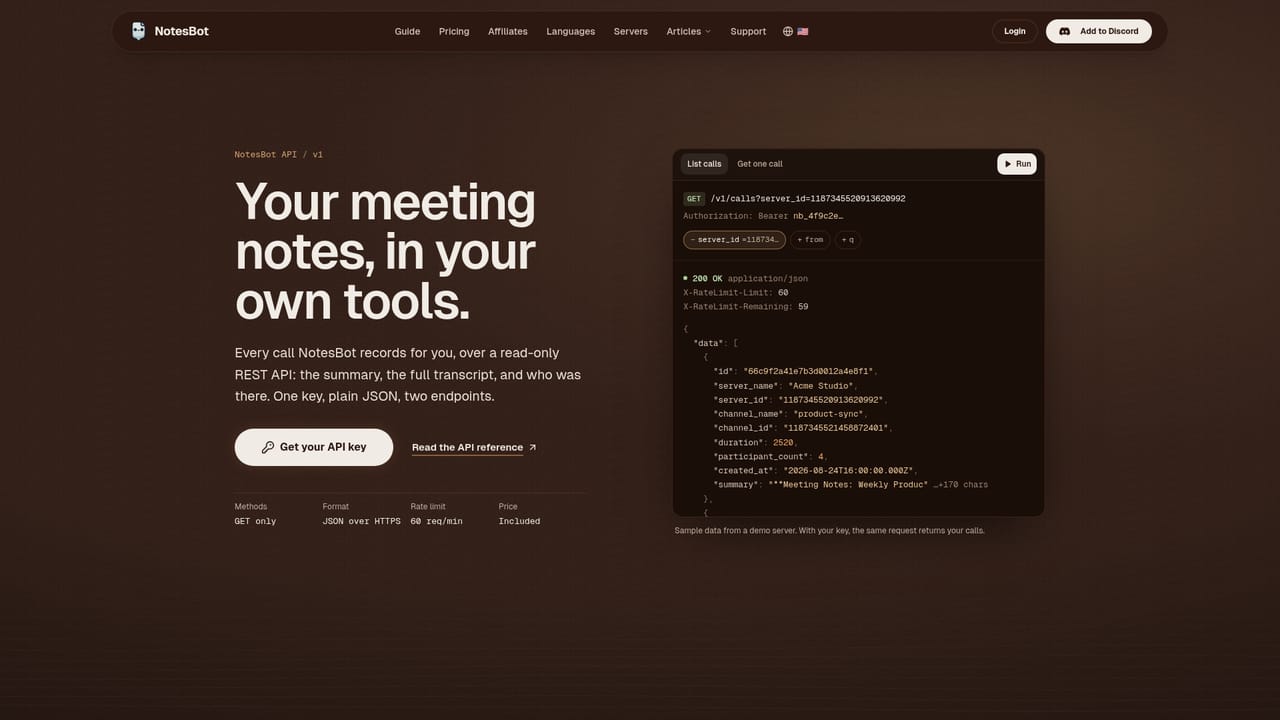
Learn morePosts output to Discord channels and saves formatted documents to Google Drive as Google Docs. A REST API lets developers pull calls, transcripts and summaries into other systems.
Learn moreRecords Discord voice channels, splits speakers onto individual tracks, and posts AI summaries, action items, speaker-named transcripts and MP3 audio to a thread. Supports 80+ languages, meeting and D&D note modes, custom prompts, auto-record, up to 25 channel rules, 10-hour single calls, seven simultaneous recordings via assistant bots, and Google Drive export.
Learn more AI Angels400+ customizable AI girlfriends for NSFW chat, voice calls, and roleplay
 Candy AIExperience the future of companionship with AI friends who chat, role-play, and connect with you on a human level.
 ourdream.aiA vast AI roleplay platform with millions of characters for chat, images, video and voiceAI Angels400+ customizable AI girlfriends for NSFW chat, voice calls, and roleplayCandy AIExperience the future of companionship with AI friends who chat, role-play, and connect with you on a human level.ourdream.aiA vast AI roleplay platform with millions of characters for chat, images, video and voice


