Duct Tape AI

Image generation built for readable text and tight layout control

Beginner
Screenshot of Duct Tape AI, Image generation built for readable text and tight layout control

What is Duct Tape AI?

Duct Tape AI is an independent, credit-based image generator focused on readable in-image text, structured layouts and reference-led edits. It targets poster, packaging, menu and ad mockup work, with text-to-image and image-to-image modes, high-resolution watermark-free exports and a commercial license on paid plans.

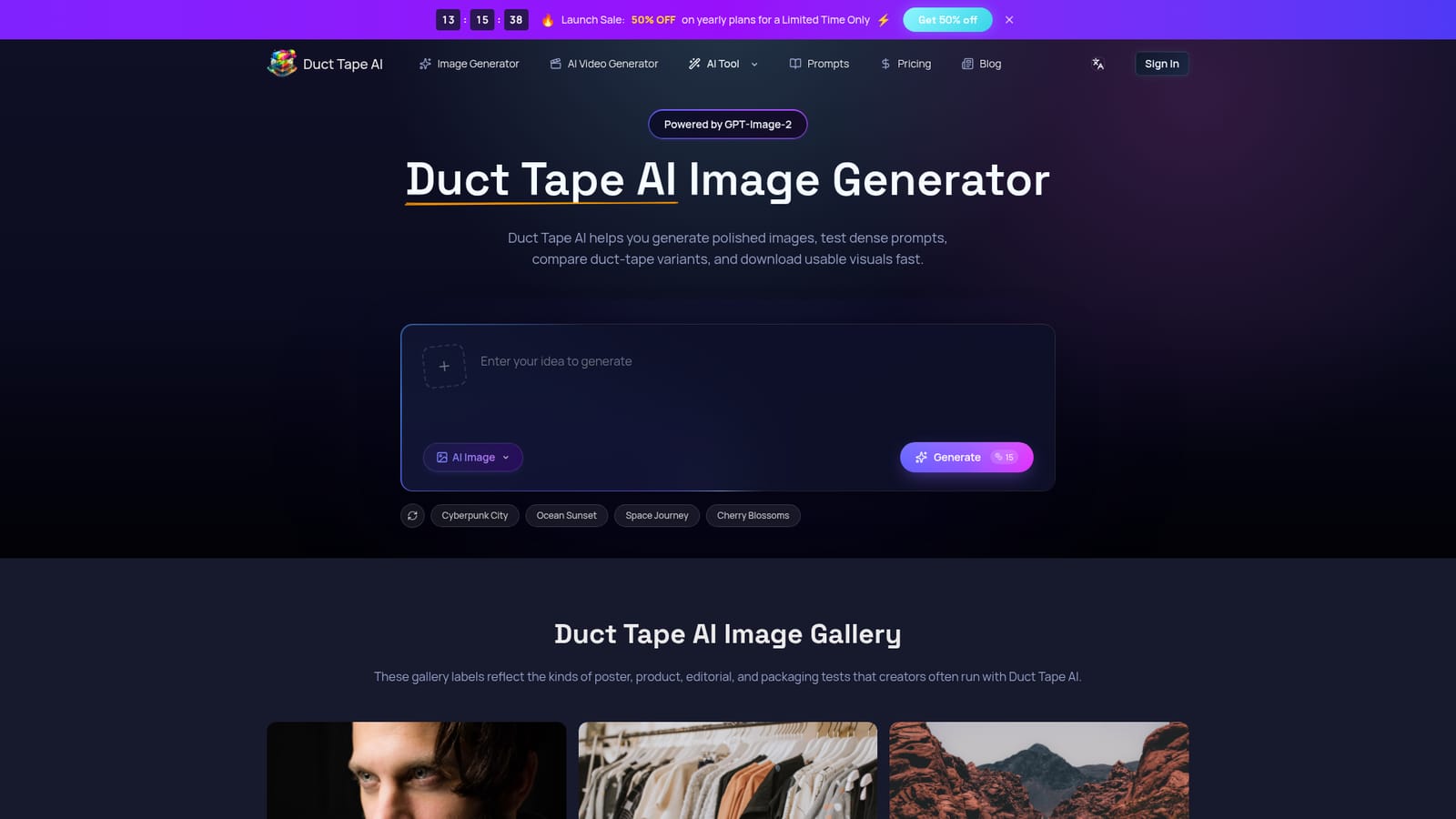
Duct Tape AI is an independent access site built around the image variants the community nicknamed the duct-tape family after they appeared in blind Arena comparisons. The pitch is narrow and practical: generate posters, packaging, menus, magazine covers and ad mockups where headlines, labels and copy blocks stay close to the wording that was requested. The homepage reports that this text fidelity, plus steadier hands and objects, is what drew attention to the model in the first place. The workflow covers two modes. Text-to-image starts from a written prompt, with an optional reference upload when composition, style or subject need to be guided. Image-to-image refinement is aimed at people who already have a reference and want tighter composition follow, cleaner edits or controlled style transfer. Before rendering, you set aspect ratio, quality, background, output format and image count, so one prompt can be pushed toward a social post, a product page or a print piece without leaving the app. Outputs download at high resolution with no watermark and a commercial use license on every paid tier. It suits designers, social teams and small agencies producing mockups and campaign drafts on short timelines, especially those who care about brand consistency across a batch of related visuals. The community divides the underlying family into duct-tape 1, 2 and 3, with duct-tape 2 often described as the best balance of realism, structure and prompt obedience. Access is credit-based: yearly credits fund generation, image-to-image edits and prompt-heavy commercial work, and higher tiers add a priority queue and faster rendering. Where Duct Tape AI differs from general-purpose image generators is emphasis. It is positioned for in-image typography and layout hierarchy rather than open-ended artistic exploration, and the pricing page is candid that this is a third-party front end, not the model's official owner. Anyone weighing it against bigger names should test their own densest prompts first, since results vary by variant and by how the reference is framed.

How do you use Duct Tape AI?

  1. 1Write the prompt and add a reference if needed
    Describe the visual you want, including any headline or label wording that must appear in the frame. Upload a reference image when composition, style or subject guidance matters.
    Duct Tape AI — Write the prompt and add a reference if needed
  2. 2Set output options
    Choose aspect ratio, quality, background, output format and image count so the render fits the channel you are producing for, from a social post to a print layout.
  3. 3Generate and review the preview
    Run the generation, then inspect the preview for text accuracy, spacing and object detail before committing more credits to variations.
  4. 4Download the high-resolution file
    Export the finished image once the render is ready. Paid plans include high-resolution downloads, no watermark and a commercial use license.
  5. 5Pick a plan on the pricing page
    Compare the Starter, Plus and Enterprise credit allowances and the 50 percent yearly launch discount. Monthly and pay-as-you-go credit options are also listed there.
    Duct Tape AI — Pick a plan on the pricing page

Pros and cons

Pros

  • Built around readable in-image typography, which matters for posters, labels, menus and ad copy that must stay close to briefAI
  • Both text-to-image and image-to-image refinement sit in one workflow, including optional reference uploads for composition or style guidanceAI
  • Settings cover aspect ratio, quality, background, output format and image count before rendering, which helps match output to channelAI
  • Paid tiers include high-resolution exports, no watermark and a commercial use license, with priority queue and faster generation on higher plansAI
  • The site is explicit that it is an independent access front end rather than the model owner, which sets honest expectationsAI

Cons

  • It is a third-party access site, so model behavior and availability depend on an underlying system it does not control or publishAI
  • Pricing is credit based; the homepage gives no per-image credit cost, so real cost per usable render is hard to estimate before buyingAI
  • The page mounts a strong case for typography and layout but offers no independent benchmarks, and the testimonials are unnamed beyond first namesAI
  • Community variant labels (duct-tape 1, 2, 3) are informal and inconsistently documented, which makes model choice guessworkAI
  • No refund or cancellation detail beyond cancel anytime, and no free tier or trial terms are stated on the homepageAI

How much does Duct Tape AI cost?

Pricing

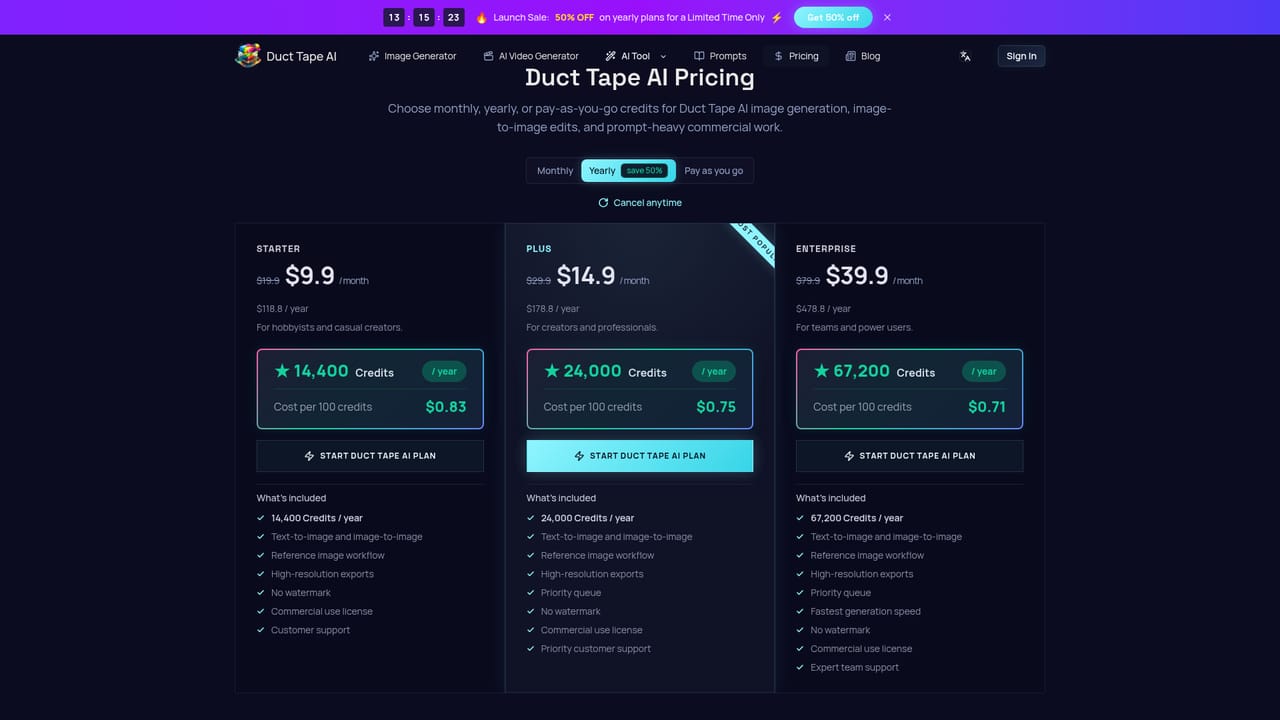
Three yearly credit plans: Starter at $9.9 per month ($118.8 per year) with 14,400 credits, Plus at $14.9 per month ($178.8 per year) with 24,000 credits, and Enterprise at $39.9 per month ($478.8 per year) with 67,200 credits. A 50 percent yearly launch sale, monthly billing and pay-as-you-go credits are also listed.

Learn more

Support

Support is handled by email at support@ducttapeai.com. Starter includes customer support, Plus adds priority customer support, and Enterprise lists expert team support.

Learn more

Features

Text-to-image and image-to-image generation with an optional reference image workflow. Users set aspect ratio, quality, background, output format and image count before rendering, then download high-resolution files with no watermark and a commercial use license. Higher tiers add a priority queue and faster generation, and the site positions the model around readable in-image typography, layout hierarchy and brand consistency across batches.

Frequently asked questions about Duct Tape AI

  • How much does Duct Tape AI cost?
    Three yearly credit plans: Starter at $9.9 per month ($118.8 per year) with 14,400 credits, Plus at $14.9 per month ($178.8 per year) with 24,000 credits, and Enterprise at $39.9 per month ($478.8 per year) with 67,200 credits. A 50 percent yearly launch sale, monthly billing and pay-as-you-go credits are also listed.
  • How do you use Duct Tape AI?
    The walkthrough on this page covers 5 steps: 1. Write the prompt and add a reference if needed 2. Set output options 3. Generate and review the preview 4. Download the high-resolution file 5. Pick a plan on the pricing page.
  • What platforms does Duct Tape AI support?
    Duct Tape AI is available on Web App.
  • What are the limitations of Duct Tape AI?
    It is a third-party access site, so model behavior and availability depend on an underlying system it does not control or publish. Pricing is credit based; the homepage gives no per-image credit cost, so real cost per usable render is hard to estimate before buying. The page mounts a strong case for typography and layout but offers no independent benchmarks, and the testimonials are unnamed beyond first names.

Status

StatusActive
Views0
Outbound clicks0
Added11/3/2026

Platforms

Web App

Pricing

PaidSubscription