Free trial
The homepage offers a free expansion through the editor link, but no trial length, credit allowance or card requirement is stated.
Learn moreGenerative outpainting that fills the space beyond your original frame
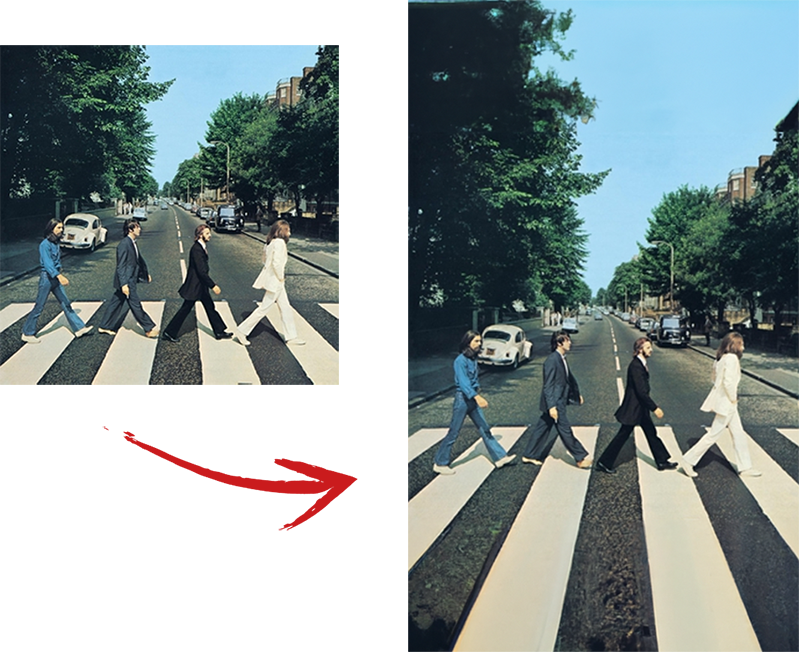
ExtendImage is a content aware fill tool. A web tool that uses generative AI to expand photos beyond their original borders, either by choosing a target size or aspect ratio or by drawing a freeform selection. It matches the original colour and style, returns several variations, and targets quick aspect ratio fixes, banner resizing and composition adjustments.
ExtendImage is a browser based tool built around one focused job: growing a photo past its original borders with generative fill. The engine inspects the existing frame, then paints new pixels that continue the scene, matching the colour palette and style of the source so the added area reads as part of the same photograph. The company markets the feature as Magic Expand, and its main promise is speed, with finished results arriving in seconds rather than through a manual retouching session. In practice the workflow is a choice of two paths. You can pick a preset size or aspect ratio and let the model handle the whole expansion, which suits the common job of turning a portrait shot into a landscape crop for a banner or converting a square upload into a wider format. The alternative is a freeform selection, where you highlight the specific region you want grown and the tool concentrates its work there. The second route matters for composition work, since it lets a designer push out one edge to make room for a headline or a product overlay without disturbing the rest of the frame. ExtendImage generates several candidate variations for each expansion instead of a single output, so the practical loop is generate, compare, then keep the version that fits the design intent. That suits advertising layouts, posters, infographics and social carousels, plus the everyday rescue job of a photo that was cropped too tight to use at a larger size. The audience is broad: designers adapting one asset across several placements, marketers stretching campaign imagery, and casual users who simply want a badly framed picture to look right. Anyone with a one-off expansion need can start in the editor without an account barrier. The tool is narrow by design, and that is worth weighing. It is not a general editor, so expect to finish crops, colour adjustments and retouching elsewhere. Compared with all in one image platforms that bundle outpainting alongside inpainting, upscaling and background removal, ExtendImage competes on the quality of its single trick and its short learning curve rather than on breadth. If extending a frame is the only task on the list, that trade is reasonable; if a team needs a shared production suite, this is a companion tool rather than a replacement.
The homepage offers a free expansion through the editor link, but no trial length, credit allowance or card requirement is stated.
Learn moreThe core feature is generative expansion of photos beyond their original edges. Users set a target size or aspect ratio for a full frame extension, or use freeform selection to grow just one part of the image. The model continues the source image's colour and style, and each run produces several variations to choose from, aimed at resizing for social formats, banners, posters and infographics.
 AI Angels400+ customizable AI girlfriends for NSFW chat, voice calls, and roleplay
 Candy AIExperience the future of companionship with AI friends who chat, role-play, and connect with you on a human level.
 ourdream.aiA vast AI roleplay platform with millions of characters for chat, images, video and voiceAI Angels400+ customizable AI girlfriends for NSFW chat, voice calls, and roleplayCandy AIExperience the future of companionship with AI friends who chat, role-play, and connect with you on a human level.ourdream.aiA vast AI roleplay platform with millions of characters for chat, images, video and voice