Gotalk

AI voice generator with 450+ voices for professional voiceovers

Beginner
Screenshot of Gotalk, AI voice generator with 450+ voices for professional voiceovers

What is Gotalk?

Gotalk is a browser-based AI voiceover studio with 450+ voices in 140+ languages, 8,000+ licensed soundtracks, script uploads, pause control, auto-ducking, translation and speech-flow timing. A free tier offers 15 minutes of generation per month, with paid plans scaling to 15 hours.

Gotalk is a browser-based AI voice platform aimed at turning written scripts into finished voiceovers. The homepage positions it for business, media, creators and marketing teams, with ready-made use cases such as YouTube videos, social posts, Adobe Express projects, on-hold messages and generic marketing clips. The core library is large: 450+ voice artists spread across 140+ languages, with named English (UK) and English (US) speakers like Olivia, Alfie, Andrew and Jenny shown as samples. A separate bank of 8,000+ licensed soundtracks is bundled in, so a project can move from narration to a scored mix without exporting to another editor. In practice the studio works from typed or uploaded text. Scripts can be pasted in or brought in as .txt and .docx files, and pauses can be inserted wherever the delivery needs a beat. Three production features sit on top of the raw speech: audio mixing with auto-ducking so music drops under the narration, automatic translation of prompts for multilingual versions, and Speech Flow text delays that keep phrasing natural rather than clipped. The home page also teases a voice isolator, described as coming at the end of June 2025, aimed at stripping background noise from recorded audio. Who it suits: solo YouTubers and social creators who need narration at volume, small marketing teams producing ads or phone-system prompts, and e-learning or podcast producers who want one tool for voices, music and timing. Because the whole workflow runs in the browser with no downloads, it is easy to trial on a single project before committing. Where it fits: Gotalk sits in the crowded text-to-speech market alongside dedicated voiceover services. Its pitch is breadth (voices, languages and soundtracks in one place) plus mixing and translation, rather than custom voice cloning, which is still flagged as coming soon. Teams that need cloned brand voices today should weigh that gap, and anyone doing heavy post-production should check how far the built-in mixer goes before replacing a full DAW.

How do you use Gotalk?

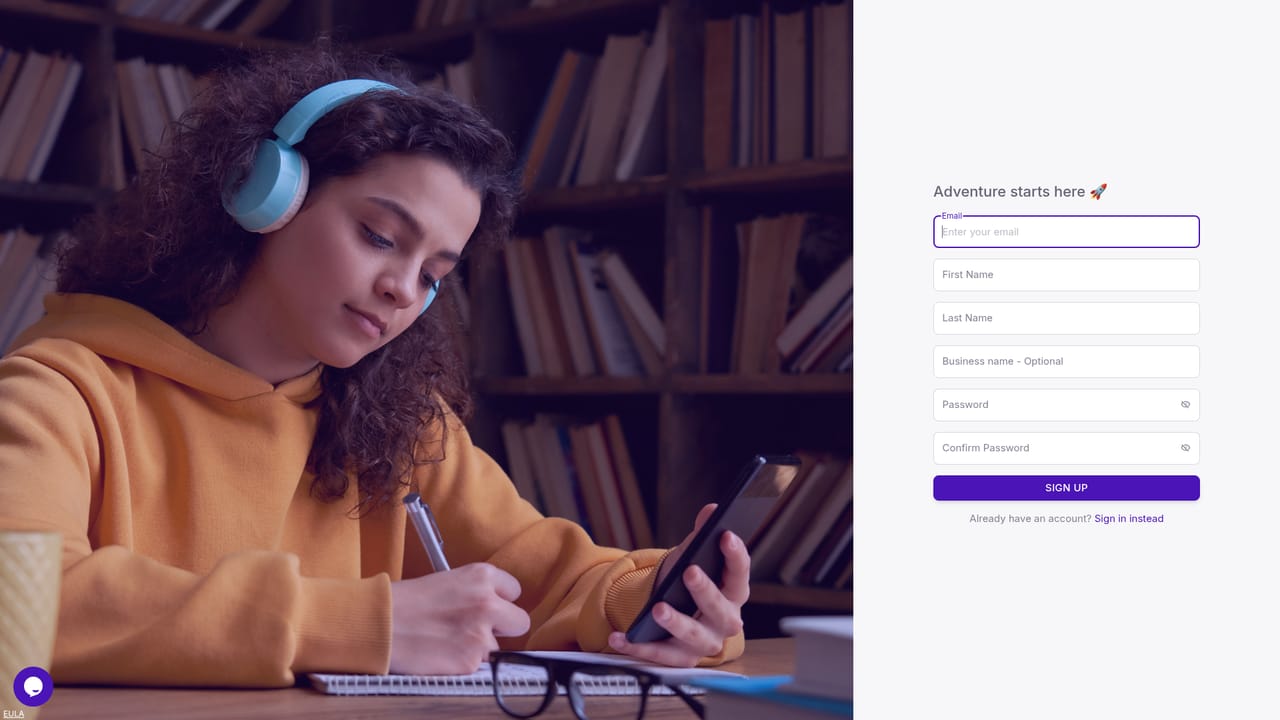
  1. 1Create your account
    Go to the signup page and register for a Gotalk account. The free plan activates with 15 minutes of generation per month, enough to audition voices.
    Gotalk — Create your account
  2. 2Start a project and pick a voice
    Inside the studio, create a new project and browse the 450+ voices by language and accent. Preview English (UK) or English (US) samples before committing.
  3. 3Add your script
    Paste text directly or upload a .txt or .docx file. Insert pauses where the delivery needs a break, and use Speech Flow delays to keep phrasing natural.
  4. 4Mix music and set ducking
    Bring in a track from the 8,000+ licensed soundtracks and enable auto-ducking so the music lowers under the narration. Adjust levels to taste.
  5. 5Translate for other markets
    Use Auto Translation to convert the prompt into another language, then regenerate with a matching voice from the library for localized versions.
  6. 6Generate and download
    Render the voiceover and download the result. Paid plans unlock unlimited downloads and commercial usage rights.

Pros and cons

Pros

  • Large voice library: 450+ artists across 140+ languages, with regional English accents shown in samples.AI
  • 8,000+ licensed soundtracks included, so narration and music can be finished in one place.AI
  • Practical production controls: pause insertion, Speech Flow delays, auto-ducking and prompt translation.AI
  • Runs fully in the browser with no downloads, and accepts .txt and .docx script uploads.AI
  • Free plan lets you test every voice before paying, with clear monthly minute and project caps.AI

Cons

  • Voice cloning is only listed as coming soon, so custom brand voices are not available yet.AI
  • Monthly generation caps are tight relative to price: the top plan still stops at 15 hours.AI
  • The page shows no API, no editor plugins and no stated third-party integrations for existing workflows.AI
  • Voice isolator is announced for end of June 2025, meaning noise cleanup is not usable at launch.AI
  • Licensing terms are not spelled out on the homepage; commercial rights start only at the Creator tier.AI

How much does Gotalk cost?

Free trial

A permanent free tier provides 15 minutes of voice generation and up to 15 projects per month with access to all 450+ voices, plus 8,000+ soundtracks. No time-limited trial is mentioned; paid plans are upgrades from the free account.

Learn more

Pricing

Four tiers: Free (15 minutes/month, 15 projects), Creator at £19/$25.45 (2 hours, 50 projects, commercial rights), Pro at £45/$60.28 (6 hours, 250 projects) and Enterprise at £95/$127.25 (15 hours, 500 projects). All plans include the full voice library, soundtracks, pause support and script uploads; voice cloning is listed as coming soon.

Learn more

Support

The pricing table lists higher priority support on every plan, including the free tier. No help centre, documentation or contact channel is linked from the homepage.

Features

Text-to-speech with 450+ voices across 140+ languages; script uploads (.txt, .docx); pause insertion; Speech Flow text delays; audio mixing with auto-ducking; automatic prompt translation; 8,000+ licensed soundtracks; project management; browser-based studio with no downloads. A voice isolator for noise removal is announced for end of June 2025. Voice cloning is marked coming soon.

Frequently asked questions about Gotalk

  • How much does Gotalk cost?
    Four tiers: Free (15 minutes/month, 15 projects), Creator at £19/$25.45 (2 hours, 50 projects, commercial rights), Pro at £45/$60.28 (6 hours, 250 projects) and Enterprise at £95/$127.25 (15 hours, 500 projects). All plans include the full voice library, soundtracks, pause support and script uploads; voice cloning is listed as coming soon.
  • Does Gotalk offer a free trial?
    A permanent free tier provides 15 minutes of voice generation and up to 15 projects per month with access to all 450+ voices, plus 8,000+ soundtracks. No time-limited trial is mentioned; paid plans are upgrades from the free account.
  • How do you use Gotalk?
    The walkthrough on this page covers 6 steps: 1. Create your account 2. Start a project and pick a voice 3. Add your script 4. Mix music and set ducking 5. Translate for other markets 6. Generate and download.
  • What platforms does Gotalk support?
    Gotalk is available on Web App.
  • What are the limitations of Gotalk?
    Voice cloning is only listed as coming soon, so custom brand voices are not available yet. Monthly generation caps are tight relative to price: the top plan still stops at 15 hours. The page shows no API, no editor plugins and no stated third-party integrations for existing workflows.

Status

StatusActive
Views0
Outbound clicks0
Added10/22/2026

Platforms

Web App

Pricing

FreeFreemiumSubscription