Free trial
A free trial download is offered from the homepage and pricing page, so the app can be tested before a license is bought. A 7 day refund guarantee backs purchases.
Learn moreOffline text to speech with synced highlighting and audiobook export

WithAudio is an AI narration tool. A one time purchase text to speech reader for Mac and Windows that narrates EPUB, PDF, Markdown and web documents entirely on device, with sentence highlighting, batch MP3 and M4B audiobook export, and a synced Chrome extension.
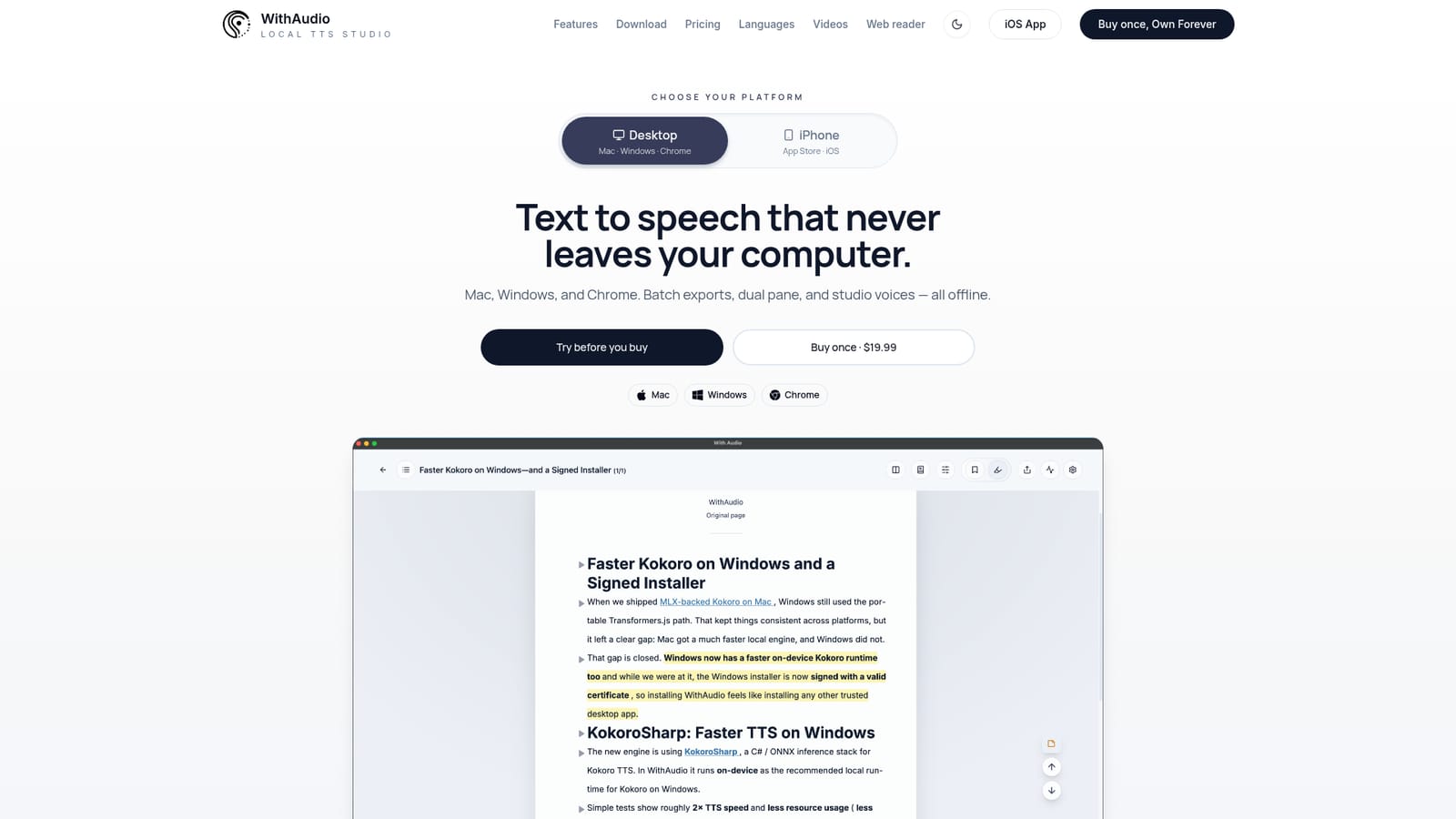
WithAudio is a desktop text to speech reader built around one promise: your documents stay on your machine. It runs as a native app for Mac and Windows, with a Chrome companion extension, and converts EPUB, PDF, Markdown, TXT and web pages into spoken audio using voices that are installed locally rather than generated in the cloud. No account is required and nothing is uploaded. Buying is a single transaction, not a recurring subscription, which places it directly against browser based readers that charge monthly. The core workflow is dual purpose reading. The player keeps the current line centred on screen while sentences highlight in time with the narration, so a user can follow along visually, skim ahead, or switch to audio only. Import handles chapters and formatting rather than dumping raw text, and long documents can be queued for batch export as MP3 or as M4B chapters, which is the route to turning an ebook collection into a personal audiobook library. Dual pane, focus mode and sentence level navigation support longer listening sessions. It suits students working through dense reading lists, professionals who want reports and articles spoken while they do something else, and ebook owners who want offline audio without a subscription. The Chrome extension covers web articles and stays in sync with the desktop app; the iPhone app is sold separately on the App Store and a desktop key will not unlock it. Buyers comparing it with online services should weigh the privacy and cost model against the convenience of hosted voices on any device.
A free trial download is offered from the homepage and pricing page, so the app can be tested before a license is bought. A 7 day refund guarantee backs purchases.
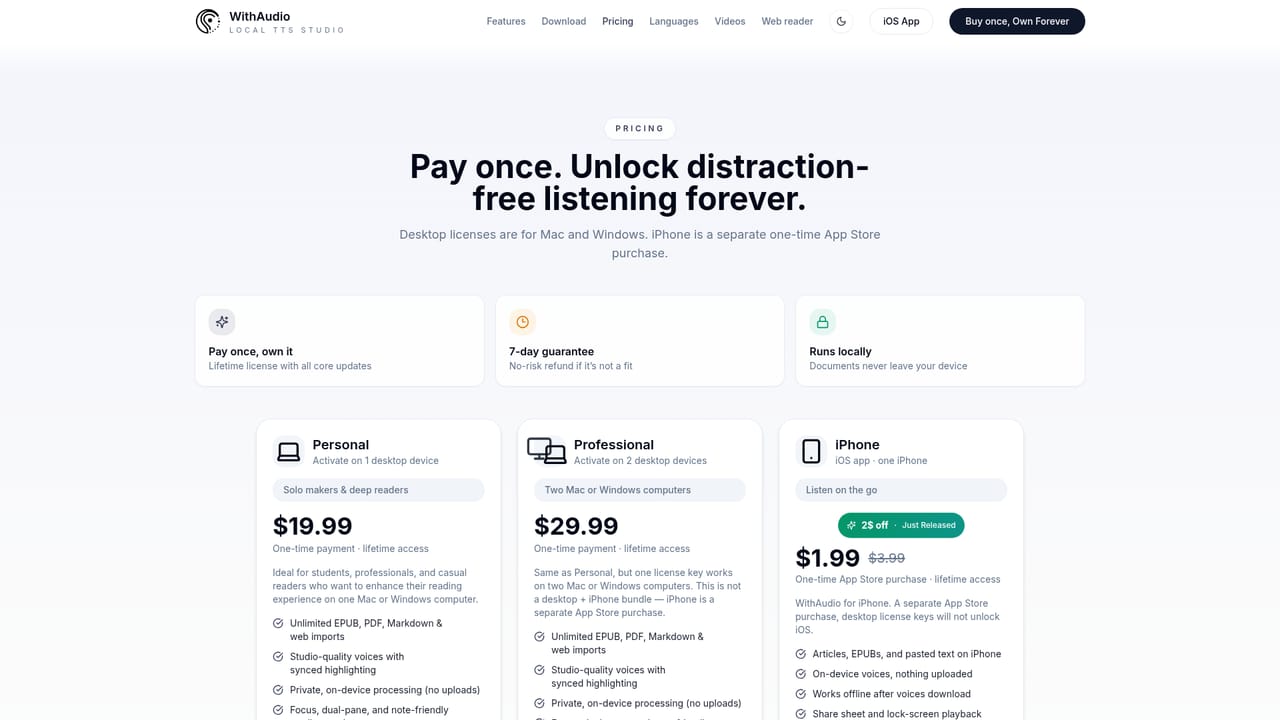
Learn morePay once models. The Personal license is $19.99 and activates on one Mac or Windows computer; Professional is $29.99 for two desktop devices. Both include lifetime access and core updates. The iPhone app is a separate App Store purchase at $1.99, reduced from $3.99. A 7 day money back guarantee applies.
Learn moreSupport runs through a contact page, with replies reported in about one day on weekdays. An early access email list covers platform launches and roadmap updates.
Learn moreThe Chrome companion extension stays in sync with the desktop app for web reading. No other third party integrations are described on the homepage.
Local text to speech for EPUB, PDF, Markdown, TXT and web pages, with studio voices, synced sentence highlighting, auto scroll, dual pane, focus mode, sentence level navigation, batch queues, MP3 and M4B chapter export, audiobook library building, and a Chrome companion extension. Processing is fully on device with no cloud and no account.
Learn more AI Angels400+ customizable AI girlfriends for NSFW chat, voice calls, and roleplay
 Candy AIExperience the future of companionship with AI friends who chat, role-play, and connect with you on a human level.
 ourdream.aiA vast AI roleplay platform with millions of characters for chat, images, video and voiceAI Angels400+ customizable AI girlfriends for NSFW chat, voice calls, and roleplayCandy AIExperience the future of companionship with AI friends who chat, role-play, and connect with you on a human level.ourdream.aiA vast AI roleplay platform with millions of characters for chat, images, video and voice


