Free trial
No paid tier exists, so a trial is unnecessary: the software is free to download and self-host. An optional Google Colab notebook lets you generate sample speech in Google's environment without a local install.
Learn moreSelf-hosted Kokoro text-to-speech behind an OpenAI-compatible API

SpeakCrate is an AI narration tool. Open-source, MIT-licensed text-to-speech API that runs Kokoro locally in Docker. Offers 54 multilingual voices, six output formats, sentence-level streaming, and an OpenAI-compatible speech endpoint. CPU or NVIDIA GPU, optional offline operation.
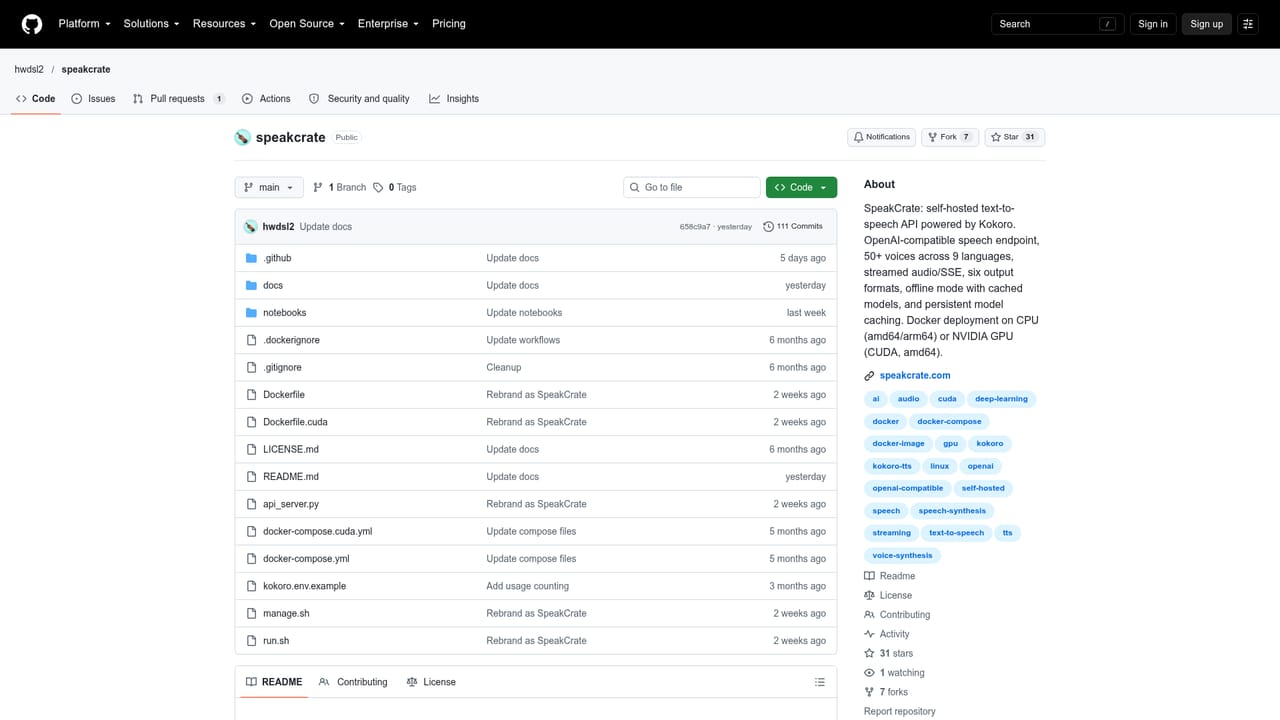
SpeakCrate is an open-source text-to-speech server that runs on your own hardware and exposes speech generation through a single REST endpoint. The project wraps Kokoro, a local speech model, and packages it as a Docker image that accepts a POST request to /v1/audio/speech. Text goes in, audio comes back, and nothing leaves the machine you control. There is no OpenAI account involved and no per-character metering. The voice catalogue is the practical draw. SpeakCrate ships with 54 voices across nine languages: American and British English, Japanese, Mandarin Chinese, Spanish, French, Hindi, Italian, and Brazilian Portuguese. Output can be written to MP3, WAV, FLAC, Opus, AAC, or PCM, and requests can stream audio as each sentence is synthesized, either as raw bytes or as Server-Sent Events for clients that prefer event framing. Deployment is deliberately narrow. A container runs on amd64 or arm64 CPUs with roughly 1.5 GB of RAM free, and the model (about 320 MB) downloads on first boot. An optional :cuda image adds NVIDIA acceleration on amd64, but a GPU is never required. A fresh install generates its own API key, which you fetch from inside the container. Persistent volumes keep models across restarts, and with the right files cached plus KOKORO_LOCAL_ONLY enabled the server runs fully offline. The OpenAI compatibility is a migration convenience rather than a full clone. Compatible SDKs and apps can point at SpeakCrate unchanged, and OpenAI voice names map onto Kokoro equivalents, but some options are accepted and ignored (voice instructions among them). That places SpeakCrate alongside other local TTS servers such as openedai-speech, and it pairs naturally with ScribeCrate when a stack needs speech input as well as output. It is aimed at developers, homelab operators, and privacy-conscious product teams, not at people who want a browser tab that reads text aloud.
No paid tier exists, so a trial is unnecessary: the software is free to download and self-host. An optional Google Colab notebook lets you generate sample speech in Google's environment without a local install.
Learn moreThe SpeakCrate project is free and open source under the MIT License; you pay only for the hardware or cloud server you run it on. Kokoro is Apache 2.0 licensed, and bundled dependencies keep their own licenses. The optional Self-Hosted AI Builder's Guide ebook is listed at $0.99.
Learn moreSetup instructions and FAQ live on the homepage, with fuller documentation, an API reference, and environment variable details in the GitHub repository readme. There is no dedicated commercial support channel mentioned.
Learn moreCompatible OpenAI SDKs and apps can call the speech endpoint directly. It also deploys as part of the Self-Hosted AI Stack, and pairs with ScribeCrate for speech-to-text in the same setup.
OpenAI-compatible POST /v1/audio/speech endpoint using Kokoro locally, 54 voices across nine languages, output as MP3, WAV, FLAC, Opus, AAC, or PCM, streaming via audio bytes or Server-Sent Events, CPU (amd64/arm64) or NVIDIA CUDA images, persistent model cache, offline operation with KOKORO_LOCAL_ONLY, and auto-generated API keys.
Learn more AI Angels400+ customizable AI girlfriends for NSFW chat, voice calls, and roleplay
 Candy AIExperience the future of companionship with AI friends who chat, role-play, and connect with you on a human level.
 ourdream.aiA vast AI roleplay platform with millions of characters for chat, images, video and voiceAI Angels400+ customizable AI girlfriends for NSFW chat, voice calls, and roleplayCandy AIExperience the future of companionship with AI friends who chat, role-play, and connect with you on a human level.ourdream.aiA vast AI roleplay platform with millions of characters for chat, images, video and voice


