Img2Img AI

One workspace for image to image editing across 10+ elite models

Beginner
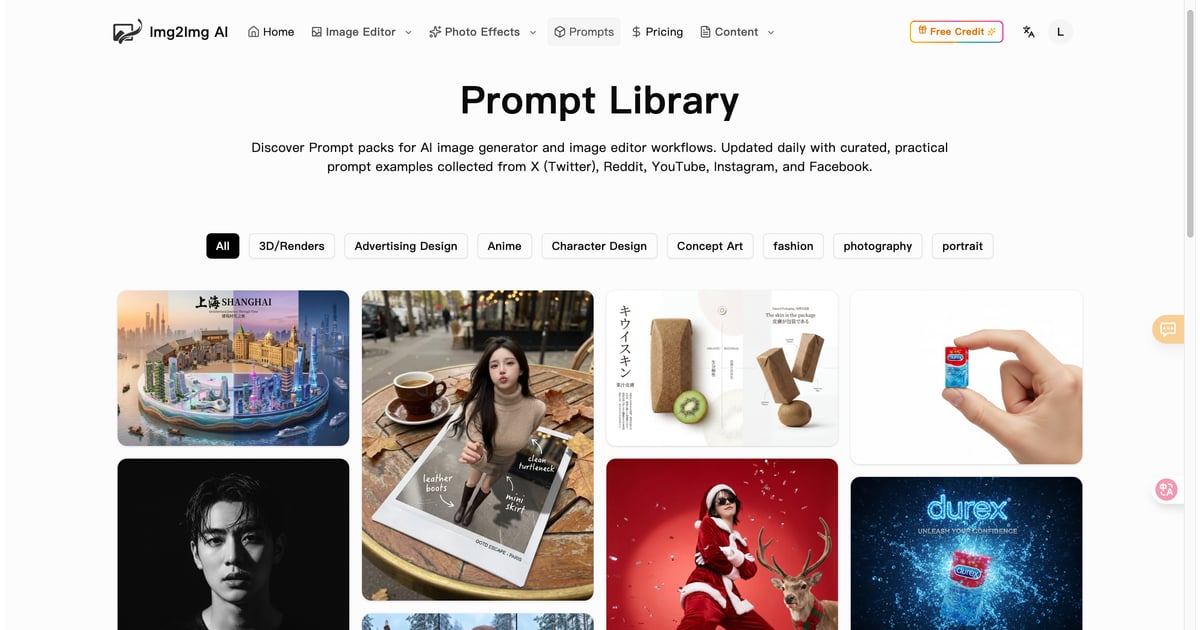
Screenshot of Img2Img AI, One workspace for image to image editing across 10+ elite models

What is Img2Img AI?

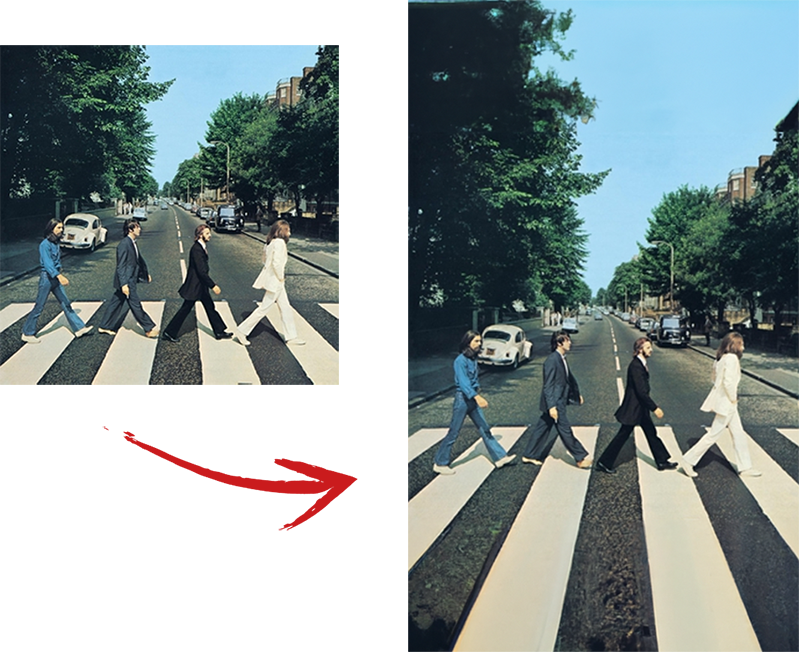
Img2Img AI is an extend images tool. An all-in-one image to image generator that edits, restyles, enhances and outpaints uploaded photos across more than ten hosted AI models, with one click effects and a prompt library.

Img2Img AI is a browser based image workstation built around image to image generation. Rather than starting from an empty canvas, you upload a photo and a short text prompt, and the platform uses the composition, lighting and structure of that photo as a blueprint for the edit. The result keeps key elements recognizable while changing style, subject details, background or framing. A text to image mode sits alongside it for scenes that do not need a source photo. The draw is model choice. Around a dozen hosted engines are selectable in the same editor, including Nano Banana, Nano Banana Pro, Nano Banana 2, Nano Banana 2.1, Ideogram 4.0, GPT Image 2, GPT Image 2.5, GPT Image 1.5, Muse Image AI, Flux 2 Max, Seedream 4.0, Seedream 4.5, Seedream 5.0 Pro, Z-image turbo and Grok Imagine. The site is upfront that stronger models consume more credits, so you trade cost against sharpness and detail. A prompt optimization button rewrites rough instructions, and you can attach up to four reference images at up to 15MB each, pick an aspect ratio (including matching the input), and export as PNG. The surrounding toolkit is what turns this into a daily driver: style transfer, object level edits, photo restoration and enhancement, background removal and replacement, smart outpainting to new ratios, and a library of one click effects and filters aimed at social output. A prompt library with sample packs and a blog of guides provide starting points for people who do not write prompts for a living. It suits marketers producing product variations, designers iterating mockups, photographers restyling shots, and small teams that want many variations from one base image without opening Photoshop. Compared with single model generators, the value is consolidation rather than raw novelty; compared with full creative suites, it is narrower but far quicker to learn.

How do you use Img2Img AI?

  1. 1Choose text to image or image to image
    From the homepage generator, pick the mode. Image to Image is the right path when you already have a photo to transform; Text to Image builds a scene from nothing.
  2. 2Select a model by cost and quality
    Open the model menu and compare options such as Nano Banana 2.1, Seedream 4.5 or Flux 2 Max. Higher credit models return sharper detail, so match the pick to the job.
  3. 3Upload references and write a prompt
    Add up to four reference images (15MB each), set the aspect ratio and output format, then describe subject, style, lighting and mood. Use prompt optimization if the wording feels thin.
  4. 4Generate and download
    Run the generation, which costs credits, then review the result and download the PNG or push it straight to your social channels.
  5. 5Refine with the advanced editor
    For localized fixes, open the advanced editor and select the area to change so edits stay precise instead of repainting the whole image.
  6. 6Borrow prompts and use cases
    The prompt library and use case pages show worked examples for product shots, portraits and banners, which is the fastest way to calibrate your own prompts.

Pros and cons

Pros

  • A dozen hosted models (Nano Banana variants, Seedream, Flux, GPT Image, Ideogram and others) selectable inside one editorAI
  • Upload up to four reference images at 15MB each, with an aspect ratio option that matches the input photoAI
  • Practical utilities beyond restyling: restoration, enhancement, background work, outpainting and a watermark removerAI
  • Prompt optimization plus a curated prompt library and guides lower the entry barrier for non-designersAI
  • Advanced editor supports area based edits for more targeted changesAI

Cons

  • Credit costs differ per model, so heavier use of the premium engines eats budget quickly and requires monitoringAI
  • No pricing figures or plan tiers appear on the homepage; you have to check the pricing page before committingAI
  • Commercial usage rights depend on plan and terms and are not spelled out on the landing pageAI
  • Output quality still hinges on prompt skill and source image clarity; blurry or cluttered uploads limit what the editor can preserveAI
  • Most material is marketing copy plus brief FAQ answers, with little technical documentation on parameter controlAI

How much does Img2Img AI cost?

Pricing

Generation runs on credits, and each model has a different credit cost; the interface shows a cost per run and a remaining balance. The homepage lists no plan prices or tiers, so the pricing page is the place to confirm what credits cost and what each plan includes.

Learn more

Support

Support is handled by email at support@imgtoimg-ai.com, which is the address given in the FAQ for unanswered questions. No live chat, community forum or knowledge base is described on the homepage.

Features

Style transfer that preserves framing and subject, object level editing, photo restoration and enhancement, background removal and replacement, smart outpainting to new aspect ratios, one click AI effects and filters, prompt optimization, up to four reference images per run, and an advanced editor for area specific changes. Over ten hosted models cover both text to image and image to image work.

Frequently asked questions about Img2Img AI

  • How much does Img2Img AI cost?
    Generation runs on credits, and each model has a different credit cost; the interface shows a cost per run and a remaining balance. The homepage lists no plan prices or tiers, so the pricing page is the place to confirm what credits cost and what each plan includes.
  • How do you use Img2Img AI?
    The walkthrough on this page covers 6 steps: 1. Choose text to image or image to image 2. Select a model by cost and quality 3. Upload references and write a prompt 4. Generate and download 5. Refine with the advanced editor 6. Borrow prompts and use cases.
  • What platforms does Img2Img AI support?
    Img2Img AI is available on Web App.
  • What are the limitations of Img2Img AI?
    Credit costs differ per model, so heavier use of the premium engines eats budget quickly and requires monitoring. No pricing figures or plan tiers appear on the homepage; you have to check the pricing page before committing. Commercial usage rights depend on plan and terms and are not spelled out on the landing page.

Status

StatusActive
Views0
Outbound clicks0
Added10/21/2026

Platforms

Web App

Pricing

FreemiumSubscription