Free trial
The homepage invites users to 'Start Creating Free,' suggesting an initial free usage tier, though exact trial credit amounts are not specified on the page.
Learn moreTurn text or lyrics into full, royalty-free songs in under a minute.

Lyria 3 AI is a death metal generator tool that turns text or lyrics into full, royalty-free songs in under a minute. Lyria 3 is an AI music studio that turns text prompts or lyrics into complete, royalty-free songs with vocals and instrumentation, built for content creators, podcasters, marketers, and songwriters who need fast, commercially cleared tracks.
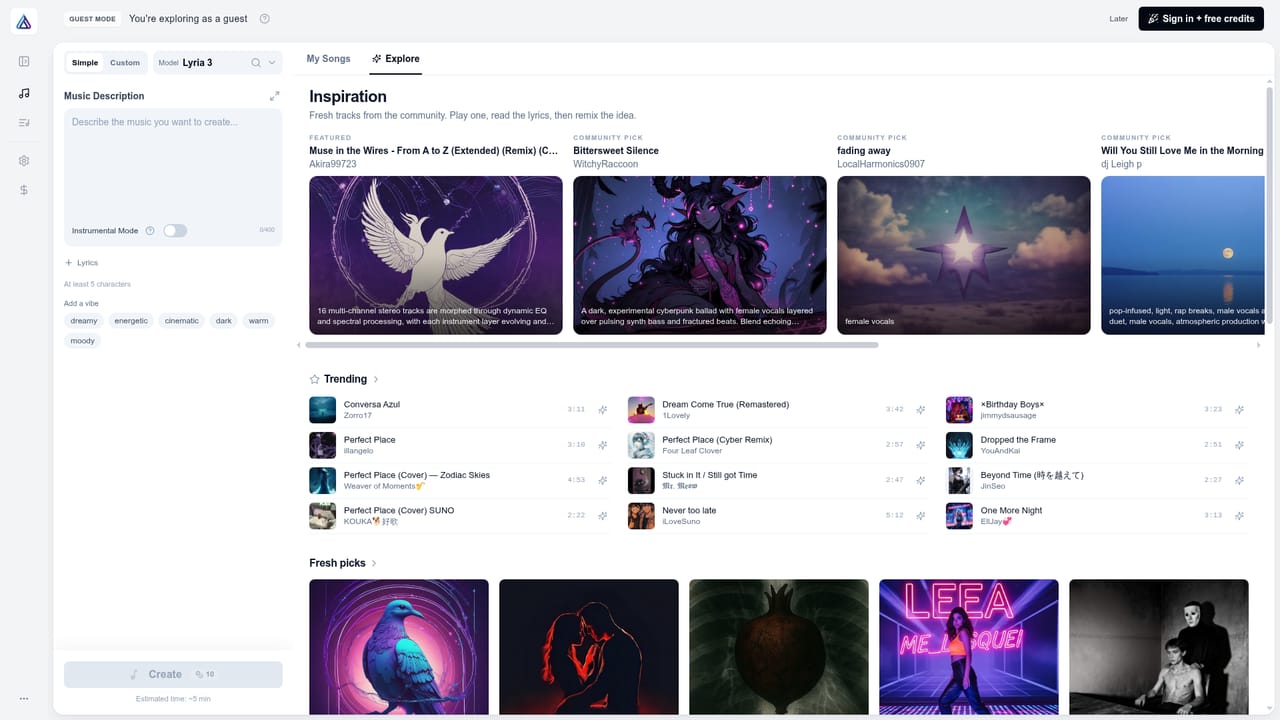
Lyria 3 is an online AI music studio that converts written prompts or lyrics into complete songs, including vocals, instrumentation, and mixing, without requiring any musical training. Users type a mood or genre description, or paste their own lyrics, and the underlying Lyria 3 model renders a finished track that can be downloaded as MP3 or WAV, with stems available for further mixing. The tool targets a broad range of non-musician creators: YouTubers and Shorts producers who need background tracks without copyright risk, podcasters who want distinct intros and outros, filmmakers scoring scenes, marketers building campaign jingles, and songwriters who want to sketch ideas or hear their lyrics sung aloud. Musicians who hit creative blocks can also use it to extend existing demos or experiment with unfamiliar genres. In practice, the workflow is a three-step loop: pick the Lyria 3 workspace, enter a text prompt or set of lyrics, then generate and download. Beyond initial generation, the platform supports track extension for lengthening songs while preserving musical coherence, vocal transformation for creating covers with altered vocal characteristics, and layering tools for adding instruments or harmonies to an existing track. Every output is described as cleared for commercial use across platforms like YouTube, TikTok, Spotify, and podcasts, which positions Lyria 3 as an alternative to licensed stock music libraries rather than a traditional DAW or composition tool. Against other AI music generators, Lyria 3 emphasizes speed (tracks generated in seconds), natural-sounding multilingual vocals, and a full workflow that combines generation, extension, and cover creation in one interface rather than requiring separate tools. It sits closer to a songwriting and production shortcut for content creators and marketers than a professional composition environment for trained musicians.
The homepage invites users to 'Start Creating Free,' suggesting an initial free usage tier, though exact trial credit amounts are not specified on the page.
Learn moreEach song generation costs 10 credits, and paid plans supply credit allotments that roll over monthly; specific dollar pricing tiers are not listed on the homepage itself.
Learn moreSupport is reachable via email (support@lyria3-ai.com); no live chat, ticketing system, or dedicated help center is described on the homepage.
Text-to-song and lyrics-to-song generation, track extension, AI vocal cover and transformation, instrument and harmony layering, and export to MP3 or WAV with stems, all aimed at producing commercially cleared tracks quickly.
 AI Angels400+ customizable AI girlfriends for NSFW chat, voice calls, and roleplay
 Candy AIExperience the future of companionship with AI friends who chat, role-play, and connect with you on a human level.
 ourdream.aiA vast AI roleplay platform with millions of characters for chat, images, video and voiceAI Angels400+ customizable AI girlfriends for NSFW chat, voice calls, and roleplayCandy AIExperience the future of companionship with AI friends who chat, role-play, and connect with you on a human level.ourdream.aiA vast AI roleplay platform with millions of characters for chat, images, video and voice


