Mediar

AI agents that record and replay your Windows desktop workflows

Beginner
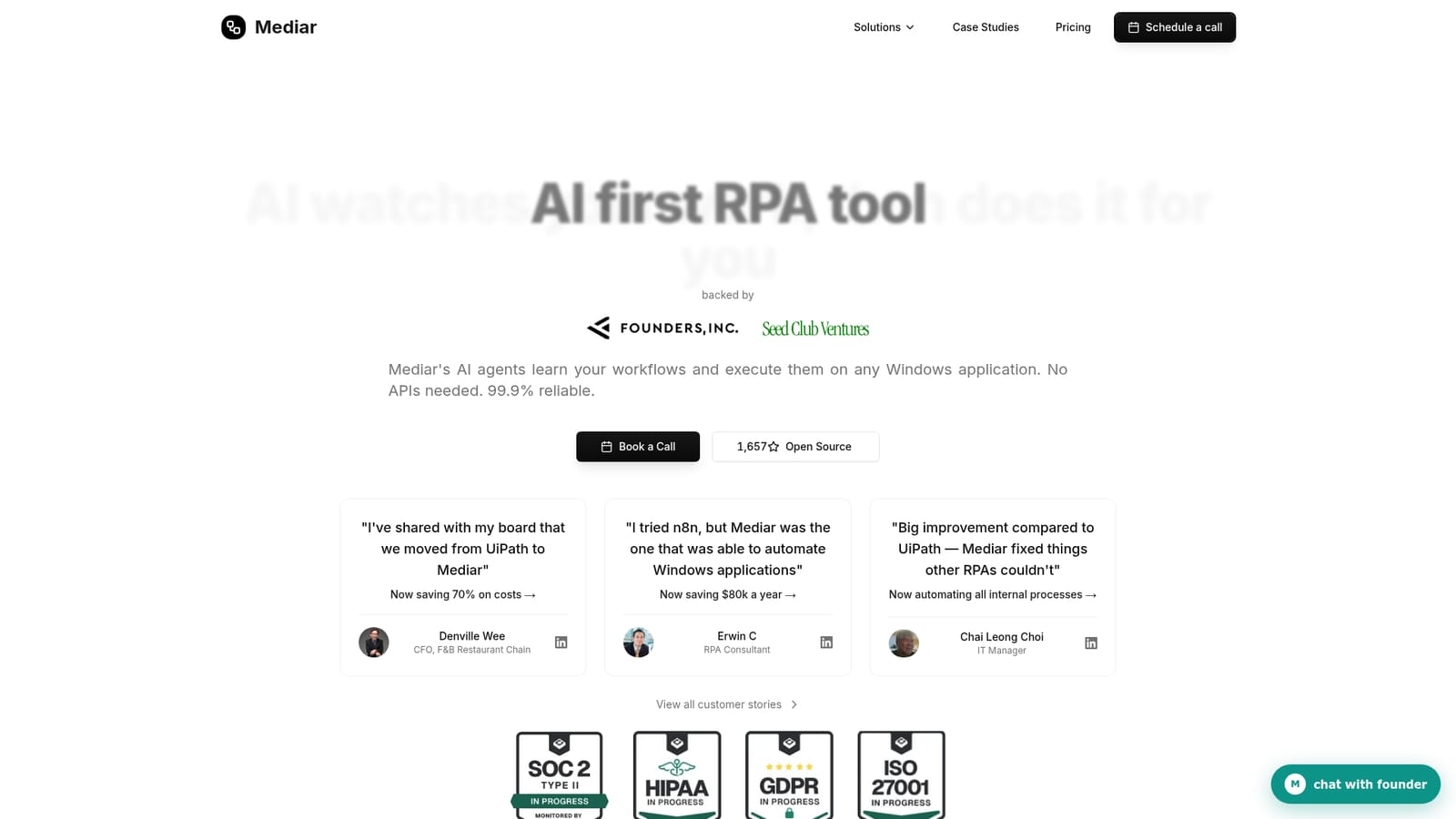
Screenshot of Mediar, AI agents that record and replay your Windows desktop workflows

What is Mediar?

Mediar automates repetitive Windows desktop workflows using AI agents that learn from a recording or a text description and run in the cloud. It targets legacy applications without APIs, claims one-week deployment and 99.9% deterministic reliability, and is sold through a booked call rather than self-serve signup.

Mediar is an AI-first RPA platform for automating repetitive work inside Windows desktop applications. Rather than relying on screen coordinates or screenshot-based vision models, Mediar drives applications through OS level accessibility APIs, which lets it operate legacy software that exposes no API of its own. The company positions the product against both old-line RPA suites and newer browser computer-use agents, claiming a one-week deployment window, 99.9% deterministic execution and self-healing behaviour when interfaces change. The workflow model is record and describe. A user demonstrates a process once, or types a plain-language instruction such as extracting invoices from SAP and reconciling payments in Excel, and Mediar builds a runnable automation from that input. Workflows then execute in the cloud around the clock, with a dashboard tracking executions, average speed, success rates and estimated savings. Typical use cases named on the site include SAP B1 payment reconciliation, form filling, PDF to Excel conversion, insurance claims, compliance forms and bulk PDF processing, plus lighter jobs like pushing Gmail data into Google Sheets. A recorded demo of invoice processing is cited at 11 invoices per minute against roughly an hour of manual work. The audience is operations and finance teams, IT managers and RPA consultants who already know the process they want automated but lack developers to build it. Mediar leans on customer stories from a restaurant chain CFO, an independent RPA consultant and an IT manager, each framed around cost savings versus prior tools. Buyers who need a browser-only agent or a self-serve free tier will find Mediar heavier: the sales motion starts with a call, and security certifications (SOC 2 Type II, HIPAA, GDPR, ISO 27001) are listed as in progress rather than completed. It sits closest to UiPath and Power Automate on one side and BrowserBase or BrowserUse on the other, with desktop accessibility as its differentiator.

How do you use Mediar?

  1. 1Book an intro call
    The site routes new buyers through a call with the team, where the process to automate and the deployment scope are discussed. Use this to confirm fit before any build work starts.
    Mediar — Book an intro call
  2. 2Read comparable customer stories
    Review the published case studies to see how teams in similar roles structured their first automation and what savings they reported.
    Mediar — Read comparable customer stories
  3. 3Inspect the open source agent
    The Terminator repository on GitHub is linked from the homepage and lets technical evaluators examine the underlying automation approach before committing.
  4. 4Describe or record the workflow
    In the product, either demonstrate the task once or write a plain-language instruction such as extracting invoices and reconciling them in Excel. Mediar turns that into a runnable workflow.
    Mediar — Describe or record the workflow
  5. 5Test, then deploy to the cloud
    Run the workflow in a test pass to confirm it handles the real application, then deploy it to run on schedule in the cloud.
  6. 6Monitor results in the dashboard
    Use the dashboard to track executions, average speed, success rate and estimated costs saved, and to catch workflows that need attention.

Pros and cons

Pros

  • Works with desktop applications that have no API, using OS level accessibility APIs instead of pixel guessingAI
  • Workflow creation is described as taking about 30 seconds, with no coding requiredAI
  • Self-healing architecture is pitched as reducing maintenance compared with coordinate-based RPAAI
  • Cloud execution plus a dashboard for tracking executions, success rates and savingsAI
  • Public case studies and an open source repository give buyers something concrete to inspectAI

Cons

  • No published price list: pricing works on cost per minute plus credits, and the main entry point is booking a callAI
  • Security certifications (SOC 2 Type II, HIPAA, GDPR, ISO 27001) are all marked in progress, which matters for regulated buyersAI
  • Limited to Windows applications, so Mac and Linux desktop automation is out of scopeAI
  • Reliability and savings figures come from vendor materials and testimonials, not independent benchmarksAI
  • Self-serve evaluation is thin; the open source project and dashboard demo do not replace a paid pilotAI

How much does Mediar cost?

Pricing

The homepage does not publish tiers or figures. It states that pricing after the turn-key programme is charged as cost per minute plus credits, and that a call is the route to a quote. A money-back guarantee is raised in the FAQ but no terms are given.

Learn more

Support

Support is handled through the sales-led onboarding process, with booking a call or chatting with the founder as the stated contact routes. The homepage does not detail support tiers or response times.

Features

Record-once workflow building with no coding, described as taking around 30 seconds. AI agents execute on any Windows application via accessibility APIs, run 24/7 in the cloud, and self-heal when interfaces change. A dashboard covers executions, speed, success rates and cost savings. Named use cases include SAP B1 reconciliation, form filling, PDF to Excel, insurance claims, compliance forms and bulk PDF processing.

Frequently asked questions about Mediar

  • How much does Mediar cost?
    The homepage does not publish tiers or figures. It states that pricing after the turn-key programme is charged as cost per minute plus credits, and that a call is the route to a quote. A money-back guarantee is raised in the FAQ but no terms are given.
  • How do you use Mediar?
    The walkthrough on this page covers 6 steps: 1. Book an intro call 2. Read comparable customer stories 3. Inspect the open source agent 4. Describe or record the workflow 5. Test, then deploy to the cloud 6. Monitor results in the dashboard.
  • What platforms does Mediar support?
    Mediar is available on Web App and Windows.
  • What are the limitations of Mediar?
    No published price list: pricing works on cost per minute plus credits, and the main entry point is booking a call. Security certifications (SOC 2 Type II, HIPAA, GDPR, ISO 27001) are all marked in progress, which matters for regulated buyers. Limited to Windows applications, so Mac and Linux desktop automation is out of scope.

Status

StatusActive
Views0
Outbound clicks0
Added10/22/2026

Platforms

Web AppWindows

Pricing

Paid