Phala Cloud

Run private LLMs and GPU jobs inside hardware-backed TEEs

Advanced API
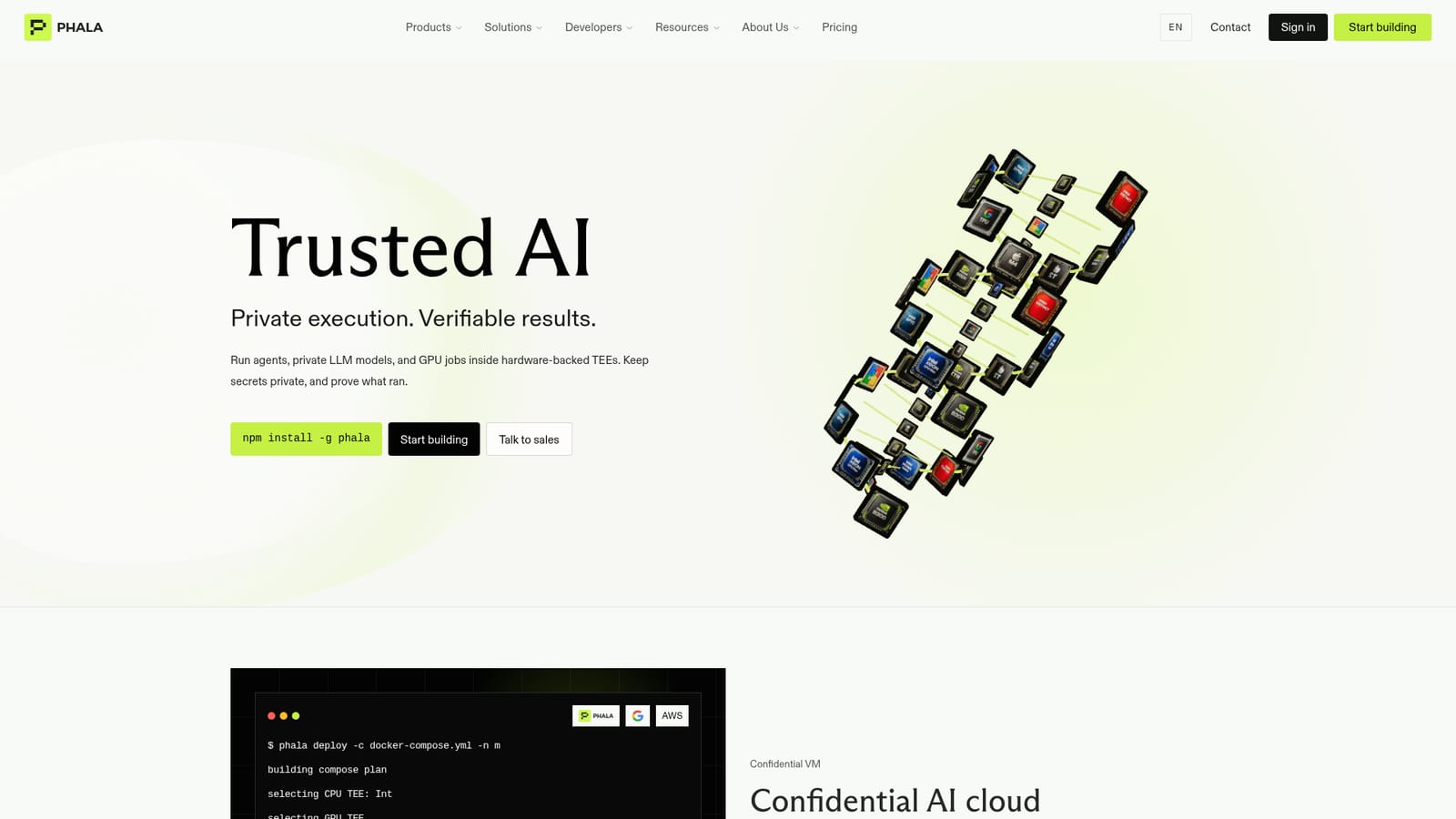
Screenshot of Phala Cloud, Run private LLMs and GPU jobs inside hardware-backed TEEs

What is Phala Cloud?

Phala Cloud is a cybersecurity tool. Confidential AI cloud that deploys Docker workloads, private LLM endpoints and GPU jobs inside Intel TDX and NVIDIA TEEs, with cryptographic attestation so results can be verified rather than trusted.

Phala Cloud is a confidential compute platform for AI workloads. It runs Docker containers, agent backends and LLM inference inside trusted execution environments that combine Intel TDX on the CPU side with NVIDIA confidential computing on H100, H200 and B300 GPUs. The practical claim is narrow and specific: prompts, model weights and environment secrets stay sealed from the host operator, while the platform emits attestation data that outside software can check. That places it closer to private cloud infrastructure than to a chat product. Day to day, the workflow centres on the Phala CLI. A developer installs the package globally, points it at an existing docker compose file, and deploys. The CLI selects a CPU TEE, picks a confidential GPU where the workload needs one, injects encrypted environment variables and returns a live endpoint. From there, status, logs and an attestation record are available from the command line, and the attestation can also be fetched over HTTP to confirm the hardware quote, runtime measurement and code integrity before sending traffic. Three product surfaces sit on that foundation. The agent sandbox hosts agent backends with sealed keys and private memory. The GPU marketplace provisions confidential capacity, with H200 listed from $4.40 per GPU hour and B300 from $8.20. The model catalogue offers OpenAI-compatible endpoints spanning DeepSeek, Qwen, Z.ai GLM, MoonshotAI Kimi, Google Gemma and a Phala-tuned uncensored Qwen variant, with listed input pricing running from $0.04 to $3.00 per million tokens. The audience is technical: AI engineering teams with data they cannot expose, SaaS vendors whose buyers demand provable isolation, healthcare and financial groups under HIPAA or regulatory constraints, and onchain teams that want verifiable execution. Compared with a standard managed inference API, Phala trades a little convenience for auditability. Compared with rolling your own confidential VMs, it trades some control for a much shorter deploy path. The site reports roughly 95 percent TEE performance and a 5 to 10 percent overhead target depending on workload, so buyers should benchmark their own pipeline rather than assume parity.

How do you use Phala Cloud?

  1. 1Install the Phala CLI
    Run npm install -g phala on a machine with Node available. The CLI is the primary interface for deploying and inspecting confidential workloads.
    Phala Cloud — Install the Phala CLI
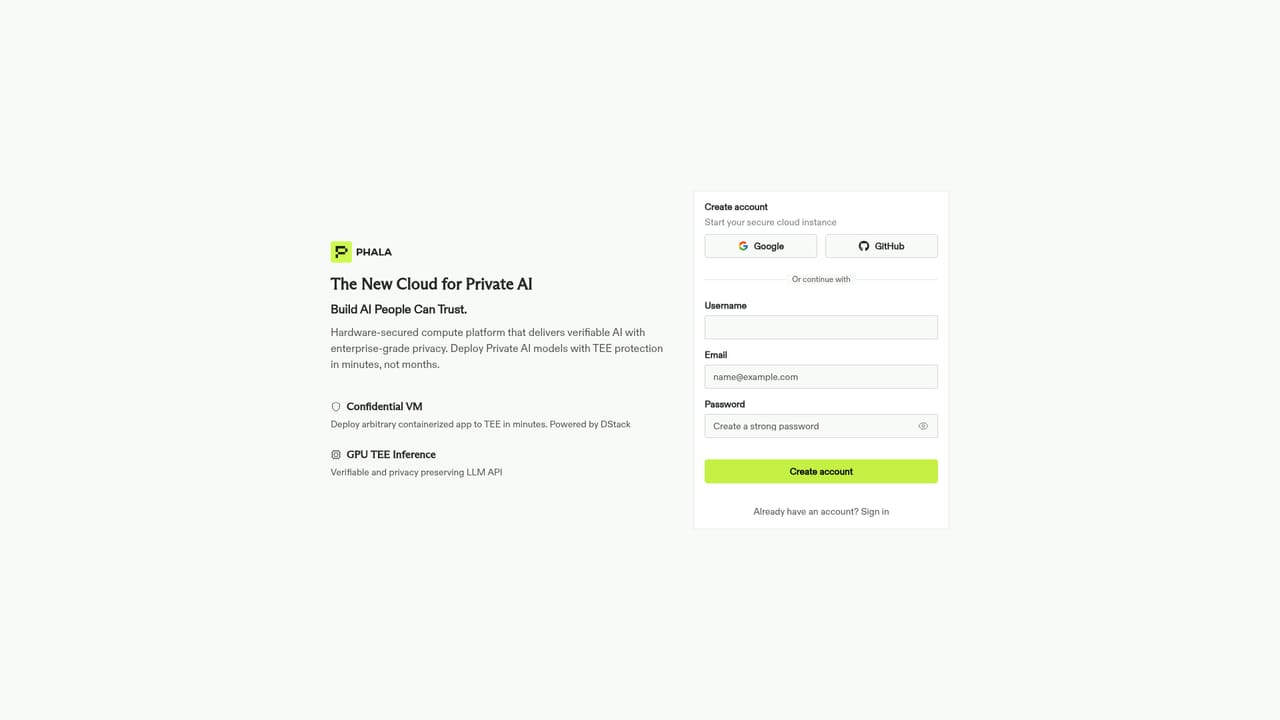
  2. 2Create an account and open the dashboard
    Register at cloud.phala.com to get credentials and see deployed confidential VMs alongside their endpoints.
    Phala Cloud — Create an account and open the dashboard
  3. 3Prepare a Docker Compose file
    Package the agent or model service as a compose file. Existing Docker services and frameworks such as PyTorch, TensorFlow and Hugging Face are supported without a rewrite.
  4. 4Deploy into a confidential VM
    Run phala deploy -c docker-compose.yml -n myapp. The CLI builds the plan, selects the CPU and GPU TEE, injects encrypted environment variables and returns a public URL.
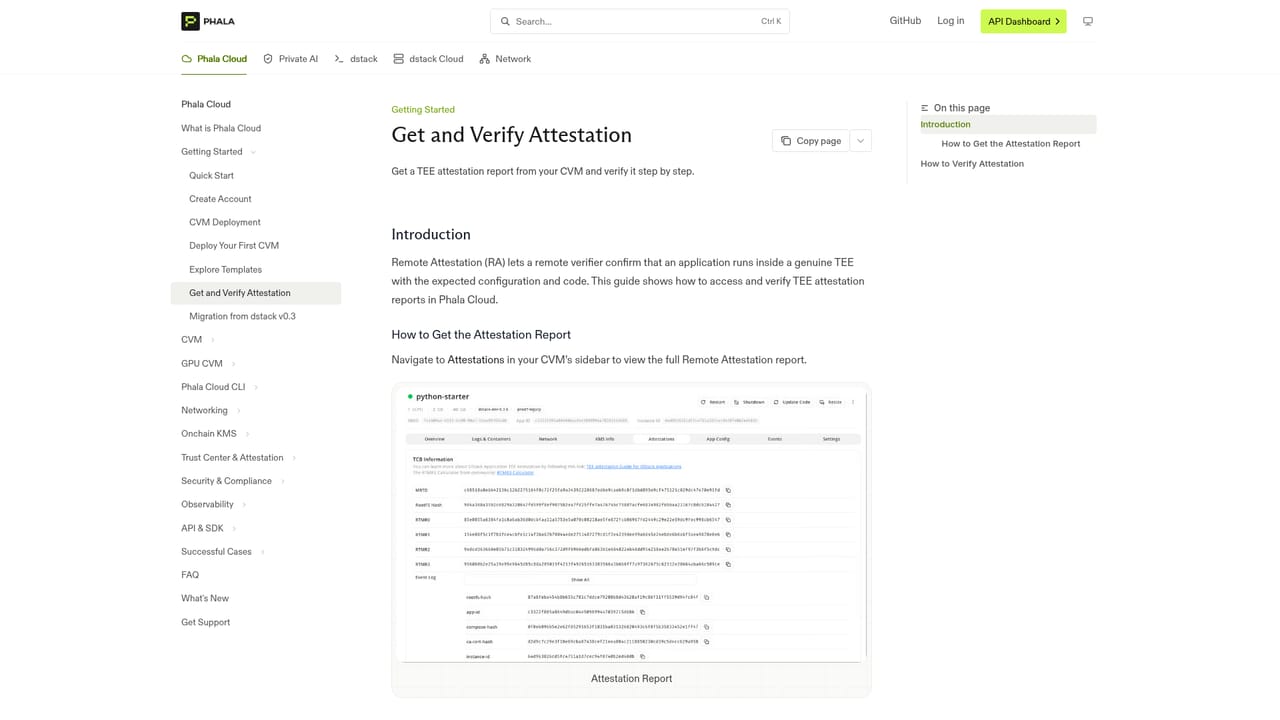
  5. 5Verify the attestation before trusting it
    Fetch the attestation for the CVM and check the hardware quote, runtime measurement and signature. The CLI and the HTTP endpoint both return this record.
    Phala Cloud — Verify the attestation before trusting it
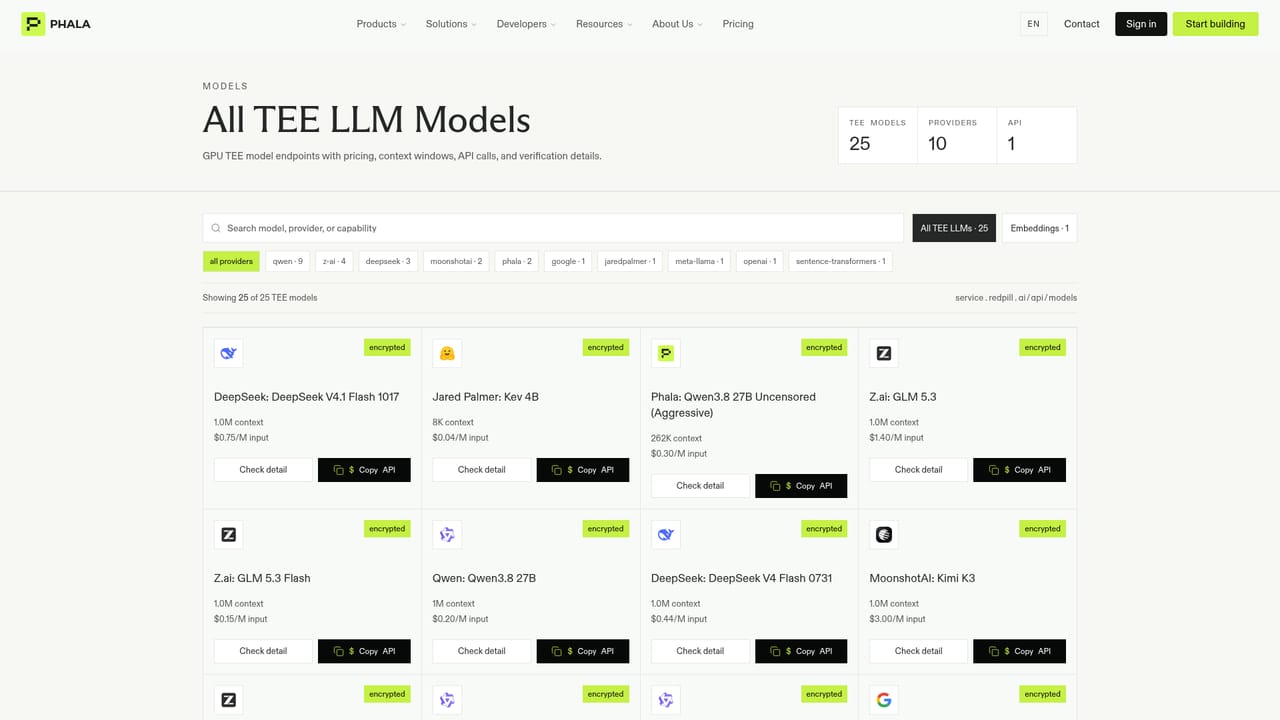
  6. 6Pick a model or provision GPU capacity
    For hosted inference, copy an API key from the model catalogue and call the OpenAI-compatible endpoint. For custom jobs, rent confidential GPU capacity from the marketplace.
    Phala Cloud — Pick a model or provision GPU capacity

Pros and cons

Pros

  • Attestation is exposed over HTTP and CLI, so integrity checks can be automated rather than taken on faithAI
  • Familiar docker compose deploy path keeps migration from existing containers shortAI
  • OpenAI-compatible model endpoints span DeepSeek, Qwen, GLM, Kimi and Gemma at published per-token ratesAI
  • Confidential GPU capacity on H100, H200 and B300 with transparent hourly listed pricingAI
  • SOC 2 Type I and HIPAA compliance reported, with a 99.9 percent uptime SLAAI

Cons

  • Documentation and tooling assume comfort with CLI, Docker and attestation concepts; there is no no-code pathAI
  • Roughly 5 to 10 percent performance overhead on confidential GPU work, which matters for latency-sensitive inferenceAI
  • ISO 27001 is still listed as in progress, so buyers needing that certificate must waitAI
  • Per-token and per-GPU-hour charges are published but the site gives no bundled plan or spend cap detailAI
  • Attestation verification is only as useful as the client code that checks it; unverified endpoints offer no extra assuranceAI

How much does Phala Cloud cost?

Pricing

Usage-based. Listed model input rates run from $0.04 per million tokens (Kev 4B) to $3.00 (Kimi K3), with GLM 5.3 Flash at $0.15 and Qwen3.8 27B at $0.20. Confidential GPU rental is listed from $4.40 per GPU hour for H200 and $8.20 for B300. No plan tiers or spend caps are described on the homepage.

Learn more

Support

24/7 enterprise support is listed alongside a 99.9 percent uptime SLA. Public channels include Discord, Telegram, X, YouTube and LinkedIn, plus a contact form for sales enquiries and a status page.

Learn more

Integrations

Deploys existing Docker Compose services and supports TensorFlow, PyTorch and Hugging Face. Model endpoints are OpenAI-compatible, and Phala appears as a provider on OpenRouter. The site logo wall also lists NVIDIA, Intel, Z.AI and Venice AI.

Learn more

Features

Confidential VMs built on Intel TDX plus NVIDIA confidential computing for CPU and GPU workloads. Docker Compose deploys via CLI with encrypted environment injection. Cryptographic attestation exposes hardware quote, runtime measurement and signature over CLI and HTTP. Agent sandbox with sealed keys and private memory. Confidential GPU marketplace with H100, H200 and B300. OpenAI-compatible model endpoints across DeepSeek, Qwen, Z.ai GLM, MoonshotAI Kimi and Google Gemma.

Learn more

Frequently asked questions about Phala Cloud

  • How much does Phala Cloud cost?
    Usage-based. Listed model input rates run from $0.04 per million tokens (Kev 4B) to $3.00 (Kimi K3), with GLM 5.3 Flash at $0.15 and Qwen3.8 27B at $0.20. Confidential GPU rental is listed from $4.40 per GPU hour for H200 and $8.20 for B300. No plan tiers or spend caps are described on the homepage.
  • Does Phala Cloud have an API?
    Yes, Phala Cloud offers an API.
  • How do you use Phala Cloud?
    The walkthrough on this page covers 6 steps: 1. Install the Phala CLI 2. Create an account and open the dashboard 3. Prepare a Docker Compose file 4. Deploy into a confidential VM 5. Verify the attestation before trusting it 6. Pick a model or provision GPU capacity.
  • What platforms does Phala Cloud support?
    Phala Cloud is available on Web App, Linux, MacOS and Windows.
  • What does Phala Cloud integrate with?
    Deploys existing Docker Compose services and supports TensorFlow, PyTorch and Hugging Face. Model endpoints are OpenAI-compatible, and Phala appears as a provider on OpenRouter. The site logo wall also lists NVIDIA, Intel, Z.AI and Venice AI.
  • What are the limitations of Phala Cloud?
    Documentation and tooling assume comfort with CLI, Docker and attestation concepts; there is no no-code path. Roughly 5 to 10 percent performance overhead on confidential GPU work, which matters for latency-sensitive inference. ISO 27001 is still listed as in progress, so buyers needing that certificate must wait.

Status

StatusActive
Views0
Outbound clicks0
Added10/22/2026

Platforms

Web AppLinuxMacOSWindows

Pricing

PaidSubscription