Free trial
A 14-day trial includes 250 videos, enough to run a complete campaign against a real segment before committing to a paid plan.
Learn moreRecord one video pitch, deliver a personalized take to every lead

Pitchlane is an AI video talk tool that records one video pitch, deliver a personalized take to every lead. Pitchlane turns one recorded sales pitch into a personalized video for every prospect by playing the recording over a capture of each lead's own website, then pushing the links into Instantly, Smartlead, HubSpot and other senders.
Pitchlane is a video prospecting platform built for cold outreach at list scale. Instead of recording a separate screen share for every prospect, a user records one spoken pitch and the service replays that recording over a capture of each lead's own website or LinkedIn profile, with the page scrolling as the pitch plays. The output is a distinct video, a branded landing page and a personalized GIF thumbnail for every contact on the list. The workflow is deliberately narrow. A rep talks to one segment about one problem, avoids names in the recording and says "your site" so the background matches the wording. After a list is uploaded, Pitchlane's recording bot visits each prospect's page and renders the video set. Prospects never hear a synthesized version of their own name: names and company details land in the email copy and the video title instead, while the audio stays the genuine recording. Each landing page can carry a Calendly, SavvyCal, HubSpot or Zcal booking link, so a viewer can schedule without leaving. Delivery happens through the sending stack a team already runs. Smartlead and Instantly connect directly, and Saleshandy, lemlist, HubSpot, Apollo, Expandi and more than 20 other tools accept the links by CSV, webhook or Zapier. View, play and click events flow back per lead, which turns follow-up into a question of who actually watched rather than who opened. The API, webhooks and Zapier app make it a component for go-to-market engineers rather than a closed product. Pitchlane sits in the same conversation as Loom and Vidyard, but prices by videos sent instead of by recorder, so a small team shares one plan. It suits sales teams, outbound marketers and agencies that want video personalization on real lists. The tradeoffs are worth naming: the visual layer is a website capture rather than hand-built creative, the audio cannot adapt per lead, and buyers wanting deep sequence building or CRM-native workflows still need their existing tools for that.
A 14-day trial includes 250 videos, enough to run a complete campaign against a real segment before committing to a paid plan.
Learn morePlans are billed by video volume, not by seat. $37 a month covers 250 videos, $67 covers 500, and packages reach up to 20,000 videos, with monthly, quarterly and yearly billing. Unlimited campaigns, custom hosting domains and all integrations are included on every plan, and an Agency tier with unlimited videos is quoted on request.
Learn moreThe Agency plan lists priority support and white-glove onboarding. Public support details beyond that are not stated on the homepage.
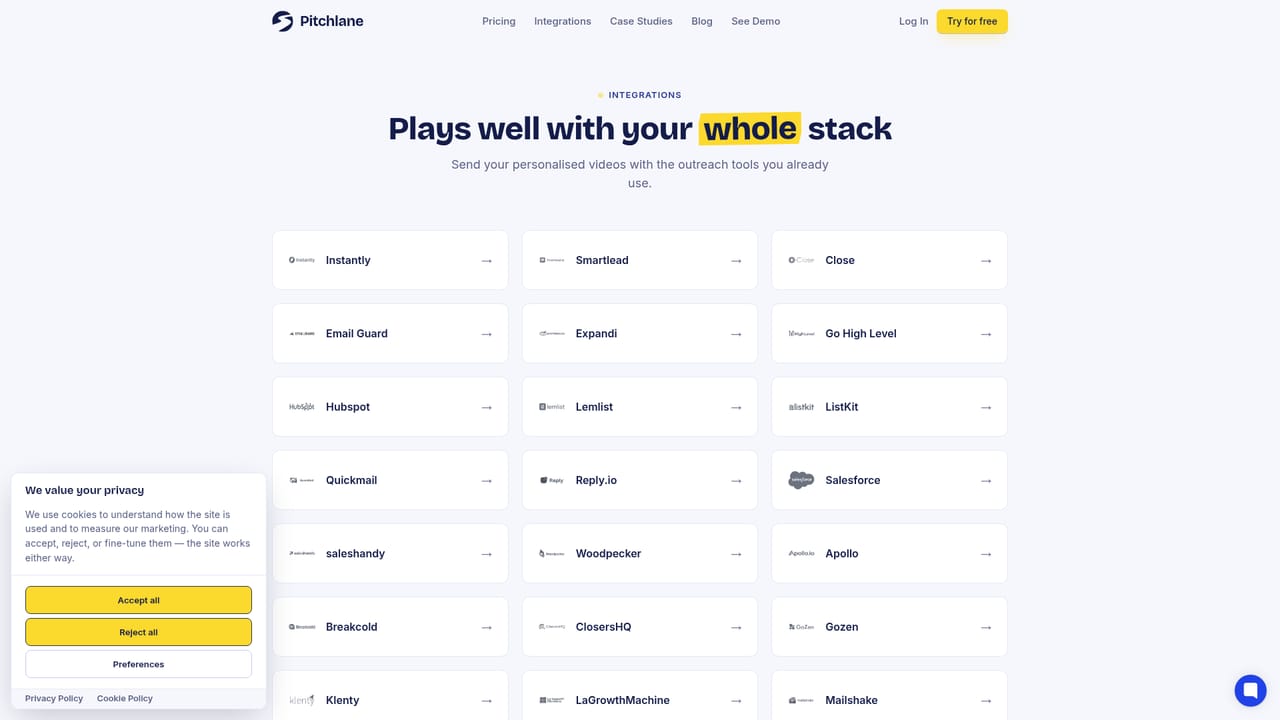
Smartlead and Instantly connect directly. Saleshandy, lemlist, HubSpot, Apollo, Expandi, Close, Reply.io, Quickmail, ListKit, Go High Level, Salesforce, Email Guard and 20+ others connect by CSV, webhook or Zapier.
Learn moreOne recording is replayed over each prospect's own website or LinkedIn profile, with the page scrolling during the pitch. Every lead gets a separate video, a branded landing page with an optional booking link, and a personalized GIF thumbnail for the email. Names and company details are filled into email copy and video titles from the list. Per-lead view, play and click data comes back for follow-up, and campaigns are unlimited on all plans.
Learn more AI Angels400+ customizable AI girlfriends for NSFW chat, voice calls, and roleplay
 Candy AIExperience the future of companionship with AI friends who chat, role-play, and connect with you on a human level.
 ourdream.aiA vast AI roleplay platform with millions of characters for chat, images, video and voiceAI Angels400+ customizable AI girlfriends for NSFW chat, voice calls, and roleplayCandy AIExperience the future of companionship with AI friends who chat, role-play, and connect with you on a human level.ourdream.aiA vast AI roleplay platform with millions of characters for chat, images, video and voice


