Free trial
New accounts receive 10 complimentary credits to preview the workflow without a credit card. That is a test allocation rather than a recurring free tier.
Learn moreKling 3.0 motion transfer without a mocap studio
Own King Motion Control? Verify ownership to get a dofollow link

King Motion Control is an AI video talk tool. Kling 3.0 motion transfer tool that animates characters from a reference video, with image animation, dance cloning, AI video generation and lip sync in one browser dashboard.
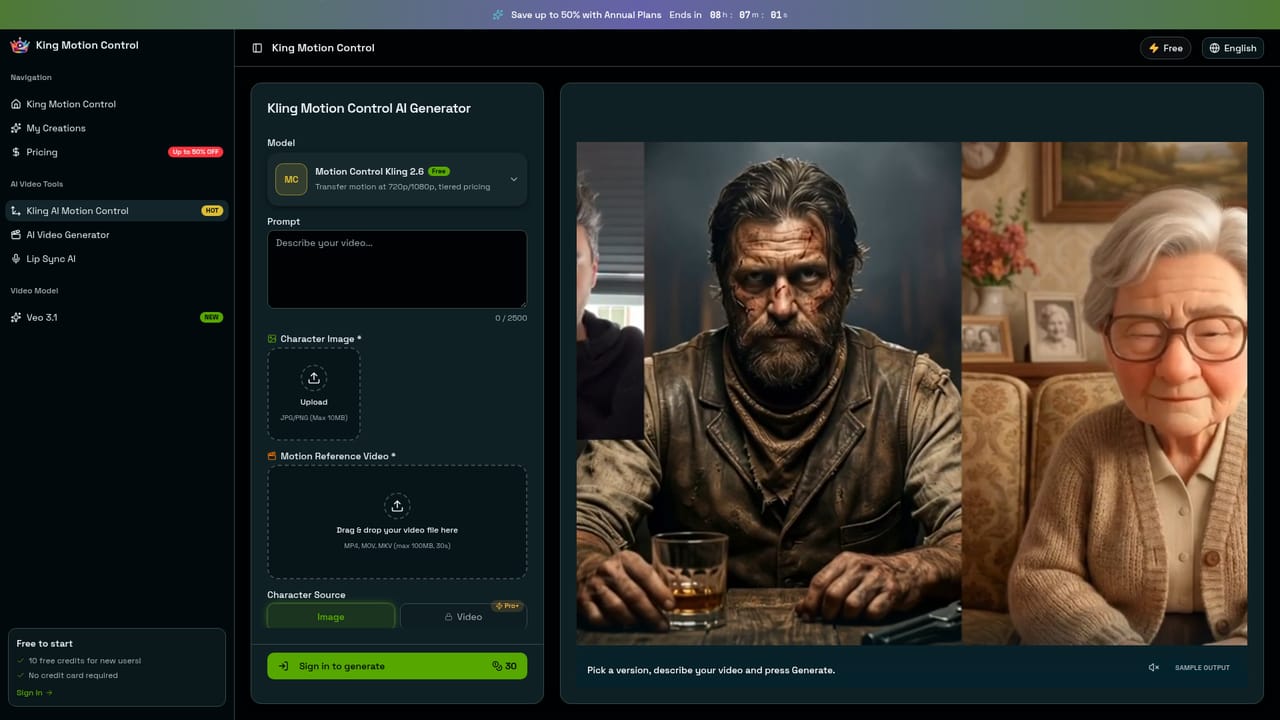
King Motion Control is a browser based motion capture alternative built on Kling's 3.0 motion engine. Instead of booking a sensor rig, a calibrated studio and a cleanup technician, you upload two files: a character image (JPEG or PNG) and a short reference video. The engine reads 137 skeletal keypoints per frame from the reference clip, covering wrist rotation, finger splay, knee flexion, spine curvature and hip tilt, then replays that movement onto the character while holding face geometry, skin tone, outfit texture and art style steady at a reported 0.97 SSIM consistency score. The site quotes a 10 second 1080p output finishing in 40 to 55 seconds. Three transfer modes cover different jobs. Reference-to-character runs a body performance onto a still, static image animation turns a single illustration or 3D render into moving footage with 68 facial landmarks for blinks and jaw movement, and choreography cloning reproduces dance routines with beat locked frame timing across clips of 3 to 30 seconds. Output lands as MP4 in vertical 9:16 or horizontal 16:9, ready for TikTok, Reels or Shorts. Image Mode caps clips at 10 seconds while Video Mode, which pulls the character straight out of the reference footage, goes to 30. The platform bundles two adjacent tools: a text or image to video generator with camera path control and 4K upscaling, and a lip sync engine that maps phoneme timing to mouth shapes across 40 or more languages. That places it between single purpose motion transfer sites and full production suites. Independent animators, VTuber creators, ad agencies producing localized variants, dance educators and film students are the clearest fits. Anyone wanting precise facial acting, audited enterprise billing or a permanent local archive still has reasons to look at established animation pipelines and traditional mocap. New accounts get 10 credits with no card required, which is enough to test the workflow rather than deliver a project.
New accounts receive 10 complimentary credits to preview the workflow without a credit card. That is a test allocation rather than a recurring free tier.
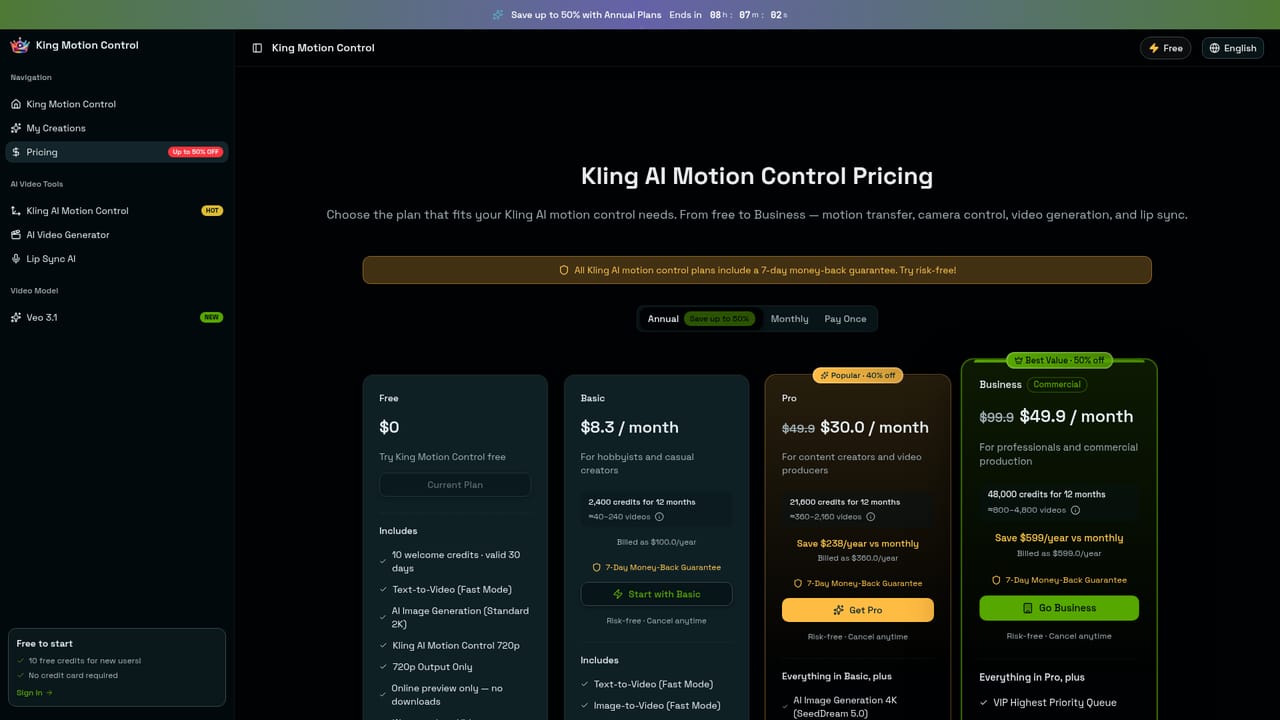
Learn moreFree to start with 10 credits and no card. Paid monthly tiers are listed at $29.9, $49.9 and $99.9, with annual billing from $8.3 per month and a stated saving of up to 50%. Generation is credit metered, and a standard 5 second run is quoted at 70 credits.
Learn moreKling 3.0 motion transfer with 137 skeletal keypoints per frame, 68 facial landmarks and hand tracking, three transfer modes for body performance, still image animation and dance cloning, 720p and 1080p output, 9:16 and 16:9 MP4 export, plus an AI video generator with camera path control and 4K upscaling and a lip sync tool covering 40 or more languages.
Learn more AI Angels400+ customizable AI girlfriends for NSFW chat, voice calls, and roleplay
 Candy AIExperience the future of companionship with AI friends who chat, role-play, and connect with you on a human level.
 ourdream.aiA vast AI roleplay platform with millions of characters for chat, images, video and voiceAI Angels400+ customizable AI girlfriends for NSFW chat, voice calls, and roleplayCandy AIExperience the future of companionship with AI friends who chat, role-play, and connect with you on a human level.ourdream.aiA vast AI roleplay platform with millions of characters for chat, images, video and voice


