Pixwith AI

Browser-based AI video and image generator with several models

Beginner
Screenshot of Pixwith AI, Browser-based AI video and image generator with several models

What is Pixwith AI?

Pixwith AI is a browser-based studio for generating videos and images from text or photos, with several selectable models, editing and extension tools, motion control and talking avatars. Basic use needs no login.

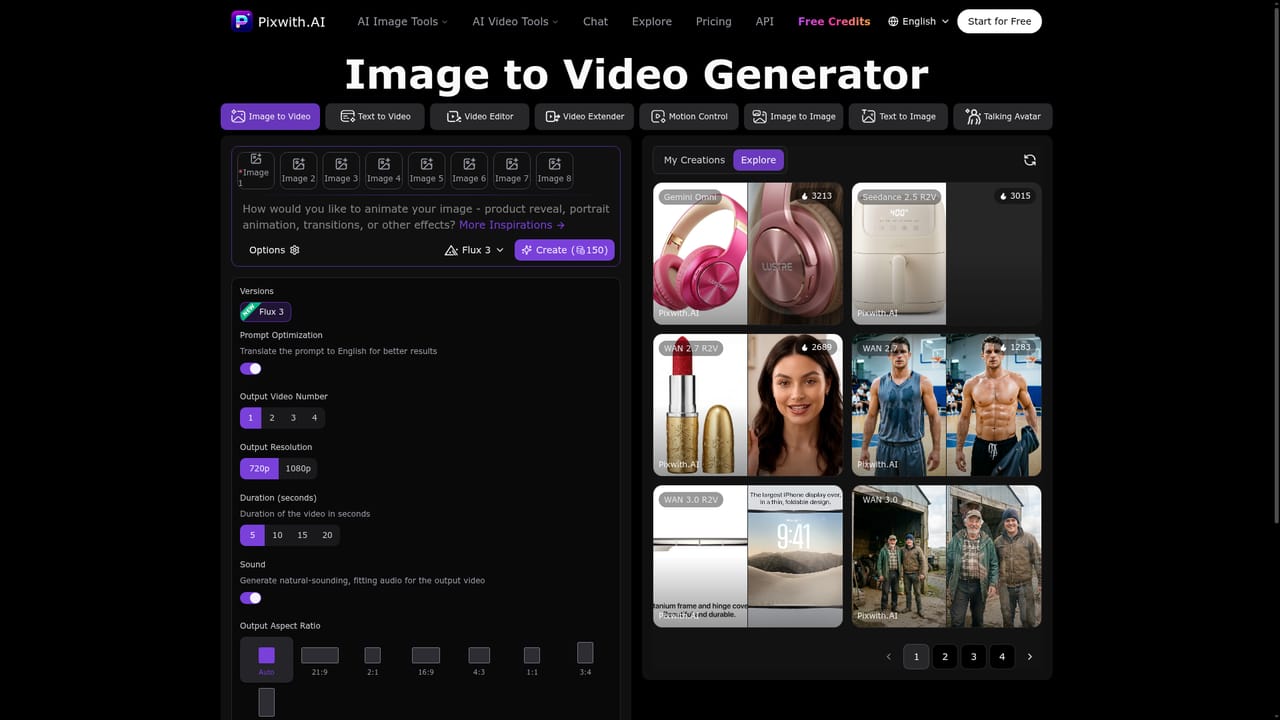
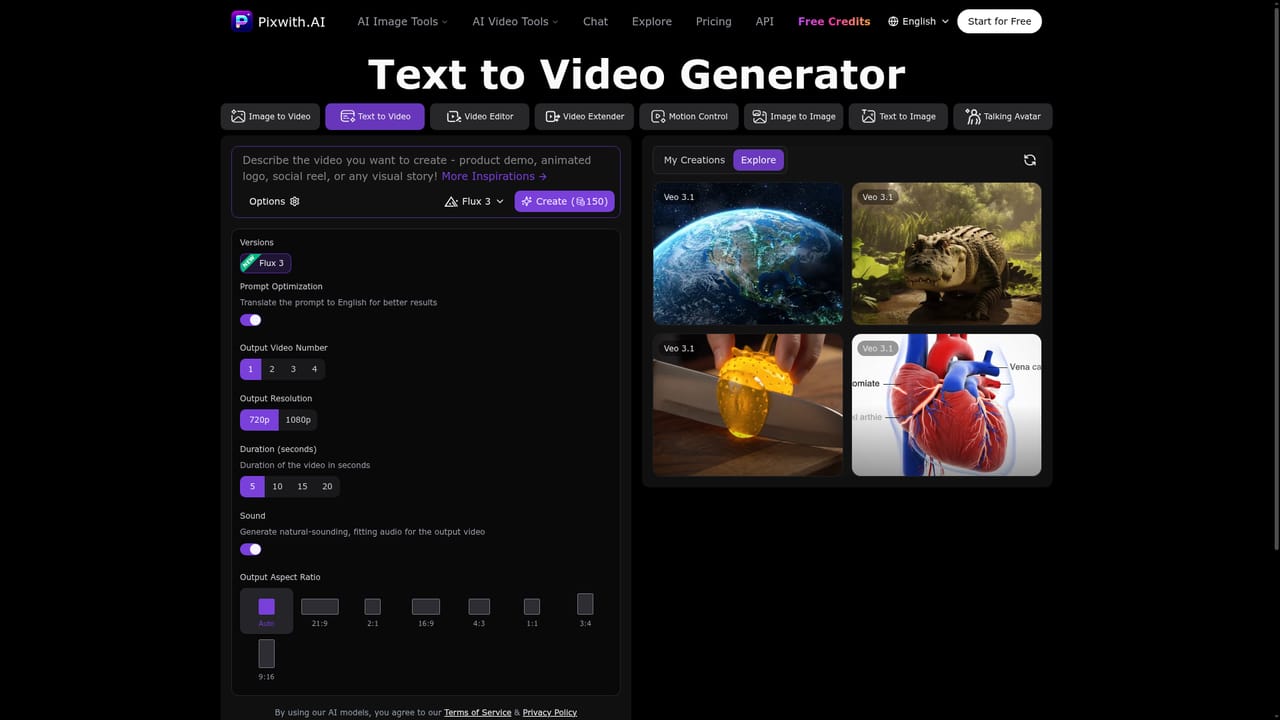
Pixwith AI is a web-based creative studio that turns text prompts and still images into short videos. Its workspace sits on the homepage, so a visitor can start generating without leaving the first screen. The toolset extends past basic generation: separate pages cover image to video, text to video, a video editor, a video extender, motion control, image to image, text to image and talking avatars, plus a chat page that offers prompt inspiration. In practice, the workflow centres on a single control panel. A user picks a model version from a list that includes Flux 3, WAN, Seedance and Gemini Omni variants, writes a prompt, and sets the output options. The panel exposes the number of clips per run (one to four), resolution (720p or 1080p), duration (5, 10, 15 or 20 seconds), an aspect ratio selector running from 9:16 to 21:9, and a sound toggle that generates matching audio. A prompt optimization switch translates the prompt to English, which the site says improves results. Finished work is collected under a My Creations tab, and an Explore feed shows example effects that can be applied to new material. The audience is social media creators, marketers and hobbyists who want quick clips without learning editing software. According to the FAQ, the basic image model works without a login, while premium models and free credits require an account. Credits can be bought as one-time packs or through subscriptions, and the site states that users own the generated output, including commercial rights. It quotes roughly 10 to 30 seconds for images and one to three minutes for video. Among alternatives, Pixwith competes with single-model video generators by aggregating several engines behind one interface and adding image tools and avatars alongside. That breadth suits people who want to compare model outputs in one place, though specialists in a single model may offer deeper controls.
How do you use Pixwith AI?

  1. 1Open the image to video tool
    Go to the image to video page and upload the still image you want to animate. This is the main starting point for turning a photo into a clip.
    Pixwith AI — Open the image to video tool
  2. 2Describe the motion
    Write a prompt covering the effect you want, such as a product reveal, portrait animation or transition. Keep prompt optimization on to have it translated to English.
  3. 3Choose model and output settings
    Select a model version, then set the clip count, resolution, duration, aspect ratio and whether to generate sound.
  4. 4Generate and review
    Run the creation and wait roughly one to three minutes. Finished clips appear under My Creations, where they can be downloaded or shared.
  5. 5Try text to video or the extender
    Start from a prompt alone on the text to video page, or lengthen an existing clip with the video extender.
    Pixwith AI — Try text to video or the extender

Pros and cons

Pros

  • Several video models selectable from one panel, which makes comparing outputs easyAI
  • Basic image model works with no login, so testing takes little effortAI
  • Output controls cover duration, resolution, aspect ratio, clip count and optional soundAI
  • Broad toolset: image to video, text to video, editor, extender, motion control and avatarsAI
  • States that users own generated content, including commercial rightsAI

Cons

  • Premium models and free credits require an account, so the no-signup offer is limited to the basic image modelAI
  • Credit-based billing means heavy video use can add up, and exact prices are not shown on the homepageAI
  • Video generation takes about one to three minutes per run, slower than image outputAI
  • Resolution options for video stop at 1080p, while 4K is mentioned only for imagesAI
  • Model names and versions change often, so results may not be reproducible over timeAI

How much does Pixwith AI cost?

Free trial

The basic image model is free with no login. Signing up unlocks premium models and free credits.

Learn more

Pricing

Credit-based. The basic image model is free without login. Credits can be bought as one-time packs, or through subscriptions that issue credits after each paid invoice. Exact prices are not listed on the homepage.

Learn more

Support

24/7 help center with guides and troubleshooting, plus email support with replies usually within 2 to 4 hours.

Features

Text to video, image to video, video editor, video extender, motion control, text and image to image, talking avatars and chat inspiration. Options include multiple models, 720p/1080p, 5 to 20 second clips, aspect ratios and generated sound.

Learn more

Frequently asked questions about Pixwith AI

  • How much does Pixwith AI cost?
    Credit-based. The basic image model is free without login. Credits can be bought as one-time packs, or through subscriptions that issue credits after each paid invoice. Exact prices are not listed on the homepage.
  • Does Pixwith AI offer a free trial?
    The basic image model is free with no login. Signing up unlocks premium models and free credits.
  • How do you use Pixwith AI?
    The walkthrough on this page covers 5 steps: 1. Open the image to video tool 2. Describe the motion 3. Choose model and output settings 4. Generate and review 5. Try text to video or the extender.
  • What platforms does Pixwith AI support?
    Pixwith AI is available on Web App.
  • What are the limitations of Pixwith AI?
    Premium models and free credits require an account, so the no-signup offer is limited to the basic image model. Credit-based billing means heavy video use can add up, and exact prices are not shown on the homepage. Video generation takes about one to three minutes per run, slower than image output.

Status

StatusActive
Views0
Outbound clicks0
Added10/18/2026

Platforms

Web App

Pricing

FreemiumSubscription