Veemo AI

One prompt box for 20+ text-to-video models, compared side by side

Beginner
Screenshot of Veemo AI, One prompt box for 20+ text-to-video models, compared side by side

What is Veemo AI?

Veemo AI is a web platform that generates video from text prompts using more than 20 models, including Sora 2 Pro, Veo 3.1 and Kling 2.6. It supports parallel multi-model comparison, output up to 4K and credit-based billing.

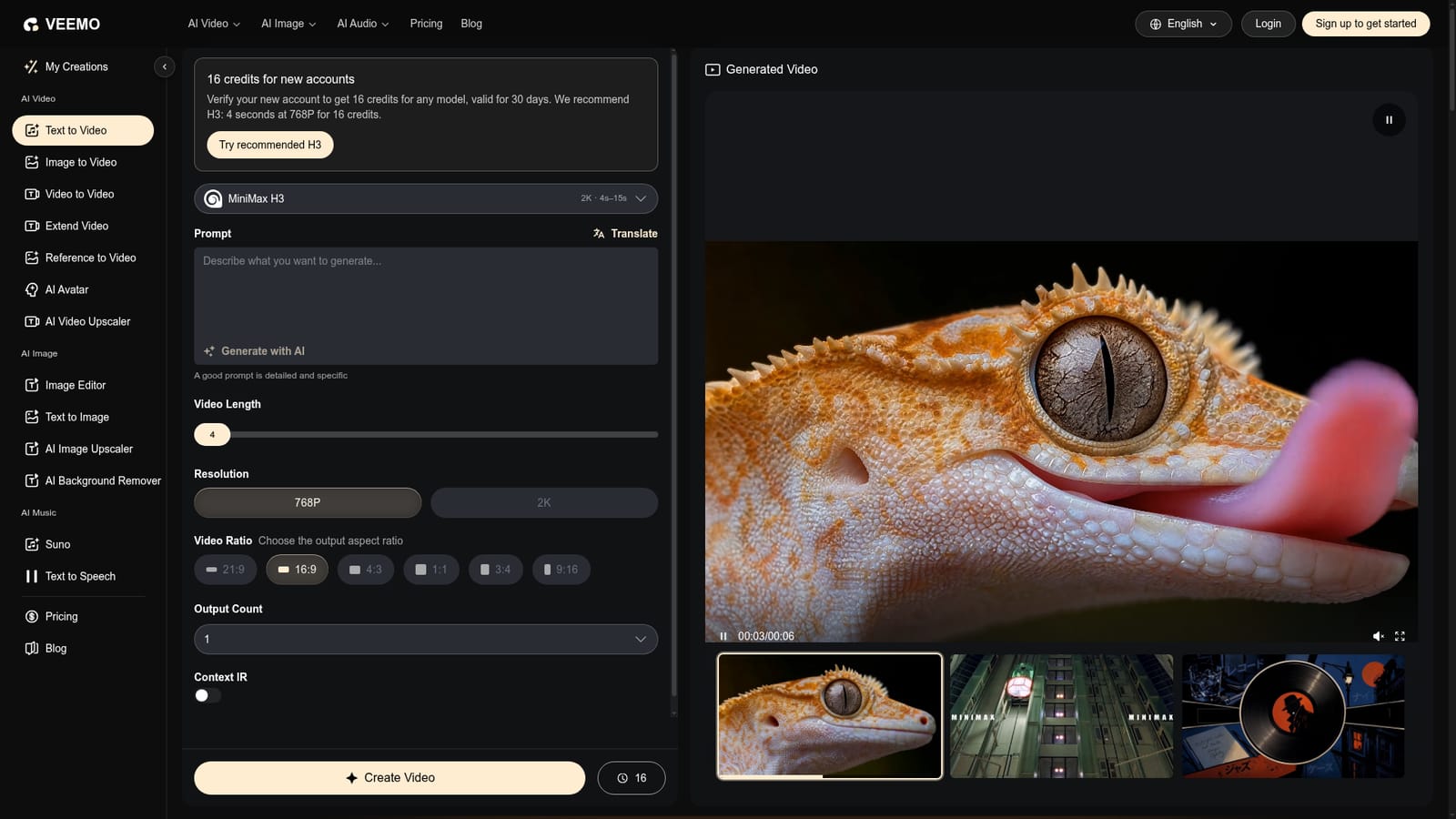
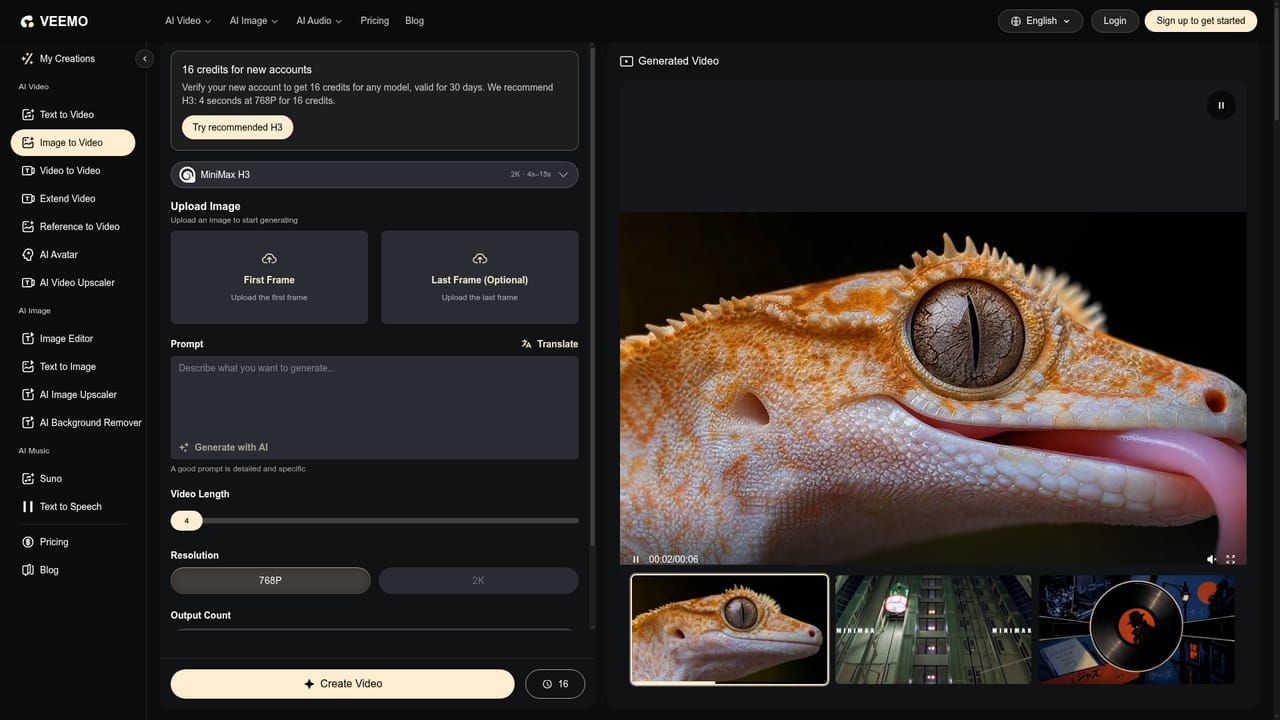
Veemo AI is a browser-based hub that places many third-party video generation models behind a single prompt box. On the text-to-video page, a user writes a scene description, picks a model such as Sora 2 Pro, Veo 3.1, Kling 2.6, Runway Gen-4, Hailuo or Seedance, and sets aspect ratio, resolution, clip length, optional generated audio and web search enhancement. The site says it carries more than 20 models in total, which makes it closer to an aggregator than a single in-house engine. In practice the workflow has three stages: write a layered prompt (subject, action, environment, lighting, camera direction), choose a model and settings, then generate and download. Output runs from 720p up to 4K depending on the model, with most clips at 5 or 10 seconds, some models reaching 20 seconds, and an extend feature for chaining longer pieces. Results are described as arriving in 30 to 90 seconds as MP4 files with H.264 encoding. A distinctive feature is parallel dispatch: up to four models can run on the same prompt, with every result collected on one dashboard so style and motion quality can be judged before more credits are spent. Beyond text prompts, the site links to image to video, video to video, AI avatar, reference to video, text to image, an image editor and a music generator, so a single account covers stills, motion and audio. Billing is credit-based rather than a fixed monthly allowance, and the site states that generated videos carry full commercial rights with no attribution required. Veemo suits marketers, social content creators, small studios and filmmakers who want to test several leading models without keeping separate accounts open. Compared with using each vendor's own app, it trades direct access to a model maker's newest native features for convenience and easy comparison. Teams committed to one model may see less reason to switch, while those still choosing a style will find the side-by-side approach useful.
How do you use Veemo AI?

  1. 1Write a layered prompt
    Open the text-to-video generator and describe the subject first, then the action, environment, lighting and camera direction. Keep the prompt focused and avoid contradictory instructions.
    Veemo AI — Write a layered prompt
  2. 2Choose a model
    Pick a model that suits the goal, for example Sora 2 Pro for cinematic realism or Veo 3.1 for photorealistic product shots. Select up to four to compare results in parallel.
  3. 3Set output options
    Choose aspect ratio, resolution and video length, and decide whether to add generated audio or web search. Check the credit cost shown before generating.
  4. 4Generate and review
    Click Create Video and wait for results, typically 30 to 90 seconds. Compare outputs on the dashboard and refine the prompt if needed.
  5. 5Download or extend
    Purchase a credit package or plan to download the MP4 file. For longer content, use the extend feature to chain clips, or move a still into motion with image to video.
    Veemo AI — Download or extend

Pros and cons

Pros

  • Access to 20+ video models in one place, so no separate accounts per vendorAI
  • Runs the same prompt on up to four models at once for quick side-by-side comparisonAI
  • Output up to 4K with several aspect ratios suited to YouTube, Reels and TikTokAI
  • Pay-as-you-go credits mean no unused monthly allowanceAI
  • Full commercial rights on generated videos with no attribution requiredAI

Cons

  • Downloads require a package purchase, so the free credits only let you preview resultsAI
  • Credit cost varies by model, resolution and length, making total spend hard to predictAI
  • Capabilities depend on third-party models, so Veemo cannot control quality or availabilityAI
  • Maximum resolution and clip length differ per model, and long videos need chaining via extendAI
  • Free credits are limited to 16 and expire after 30 daysAI

How much does Veemo AI cost?

Free trial

New verified accounts receive 16 credits usable on any model, valid for 30 days, with no payment details required. Downloads still require a package purchase.

Learn more

Pricing

Credit-based, pay-as-you-go billing with packages and plans. Cost per generation varies by model and settings (Seedance 2.0 is shown from 38 credits per generation). Downloads require a package purchase.

Learn more

Features

Text-to-video with 20+ models, output up to 4K, multiple aspect ratios, optional AI audio and web search, extend feature, parallel generation on up to four models, MP4 H.264 downloads, plus image, avatar, video-to-video and music tools.

Frequently asked questions about Veemo AI

  • How much does Veemo AI cost?
    Credit-based, pay-as-you-go billing with packages and plans. Cost per generation varies by model and settings (Seedance 2.0 is shown from 38 credits per generation). Downloads require a package purchase.
  • Does Veemo AI offer a free trial?
    New verified accounts receive 16 credits usable on any model, valid for 30 days, with no payment details required. Downloads still require a package purchase.
  • How do you use Veemo AI?
    The walkthrough on this page covers 5 steps: 1. Write a layered prompt 2. Choose a model 3. Set output options 4. Generate and review 5. Download or extend.
  • What platforms does Veemo AI support?
    Veemo AI is available on Web App.
  • What are the limitations of Veemo AI?
    Downloads require a package purchase, so the free credits only let you preview results. Credit cost varies by model, resolution and length, making total spend hard to predict. Capabilities depend on third-party models, so Veemo cannot control quality or availability.

Status

StatusActive
Views0
Outbound clicks0
Added10/18/2026

Platforms

Web App

Pricing

FreemiumPaid