Whiteboard Video Maker

AI turns prompts, PDFs and URLs into hand-drawn whiteboard videos

Beginner
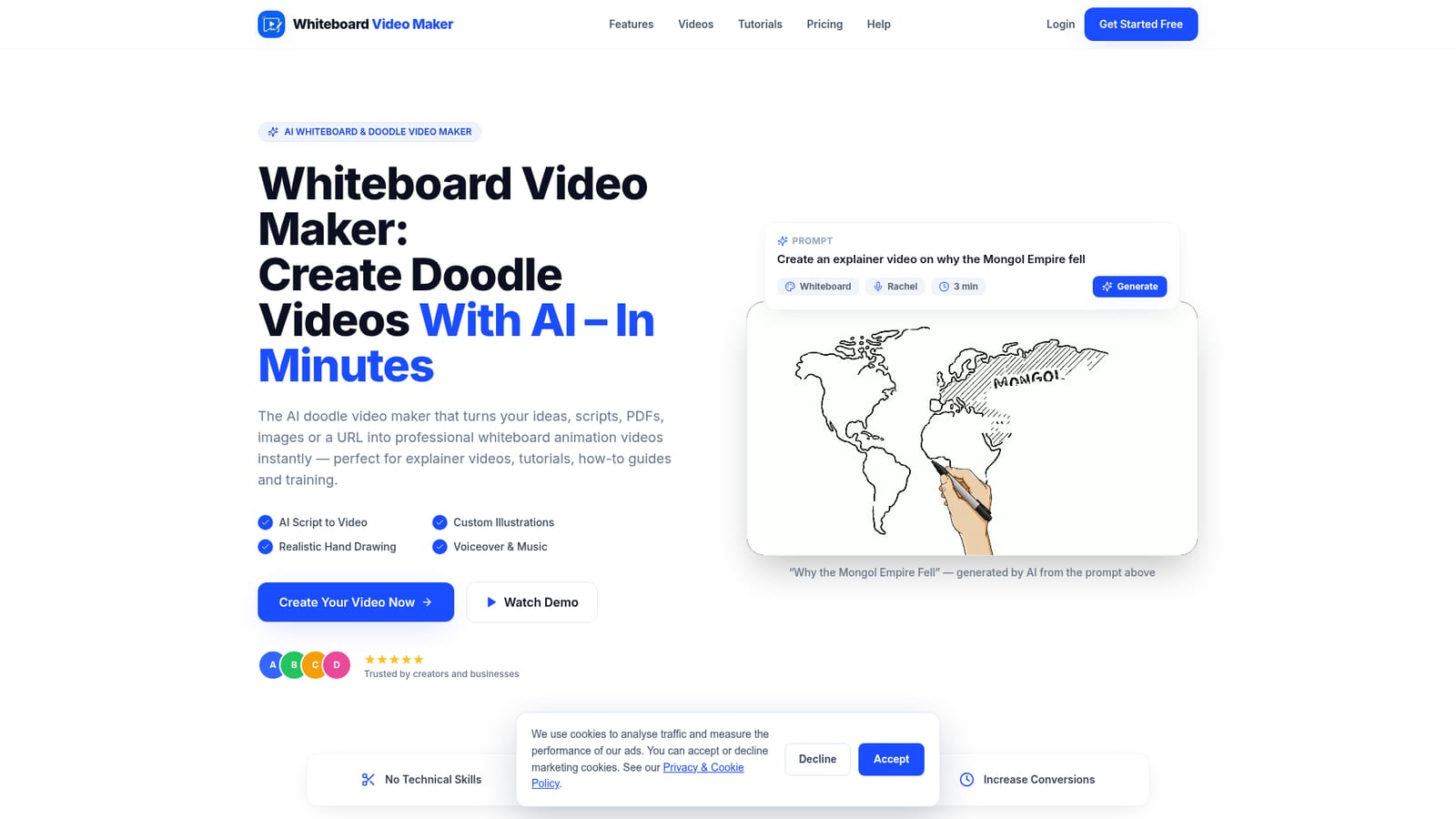
Screenshot of Whiteboard Video Maker, AI turns prompts, PDFs and URLs into hand-drawn whiteboard videos

What is Whiteboard Video Maker?

Whiteboard Video Maker is a web tool that converts prompts, PDFs, Word files, images or URLs into hand-drawn whiteboard animation videos, handling the script, illustrations, voiceover and drawing hand automatically, with HD export and 30+ languages.

Whiteboard Video Maker is a web-based generator for whiteboard and doodle animation, the explainer format where a hand appears to sketch illustrations while a narrator talks through an idea. Instead of building scenes by hand on a canvas, the user supplies a prompt, a pasted text, a PDF, a Word document, an image or a URL, and the system produces a finished video with a scene-by-scene script, custom illustrations, a drawing hand, voiceover and background music. The workflow has three stages. The user describes the topic or uploads source material, then picks a language, voice, visual style and length. The AI writes the script, generates a drawing for each scene, records a synthetic narration and animates the hand so that strokes sync with the audio. The result can be previewed, downloaded in HD 1080p and published to YouTube, TikTok, Reels, a course platform or a website. Output comes in landscape 16:9 or vertical 9:16, in classic black-and-white or full-color doodle styling, and narration covers more than 30 languages. The audience is broad but practical: teachers and course creators, marketers producing explainers and ads, sales teams who want a short video in place of a deck, HR and training staff, nonprofits, YouTube creators and agencies delivering client work. Videos are stated to be usable commercially. A public gallery of user-made examples in English, Spanish and Portuguese shows the range, from education to storytelling and drawing tutorials. An affiliate program pays 30% on the first month of a referred subscription. Pricing starts with a free tier. Each account gets one AI-generated video of up to a minute, plus a daily allowance in a Free Studio where the user writes the script and supplies pictures, with watermarked 720p output. Paid plans unlock AI scripts, illustrations and premium voices from prompts, PDFs or links. Among alternatives, it positions itself against manual tools such as VideoScribe, Powtoon and Doodly, trading fine timeline control for speed and automation.
How do you use Whiteboard Video Maker?

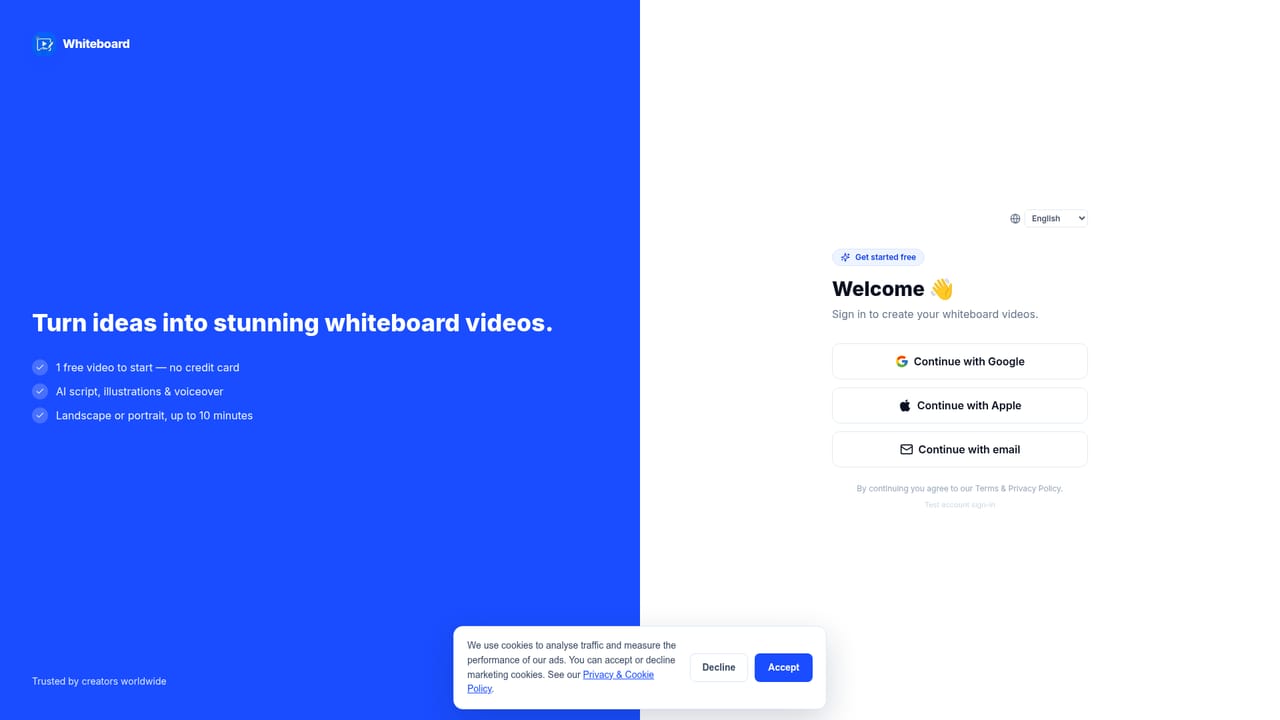
  1. 1Create an account
    Sign up on the login page. No credit card is needed, and every account receives a free AI-generated video plus a daily Free Studio allowance.
    Whiteboard Video Maker — Create an account
  2. 2Provide your source content
    Type a topic prompt, paste text, or upload a PDF, Word document, image or URL. Alternatively, let the AI write the script from a short idea.
    Whiteboard Video Maker — Provide your source content
  3. 3Choose language, voice and style
    Select the narration language, a voice, black-and-white or color doodle style, orientation and video length before generating.
  4. 4Generate and review the video
    The AI writes the script, draws each scene, adds voiceover and music, and animates the hand. Preview the result once it finishes, usually within minutes.
  5. 5Download and publish
    Export in HD 1080p, in 16:9 or 9:16, then upload to YouTube, TikTok, Reels, a course platform or a website.

Pros and cons

Pros

  • Generates script, illustrations, voiceover and drawing-hand animation from a single prompt, so no timeline or drag-and-drop work is neededAI
  • Accepts varied inputs: prompts, PDFs, Word documents, images and URLsAI
  • Voiceover and videos in more than 30 languages, with a public gallery showing non-English examplesAI
  • Exports HD 1080p in landscape 16:9 or vertical 9:16, plus black-and-white or color doodle stylesAI
  • Free tier with one AI video and daily Free Studio videos, no credit card requiredAI

Cons

  • The free tier is limited: AI scripts and illustrations are capped at one short video, and Free Studio output is 720p, watermarked and kept 7 daysAI
  • Automation means less manual control over scene timing and layout than editor-based tools like VideoScribe or DoodlyAI
  • Output is limited to the whiteboard and doodle look, so it does not suit other video stylesAI
  • Paid plan prices and credit limits are not shown on the homepage, making cost comparison harderAI

How much does Whiteboard Video Maker cost?

Free trial

Every account gets 1 free AI-generated video of up to 1 minute, plus 5 free videos per day in the Free Studio (up to 5 minutes, 720p, watermarked, kept 7 days). No credit card required.

Learn more

Pricing

Free tier: one AI-generated video (up to 1 minute) per account, plus 5 daily videos in the Free Studio (720p, watermarked, kept 7 days). Paid plans add AI scripts, illustrations, premium voices and permanent storage. Exact plan prices are on the pricing page.

Learn more

Features

AI script writer, custom hand-drawn illustrations per scene, animated drawing hand, AI voiceover in 30+ languages, black-and-white or color doodle styles, background music with timing sync, HD 1080p export, and landscape 16:9 or vertical 9:16 output.

Learn more

Frequently asked questions about Whiteboard Video Maker

  • How much does Whiteboard Video Maker cost?
    Free tier: one AI-generated video (up to 1 minute) per account, plus 5 daily videos in the Free Studio (720p, watermarked, kept 7 days). Paid plans add AI scripts, illustrations, premium voices and permanent storage. Exact plan prices are on the pricing page.
  • Does Whiteboard Video Maker offer a free trial?
    Every account gets 1 free AI-generated video of up to 1 minute, plus 5 free videos per day in the Free Studio (up to 5 minutes, 720p, watermarked, kept 7 days). No credit card required.
  • How do you use Whiteboard Video Maker?
    The walkthrough on this page covers 5 steps: 1. Create an account 2. Provide your source content 3. Choose language, voice and style 4. Generate and review the video 5. Download and publish.
  • What platforms does Whiteboard Video Maker support?
    Whiteboard Video Maker is available on Web App.
  • What are the limitations of Whiteboard Video Maker?
    The free tier is limited: AI scripts and illustrations are capped at one short video, and Free Studio output is 720p, watermarked and kept 7 days. Automation means less manual control over scene timing and layout than editor-based tools like VideoScribe or Doodly. Output is limited to the whiteboard and doodle look, so it does not suit other video styles.

Status

StatusActive
Views0
Outbound clicks0
Added10/18/2026

Platforms

Web App

Pricing

FreemiumSubscription