Salad Transcription Services

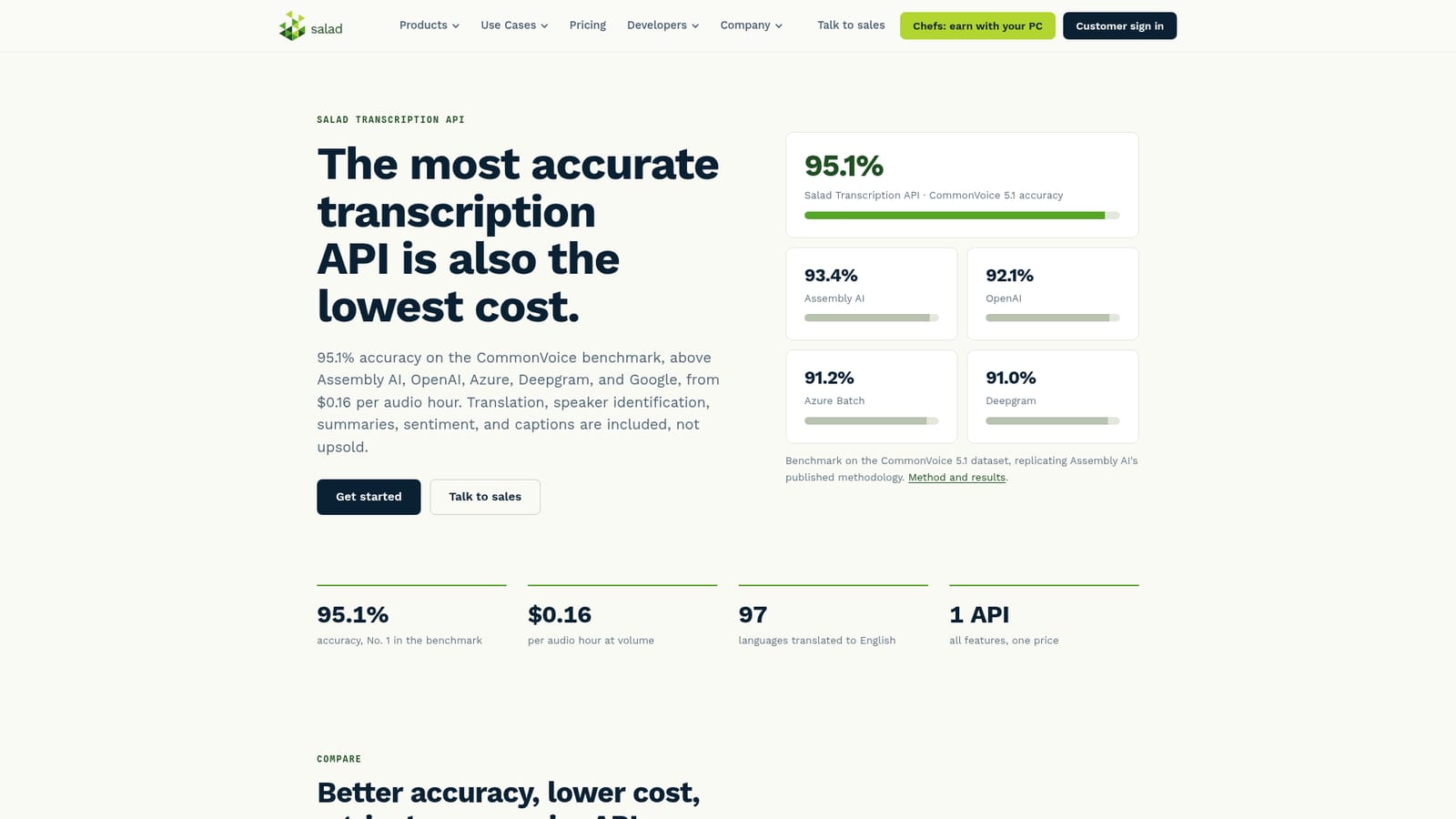
Top-ranked transcription accuracy from $0.16 per audio hour.

Advanced API
Screenshot of Salad Transcription Services, Top-ranked transcription accuracy from $0.16 per audio hour

What is Salad Transcription Services?

Salad Transcription Services is an API for high-volume speech-to-text, claiming top CommonVoice accuracy at $0.16 per audio hour. It bundles diarization, word-level timing, SRT captions, translation from 97 languages, and LLM summaries into one price, with a faster Lite tier for latency-sensitive pipelines.

Salad Transcription Services is an API-first speech-to-text platform built for teams that need to transcribe audio and video at scale without paying hyperscaler rates. Its headline claim is accuracy: a 95.1% score on the CommonVoice benchmark, which the company positions as the top result in the market. That accuracy is delivered through two separate APIs. The full Transcription API runs Whisper Large v3 class models with audio enhancement and LLM post-processing, and is aimed at high-volume batch work where correctness matters most. Transcription Lite trades some accuracy for speed and cost, running at up to 40x real time for pipelines that prioritize throughput. In practice the platform bundles features that competing APIs often charge for separately. Every job supports speaker diarization, word-level timing codes, and SRT caption output, so the same call can produce a transcript and a subtitle file for video. Translation covers 97 languages into English, or full translation among 8 supported languages. LLM post-processing adds call summaries, sentiment and emotion detection, text classification, and custom prompts for structured extraction. A custom vocabulary handles domain terms, names, and product wording that general models tend to mangle. The tool is squarely aimed at developers and product teams embedding transcription into their own services: call analytics vendors, media and podcast platforms, research teams, and SaaS builders who want transcription as a feature rather than a destination app. There is no consumer editor interface to learn; the work happens through API calls. Integrations with Zapier and Pabbly Connect extend reach to Zoom, Notion, Dropbox, Google Drive, YouTube, Vimeo, and hundreds of other apps without custom code. Against Deepgram, Assembly AI, Amazon Transcribe, Google STT, and Azure, Salad argues on both axes at once: modestly higher accuracy and substantially lower cost, with published comparison pages for each rival. The low price comes from running inference on consumer GPUs in the company's Community Cloud rather than rented data-center hardware. Migration guides exist for each competitor, and enterprise customers can license the models for on-prem or private cloud deployment.

How do you use Salad Transcription Services?

  1. 1Pick the API tier for your workload
    Decide between the full Transcription API for batch work where accuracy is critical and Transcription Lite for latency-sensitive pipelines. The two differ in model class, language coverage, and speed.
    Salad Transcription Services — Pick the API tier for your workload
  2. 2Review the documentation and pricing tiers
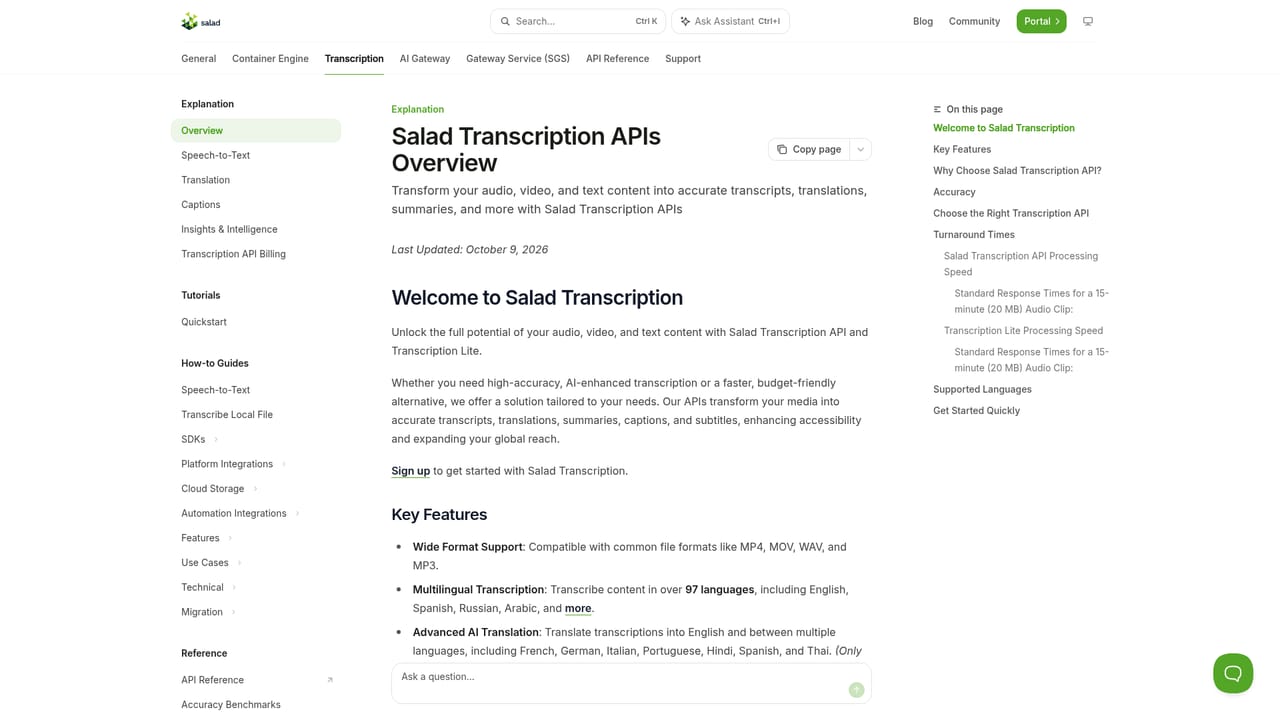
    The docs explain the request and response model, supported features, and how billing is measured. Check the volume bands to see where your expected hours land on the price table.
    Salad Transcription Services — Review the documentation and pricing tiers
  3. 3Create an account in the portal
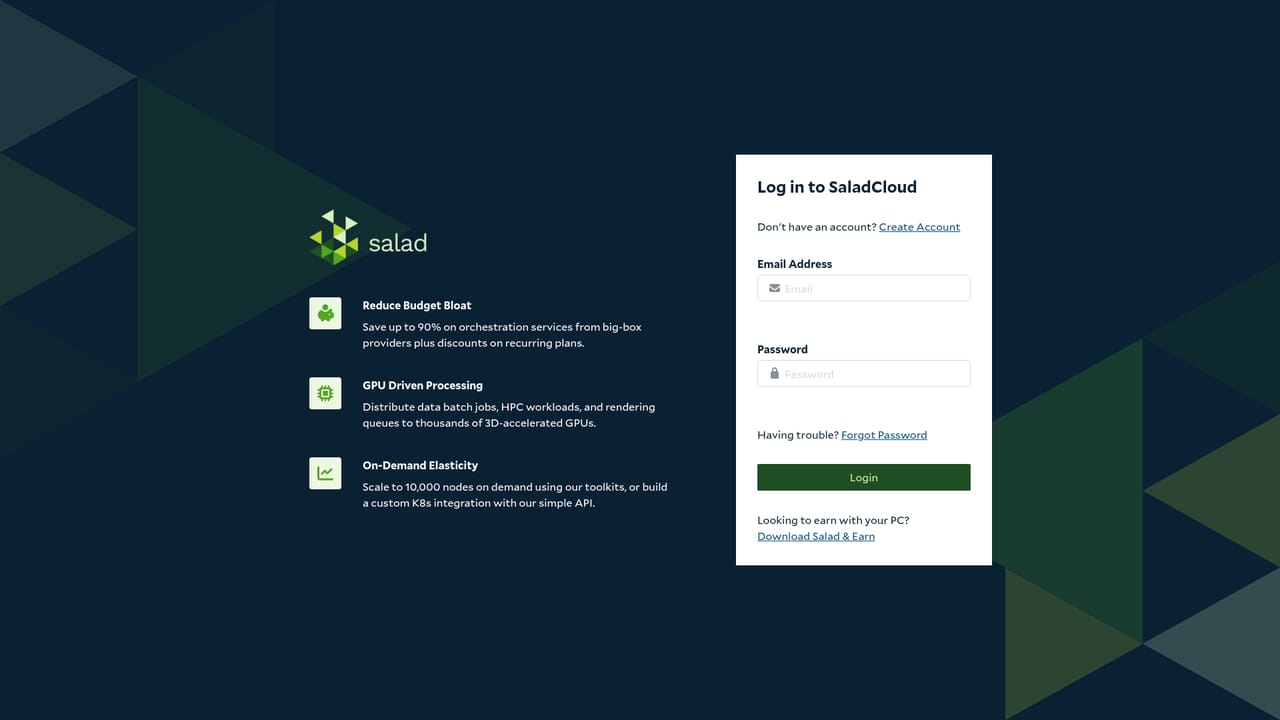
    Sign up at the Salad portal to get API credentials. This is where keys are managed and usage is tracked once jobs start running.
    Salad Transcription Services — Create an account in the portal
  4. 4Submit a first transcription job
    Send audio to the API and request the outputs you need, such as diarization, word-level timing, SRT captions, or a summary. Custom vocabulary can be supplied for domain terms.
  5. 5Migrate from your current provider
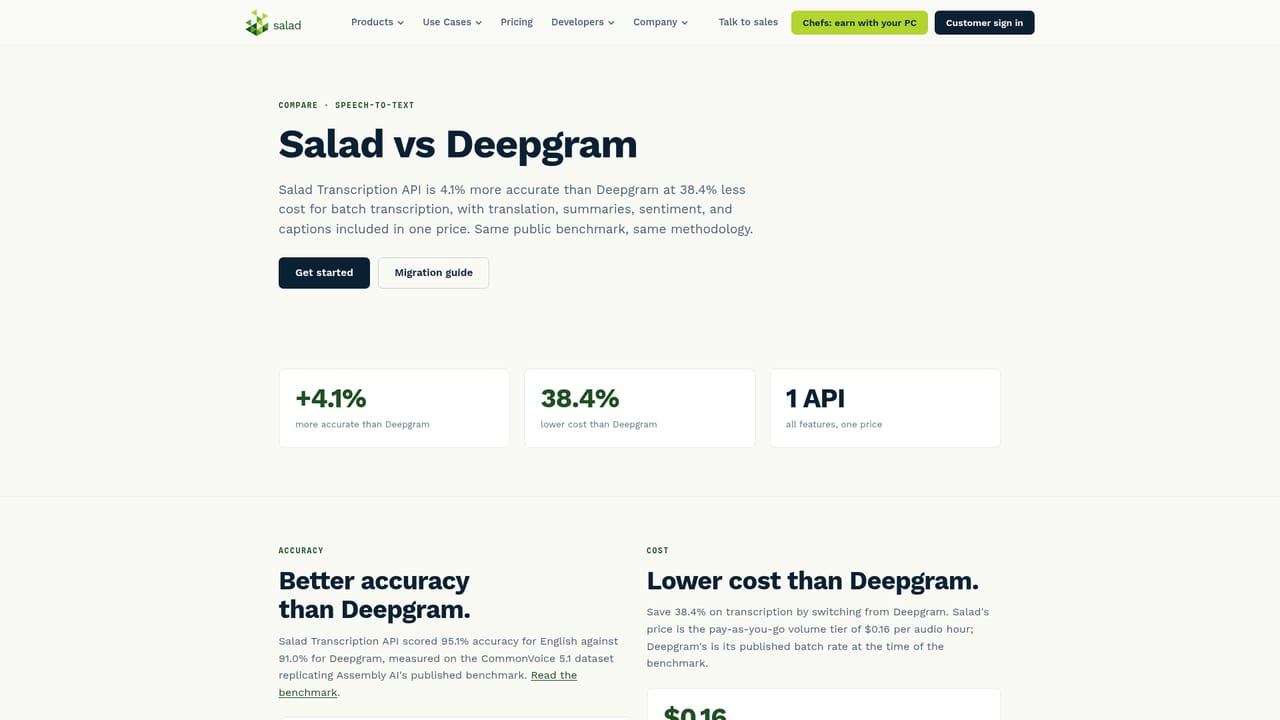
    If you are moving off Deepgram, Assembly AI, Amazon Transcribe, Google, or Azure, follow the matching comparison and migration page to map old parameters to Salad's API.
    Salad Transcription Services — Migrate from your current provider
  6. 6Add no-code connections if needed
    Zapier and Pabbly Connect link the API to apps like Zoom, Notion, Dropbox, and Google Drive for teams that want transcription without building a pipeline.

Pros and cons

Pros

  • Claims the highest accuracy on the CommonVoice benchmark at 95.1%, ahead of Deepgram, Assembly AI, Amazon, Google, and Azure by its own comparisons.AI
  • Pricing starts at $0.20 per audio hour and falls to $0.16 at volume, with a Lite tier as low as $0.03 per hour.AI
  • Feature bundle covers diarization, timing codes, SRT output, translation, summaries, sentiment, and custom prompts in one API.AI
  • Failed transcriptions are not billed, and billing is rounded to the nearest 0.01 hour.AI
  • Migration guides for five major competitors, with most teams switching in a day according to the company.AI

Cons

  • No published free tier or self-serve trial is described, so evaluation requires signing up for the portal and committing to billed usage.AI
  • Only 8 languages are fully supported for transcription; the 97-language figure applies to translation into English.AI
  • Accuracy claims rest on a single benchmark (CommonVoice) rather than independent third-party testing.AI
  • Consumer GPUs in the Community Cloud underpin the low price, which may concern buyers with strict infrastructure or compliance review requirements.AI
  • Enterprise self-hosting and private cloud options require a sales conversation, so they are not available to smaller teams.AI

How much does Salad Transcription Services cost?

Pricing

Billed per audio hour in monthly volume bands. The Transcription API costs $0.20 per hour up to 8,333 hours, $0.18 from 8,334 to 16,666, and $0.16 from 16,667 to 33,333. Transcription Lite runs $0.08, $0.05, and $0.03 across the same bands. Billing rounds to the nearest 0.01 hour (36 seconds) and failed jobs are not charged. Volumes above 33,333 hours a month go through sales.

Learn more

Support

Migration guides cover Deepgram, Assembly AI, Amazon Transcribe, Google, and Azure, with more detail in the documentation. A sales team handles high-volume pricing and self-hosting. The site does not describe support tiers or SLAs.

Learn more

Integrations

Zapier and Pabbly Connect connect the API to Zoom, Notion, Dropbox, Google Drive, YouTube, Vimeo, and hundreds of other apps. Enterprise customers can license the models for on-prem or private cloud deployment.

Features

Speech-to-text with speaker diarization and word-level time codes, tuned by audio enhancement. LLM post-processing produces summaries, sentiment and emotion detection, and text classification, plus custom prompts for structured extraction. Translation covers 97 languages into English and full translation among 8 languages. SRT caption output supports video as well as audio. A custom vocabulary handles names and domain terms.

Frequently asked questions about Salad Transcription Services

  • How much does Salad Transcription Services cost?
    Billed per audio hour in monthly volume bands. The Transcription API costs $0.20 per hour up to 8,333 hours, $0.18 from 8,334 to 16,666, and $0.16 from 16,667 to 33,333. Transcription Lite runs $0.08, $0.05, and $0.03 across the same bands. Billing rounds to the nearest 0.01 hour (36 seconds) and failed jobs are not charged. Volumes above 33,333 hours a month go through sales.
  • Does Salad Transcription Services have an API?
    Yes, Salad Transcription Services offers an API.
  • How do you use Salad Transcription Services?
    The walkthrough on this page covers 6 steps: 1. Pick the API tier for your workload 2. Review the documentation and pricing tiers 3. Create an account in the portal 4. Submit a first transcription job 5. Migrate from your current provider 6. Add no-code connections if needed.
  • What platforms does Salad Transcription Services support?
    Salad Transcription Services is available on Web App.
  • What does Salad Transcription Services integrate with?
    Zapier and Pabbly Connect connect the API to Zoom, Notion, Dropbox, Google Drive, YouTube, Vimeo, and hundreds of other apps. Enterprise customers can license the models for on-prem or private cloud deployment.
  • What are the limitations of Salad Transcription Services?
    No published free tier or self-serve trial is described, so evaluation requires signing up for the portal and committing to billed usage. Only 8 languages are fully supported for transcription; the 97-language figure applies to translation into English. Accuracy claims rest on a single benchmark (CommonVoice) rather than independent third-party testing.

Status

StatusActive
Views0
Outbound clicks0
Added10/21/2026

Platforms

Web App

Pricing

Paid