Support
The homepage offers a direct 1-on-1 conversation with founder Kartike Bansal and links to a contact page. No help centre or documentation portal is listed.
Learn moreAn AI team for busy founders, built around a roster of named agents.

SquadRoom is a proactive AI assistant tool. SquadRoom runs a roster of named AI agents (Chief of Staff, Research, Partnerships, Ops) that take a job from request to finished work, with paused decisions, a run calendar, an outcomes feed and credit based usage tracking.
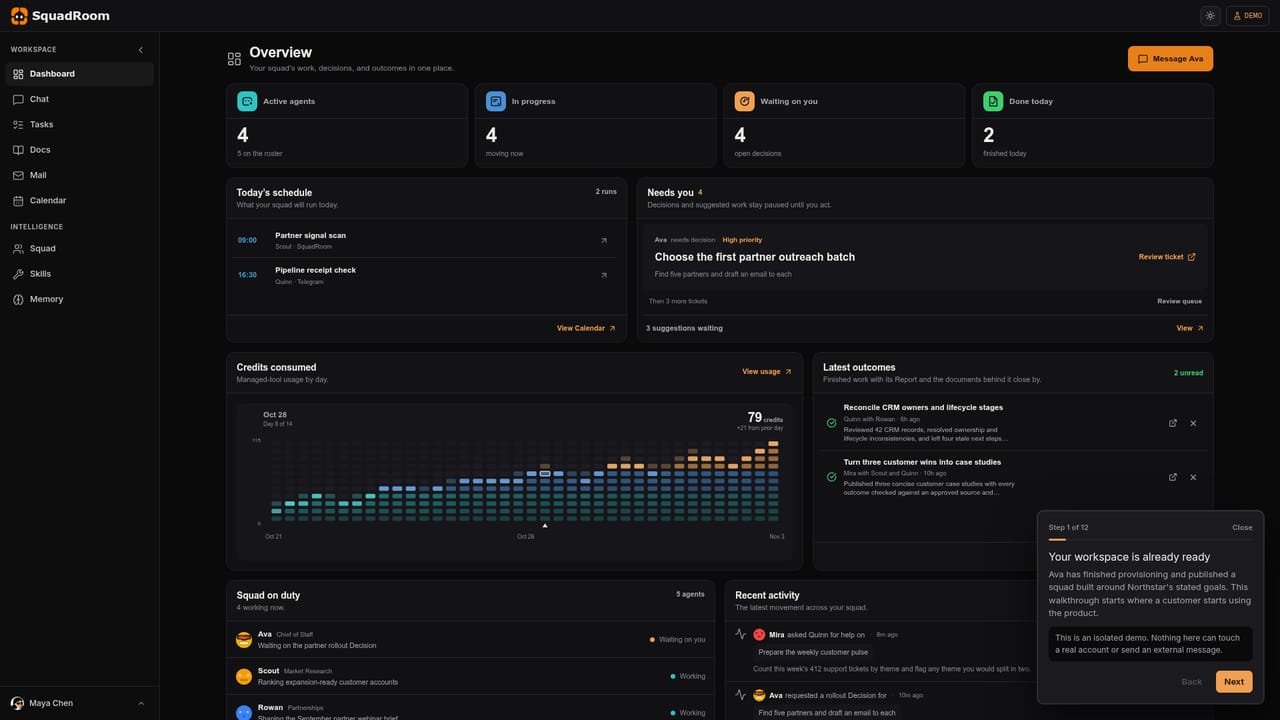
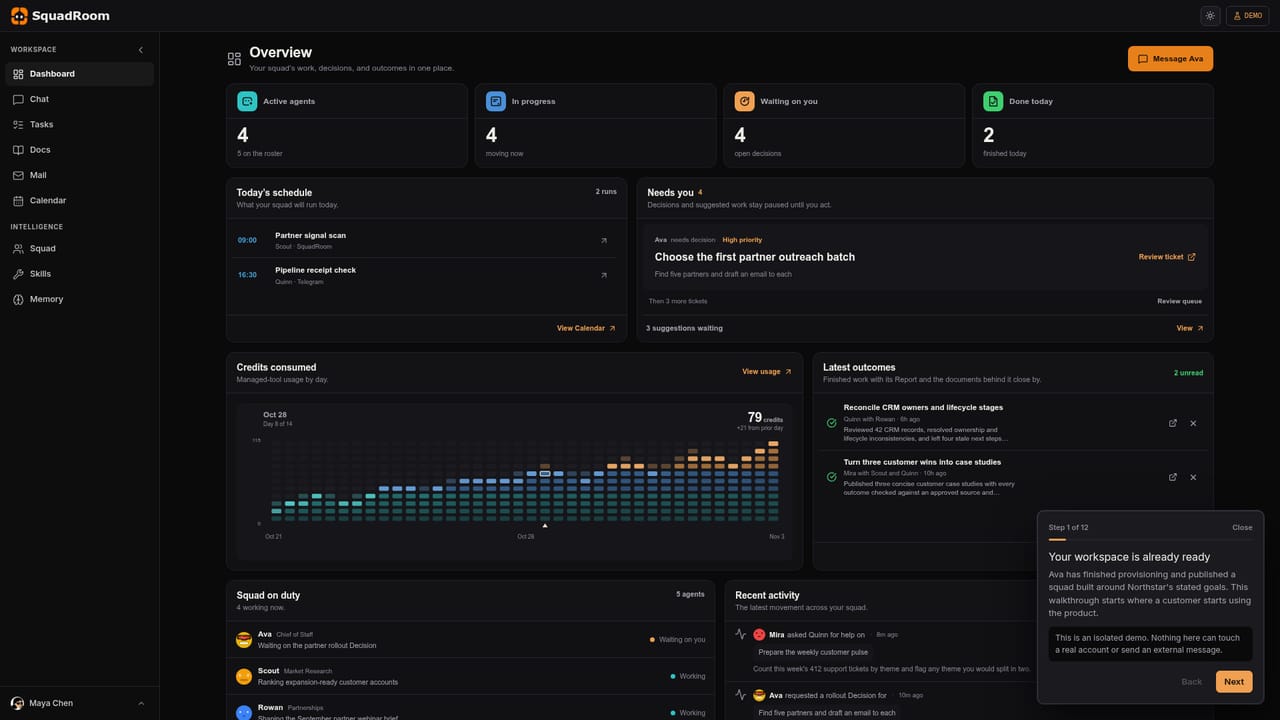
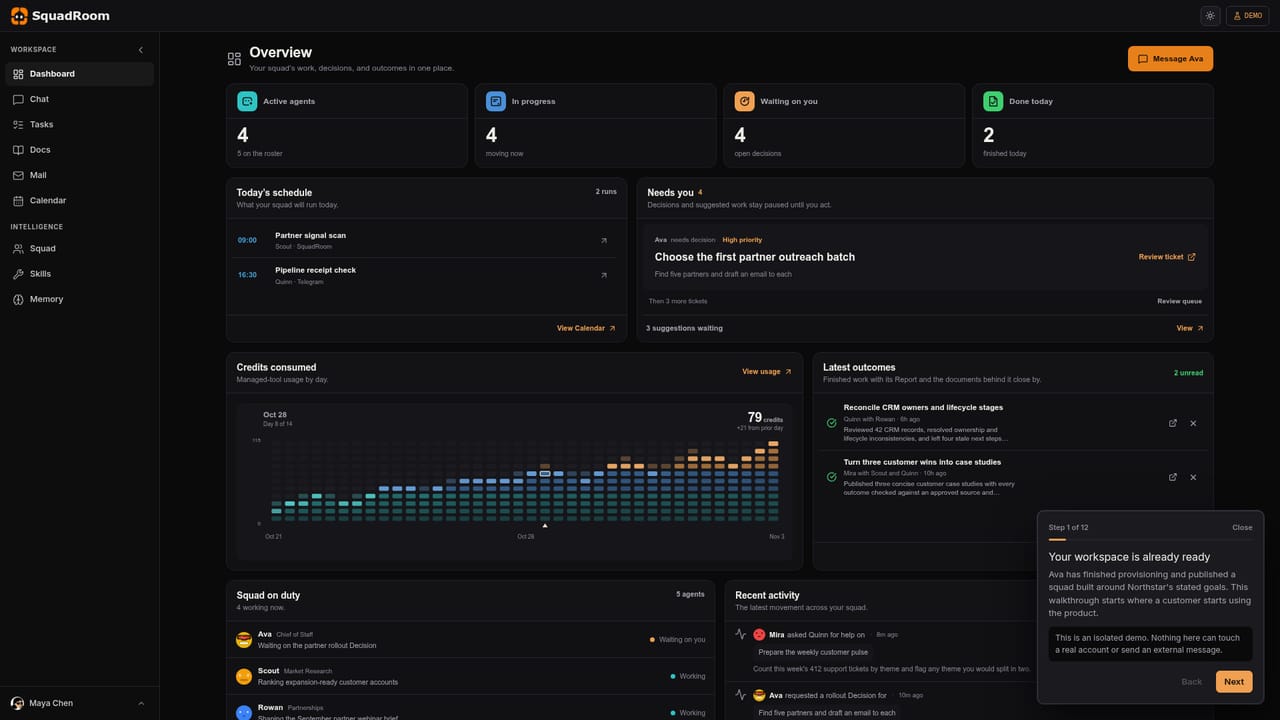
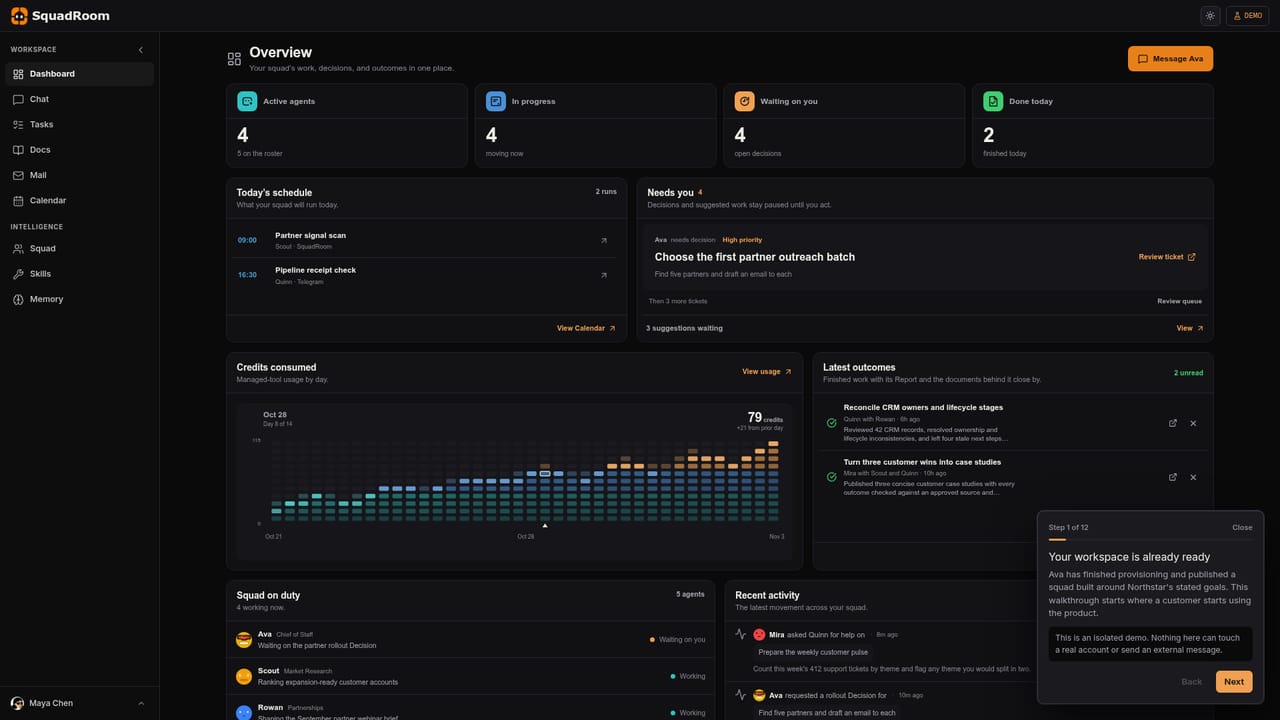
SquadRoom is a workspace built around a squad of named AI agents rather than a single chat window. Each agent holds a defined role: the sample company on the site runs a Chief of Staff, a Market Research agent, a Partnerships agent and an Operations and QA agent, and the roster can hold five in total. You hand over a job in plain language, the agents work it through on their own, and you only get pulled in when a decision is genuinely yours to make. The product is pitched squarely at founders and small teams who have more work than people and do not want to babysit a tool. In practice the workspace is organised like an operations desk. A dashboard shows how many agents are active, how many jobs are in progress, and how many items are waiting on you, with paused decisions listed by name and priority. A calendar lists scheduled runs, including recurring cron jobs such as a partner signal scan or a pipeline receipt check that can push output to a channel like Telegram. Finished work lands in an outcomes feed, each piece carrying a Report and the underlying documents so a result can be checked against its source instead of taken on trust. The product also meters consumption. Agents run on credits, and a usage view charts daily consumption with day over day comparison, so heavier automation has a visible cost curve. Each agent has its own email address, which makes it possible to route outside correspondence to a specific role rather than a single shared inbox. Where it fits: most AI tools in this space are single purpose writers, researchers or chat assistants that return one answer and stop. SquadRoom sits a level up, coordinating several agents toward a finished deliverable, which puts it closer to a self-managed operations hire than to a writing assistant. The trade off is that a coordinating layer brings more setup and more oversight than a simple prompt box.
The homepage offers a direct 1-on-1 conversation with founder Kartike Bansal and links to a contact page. No help centre or documentation portal is listed.
Learn moreRecurring runs can deliver output to outside channels, with Telegram shown as an example on the homepage. No further integrations are documented on the site.
A roster of named AI agents with assigned roles, a dashboard showing active agents, jobs in progress and decisions waiting on you, a schedule of daily and recurring runs, an outcomes feed where finished work arrives with a Report and source documents, per agent email addresses, and a credit usage chart with day over day comparison.
 AI Angels400+ customizable AI girlfriends for NSFW chat, voice calls, and roleplay
 Candy AIExperience the future of companionship with AI friends who chat, role-play, and connect with you on a human level.
 ourdream.aiA vast AI roleplay platform with millions of characters for chat, images, video and voiceAI Angels400+ customizable AI girlfriends for NSFW chat, voice calls, and roleplayCandy AIExperience the future of companionship with AI friends who chat, role-play, and connect with you on a human level.ourdream.aiA vast AI roleplay platform with millions of characters for chat, images, video and voice


