TokkingHeads

Turn any portrait image into an animated, talking avatar with AI.

Beginner
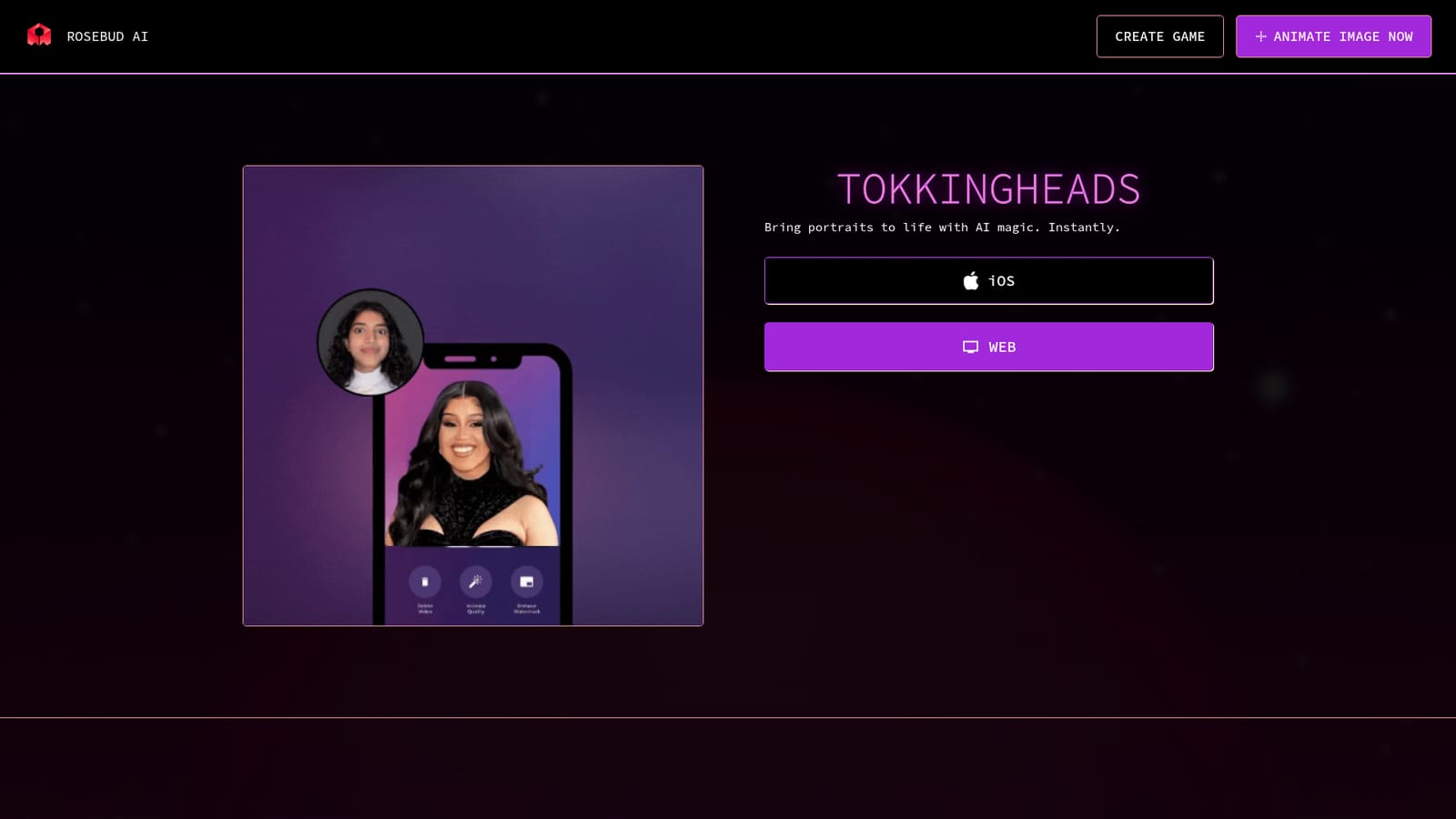
Screenshot of TokkingHeads, Turn any portrait image into an animated, talking avatar with AI

What is TokkingHeads?

TokkingHeads is an AI video talk tool that turns any portrait image into an animated, talking avatar with AI. TokkingHeads animates portrait images into talking avatars using AI. It is simple, web-based, and available on iOS, aimed at creators who need quick avatar animations without technical skills.

TokkingHeads is an AI animation tool that takes a single portrait image and turns it into a moving, talking avatar. Built by Rosebud AI, the tool is designed to puppet any face from just a photo, without the need for motion capture equipment or 3D modeling skills. The core promise is instant animation: upload a portrait, and the AI brings it to life with expressions and lip sync. The tool is aimed at creators who need quick avatar animations for social media, video content, games, or virtual meetings. It is beginner-friendly, with no technical setup required beyond uploading an image. Because it works from a single image, it is accessible to anyone with a photo, even if they lack video production experience. The process is entirely web-based, though an iOS app is also available for mobile use. In practice, TokkingHeads fits into the growing category of generative video and avatar tools. It differentiates itself by focusing on animating still portraits rather than generating full scenes from text. This makes it useful for creating talking-head style videos, character animations for games, or playful social media clips. It can be seen as a lighter, more accessible alternative to professional animation software or motion capture studios. While the homepage emphasizes ease of use and speed, details about pricing, output quality, and supported languages are not provided. Users should expect a straightforward workflow: choose an image, let the AI animate it, and export the result. The tool is part of the Rosebud AI ecosystem, which also includes game development and character creation features, suggesting potential integration for interactive projects.

How do you use TokkingHeads?

  1. 1Visit the TokkingHeads page
    Go to the TokkingHeads website to learn about the tool and access the animation interface.
    TokkingHeads — Visit the TokkingHeads page
  2. 2Choose your platform
    Select the web app or download the iOS app from the App Store to start animating.
  3. 3Upload a portrait image
    Once in the app, upload a clear portrait photo of the face you want to animate.
  4. 4Generate the animation
    Use the AI to automatically animate the portrait, adding expressions and lip sync.
  5. 5Preview and export
    Review the animated avatar and export the video for use in your project.

Pros and cons

Pros

  • Works from a single image, so no video or motion capture is required.AI
  • Web-based with an iOS app, making it accessible on multiple devices.AI
  • Beginner-friendly interface with no technical setup needed.AI
  • Part of the Rosebud AI ecosystem, which may offer additional creative tools.AI

Cons

  • Pricing details are not disclosed on the homepage, requiring a visit to the app for costs.AI
  • Limited information on output quality, supported languages, and customization options.AI
  • Focused solely on portrait animation; lacks broader video editing features.AI
  • No API or integration information is provided, which may limit automation for developers.AI

How much does TokkingHeads cost?

Features

TokkingHeads animates portrait images into talking avatars using AI. It works from a single image, requires no technical setup, and is available as a web app and iOS app. The tool is designed for quick creation of animated avatars for social media, games, and video content.

Frequently asked questions about TokkingHeads

  • How do you use TokkingHeads?
    The walkthrough on this page covers 5 steps: 1. Visit the TokkingHeads page 2. Choose your platform 3. Upload a portrait image 4. Generate the animation 5. Preview and export.
  • What platforms does TokkingHeads support?
    TokkingHeads is available on Web App and iOS.
  • What are the limitations of TokkingHeads?
    Pricing details are not disclosed on the homepage, requiring a visit to the app for costs. Limited information on output quality, supported languages, and customization options. Focused solely on portrait animation; lacks broader video editing features.

Status

StatusActive
Views0
Outbound clicks0
Added10/21/2026

Platforms

Web AppiOS

Pricing

Freemium