Free trial
Transistor offers a 14-day free trial, started from the signup page, which gives access to the dashboard and its features including AI transcription.
Learn moreAI speech-to-text transcripts for podcast episodes, built into the hosting dashboard

Transistor is a podcast hosting platform whose AI transcription feature turns episode audio into editable text in 49 languages, with automatic speaker detection, timestamp links and export to text, SRT, VTT, JSON and HTML.
Transistor's AI transcription converts podcast audio into written text from inside the hosting dashboard, so an episode can move from upload to published transcript without a separate service. The engine is provided by Deepgram and handles 49 spoken languages, including English, Spanish, French, German, Portuguese, Japanese, Korean, Hindi, Arabic and Mandarin. Transcription follows the language already set for the show, which means there is no extra model picker to configure before generating text. The workflow is aimed at podcasters who already host with Transistor, or who are weighing a move. A host uploads an episode as usual, generates the transcript, then opens an editor to correct misheard words and relabel speakers. Speaker detection is automatic, and renaming a speaker updates the remaining transcript rather than forcing line by line fixes. Finished files download as plain text, SRT, VTT, JSON or HTML, which covers captions, show notes and web pages from a single source. Timestamps connect the text back to the audio. Listeners browsing a transcript on the show's website can jump to the exact moment a topic comes up and share a link to that point. Transistor positions this as a discoverability and accessibility feature as much as a production tool: searchable text, captions and quote-ready passages all come from the same transcription pass. The honest caveat is accuracy. Transistor states plainly that AI transcripts are not perfect and that hosts should review the generated text and fix errors by hand, which is where the editor earns its place. Compared with hiring a human transcriber, automated transcription is far cheaper and faster, but it trades some precision for that speed. Teams that need publication-grade transcripts for legal, medical or heavily accented audio should budget review time. For most independent shows, the combination of one dashboard, multi-format export and timestamp links replaces a patchwork of third-party transcription tools.
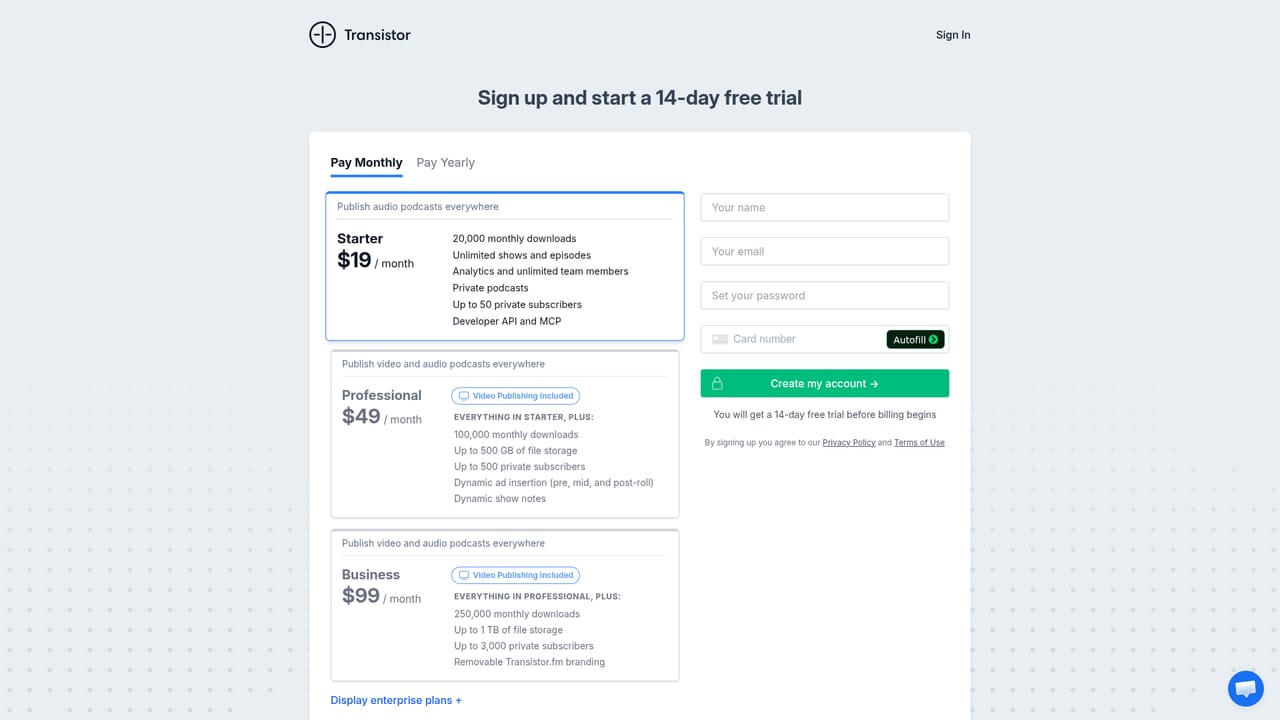
Transistor offers a 14-day free trial, started from the signup page, which gives access to the dashboard and its features including AI transcription.
Learn moreTransistor advertises 24/7 live chat staffed by real people rather than bots or AI agents, described as friendly podcast experts.
Learn moreAI transcription generates text from podcast audio inside the Transistor dashboard using Deepgram, with 49 supported languages, automatic speaker detection, an editor for corrections and speaker names, timestamps linked to audio for shareable moment links, and export to plain text, SRT, VTT, JSON and HTML.
 AI Angels400+ customizable AI girlfriends for NSFW chat, voice calls, and roleplay
 Candy AIExperience the future of companionship with AI friends who chat, role-play, and connect with you on a human level.
 ourdream.aiA vast AI roleplay platform with millions of characters for chat, images, video and voiceAI Angels400+ customizable AI girlfriends for NSFW chat, voice calls, and roleplayCandy AIExperience the future of companionship with AI friends who chat, role-play, and connect with you on a human level.ourdream.aiA vast AI roleplay platform with millions of characters for chat, images, video and voice


