Vadu AI

Multi-model AI video and image studio with one credit account

Beginner
Screenshot of Vadu AI, Multi-model AI video and image studio with one credit account

What is Vadu AI?

Vadu AI is a web studio that bundles leading video and image models (Veo 3.1, Kling 3.0, Wan 2.7, Hailuo and more) behind one credit account, with text to video, photo animation, restyling, editing tools and trend effects.

Vadu AI is a browser-based studio for generating videos and images from text prompts or still photos. Instead of tying users to a single engine, it puts several third-party video models behind one account, including Google Veo 3.1, Kling 3.0, Wan 2.7, HappyHorse and MiniMax Hailuo 2.3. Image generation and editing sit alongside them, with models such as Nano Banana 2, Nano Banana Pro and GPT Image 2. Credits are shared across models, and the cost of a generation is displayed before it runs. The product is aimed at content creators, marketers, educators and casual users who want finished clips without learning editing software. Its core tools cover text to video, image to video (with first and end frames), video to video restyling, text to image, prompt-based image editing, background removal and object removal. A large effects library handles trend-style templates: upload one or two photos and the tool produces a dance clip, a hug, an orbit shot, an animated old photo or a professional-looking headshot. In practice, a user chooses a tool or model, writes a description in plain language, and adjusts settings such as duration, resolution, aspect ratio, audio and style presets (cinematic, anime, realistic and others). Some models accept reference images to keep people, outfits or products consistent across shots. Results are previewed and downloaded, with export up to 4K and common video and image formats. The site states that generation typically takes seconds for images and a few minutes for video, and that output may be used commercially. Among alternatives, Vadu AI competes with aggregator platforms and with single-model tools from the model vendors themselves. Its appeal is breadth and convenience: comparing engines, swapping between them and keeping one balance of credits. The tradeoff is that quality, motion and audio behavior depend on whichever underlying model is selected, so results vary by model and by prompt. A free tier with no credit card requirement makes it easy to test before paying.
How do you use Vadu AI?

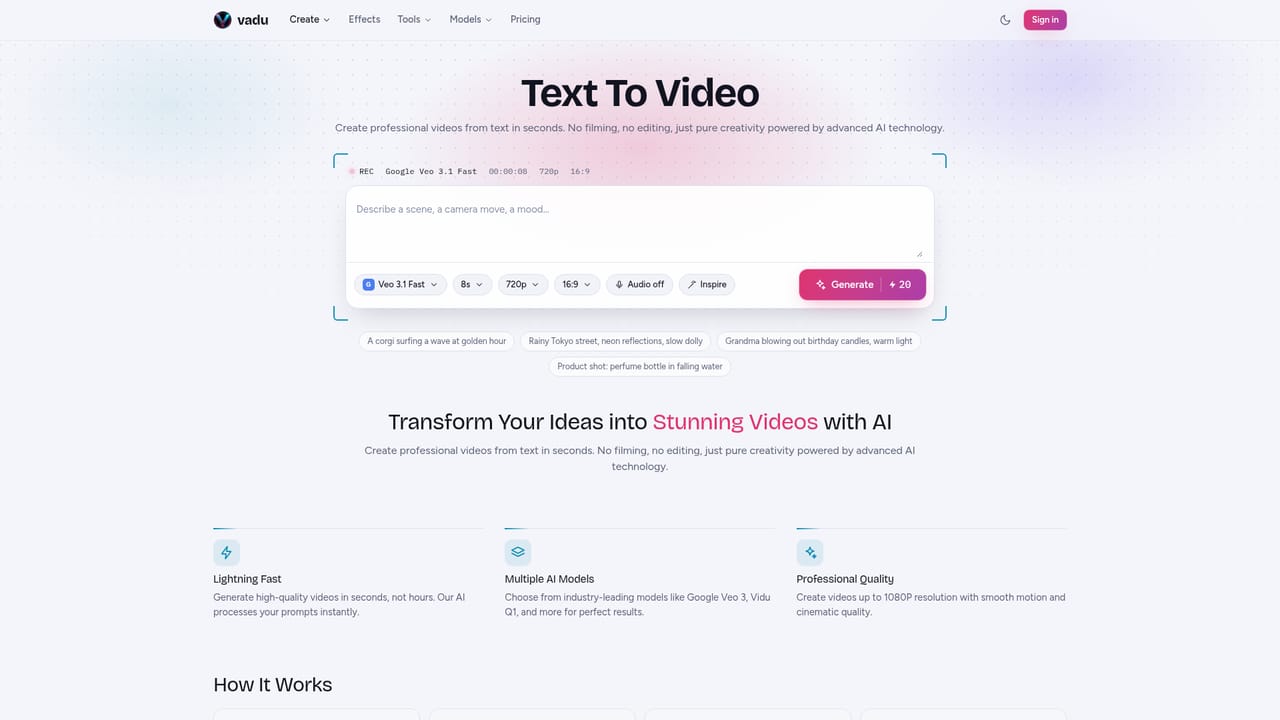
  1. 1Pick a generation tool
    Open the text to video tool for prompt-based clips, or image to video to animate a photo. Video to video restyles existing footage.
    Vadu AI — Pick a generation tool
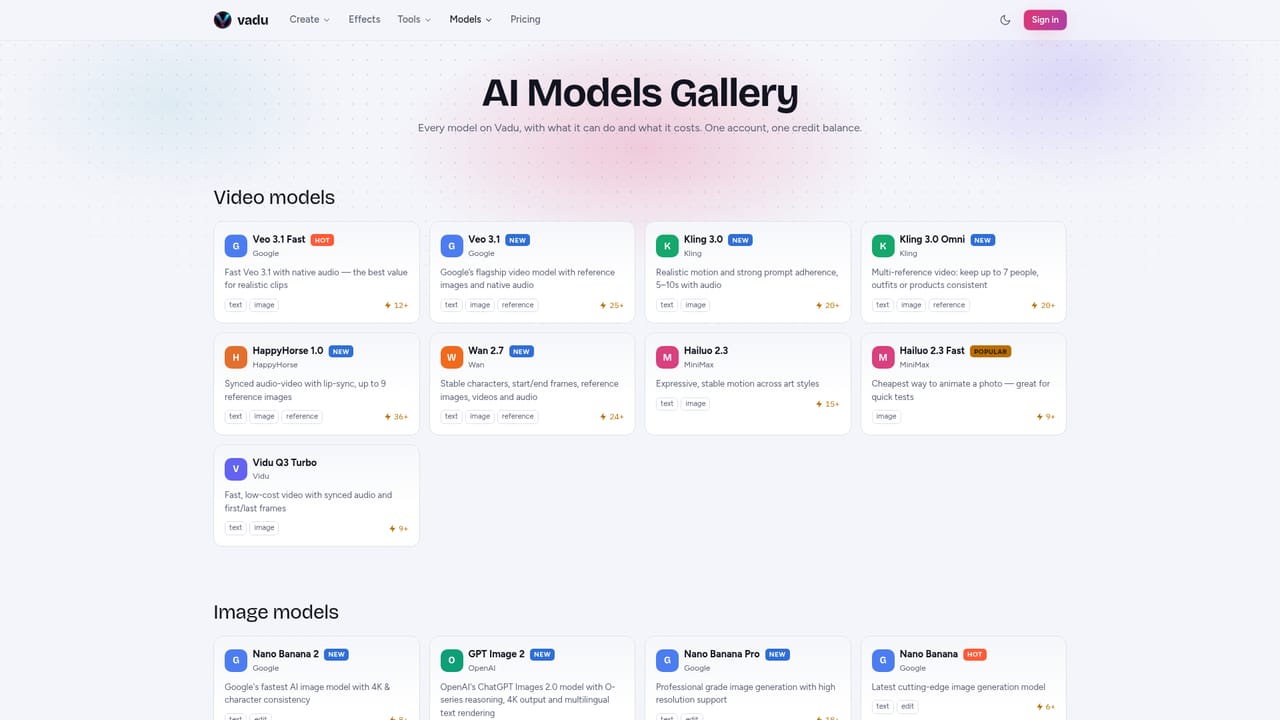
  2. 2Choose a video model
    Compare the available models and their credit costs, then select one such as Veo 3.1 Fast for realistic clips or Hailuo 2.3 Fast for cheap photo tests.
    Vadu AI — Choose a video model
  3. 3Write the prompt and set options
    Describe subject, style, mood and camera movement in plain language. Set duration, resolution, aspect ratio and audio, and add reference images if the model supports them.
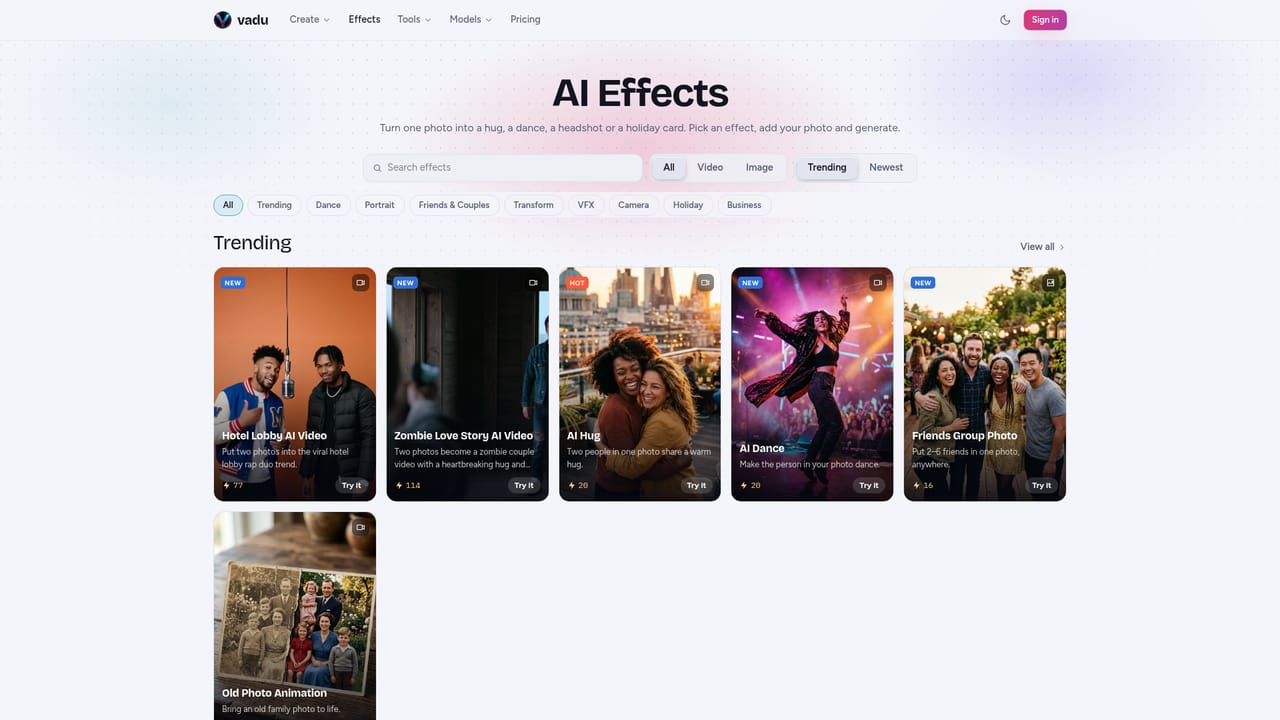
  4. 4Try a ready-made effect
    For a quick result, pick an effect such as AI Hug or AI Dance and upload the requested photos instead of writing a prompt.
    Vadu AI — Try a ready-made effect
  5. 5Generate, review and download
    Run the generation, preview the clip, adjust the prompt if needed and download it in your preferred format and resolution.

Pros and cons

Pros

  • Many top video models (Veo, Kling, Wan, Hailuo, HappyHorse) available under a single account and credit balanceAI
  • Credit cost is shown before generating, so spending is predictableAI
  • Free tier starts without a credit card, making it easy to testAI
  • Effects library turns one or two photos into finished viral-style clips with little effortAI
  • Covers video, image generation, editing, background and object removal in one placeAI

Cons

  • Output quality and features depend on the chosen third-party model, so results are inconsistent across enginesAI
  • Free tier is limited to a small monthly volume, and exact limits are not clearly stated on the homepageAI
  • Video generation can take several minutes, slowing iterationAI
  • Choosing among many models and credit costs may confuse newcomersAI
  • Editing control is limited to prompts and presets, with no timeline for fine-grained editsAI

How much does Vadu AI cost?

Free trial

Free tier available with no credit card required, offering a limited monthly number of video and image generations.

Learn more

Pricing

A free tier needs no credit card and allows a limited number of videos and images per month. Premium plans with higher limits and advanced features exist, but prices are not listed on the homepage. Generations use credits, and each model's cost shows before generating.

Learn more

Integrations

No third-party app integrations are listed. It hosts models from Google, Kling, MiniMax, Wan, HappyHorse and OpenAI, and supports sharing to social platforms.

Learn more

Features

Text to video, image to video with first and end frames, video to video restyling, text to image, prompt-based image editing, background and object removers, trend effects, style presets, reference images on supported models, and export up to 4K.

Learn more

Frequently asked questions about Vadu AI

  • How much does Vadu AI cost?
    A free tier needs no credit card and allows a limited number of videos and images per month. Premium plans with higher limits and advanced features exist, but prices are not listed on the homepage. Generations use credits, and each model's cost shows before generating.
  • Does Vadu AI offer a free trial?
    Free tier available with no credit card required, offering a limited monthly number of video and image generations.
  • How do you use Vadu AI?
    The walkthrough on this page covers 5 steps: 1. Pick a generation tool 2. Choose a video model 3. Write the prompt and set options 4. Try a ready-made effect 5. Generate, review and download.
  • What platforms does Vadu AI support?
    Vadu AI is available on Web App.
  • What does Vadu AI integrate with?
    No third-party app integrations are listed. It hosts models from Google, Kling, MiniMax, Wan, HappyHorse and OpenAI, and supports sharing to social platforms.
  • What are the limitations of Vadu AI?
    Output quality and features depend on the chosen third-party model, so results are inconsistent across engines. Free tier is limited to a small monthly volume, and exact limits are not clearly stated on the homepage. Video generation can take several minutes, slowing iteration.

Status

StatusActive
Views0
Outbound clicks0
Added10/18/2026

Platforms

Web App

Pricing

FreemiumSubscription