Vectoree

A backend coding agents can install, link, and call on their own.

Intermediate API
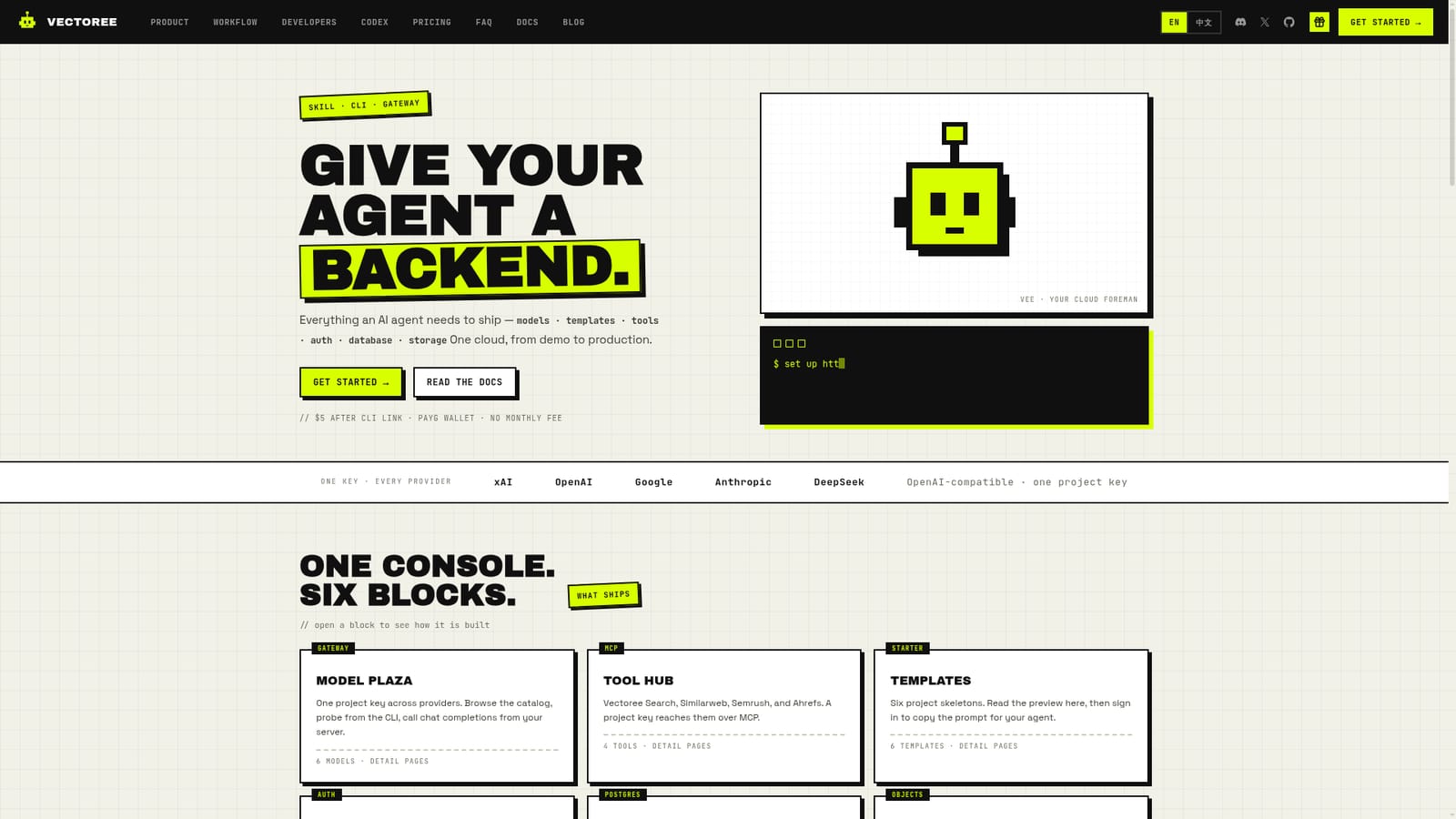
Screenshot of Vectoree, A backend coding agents can install, link, and call on their own

What is Vectoree?

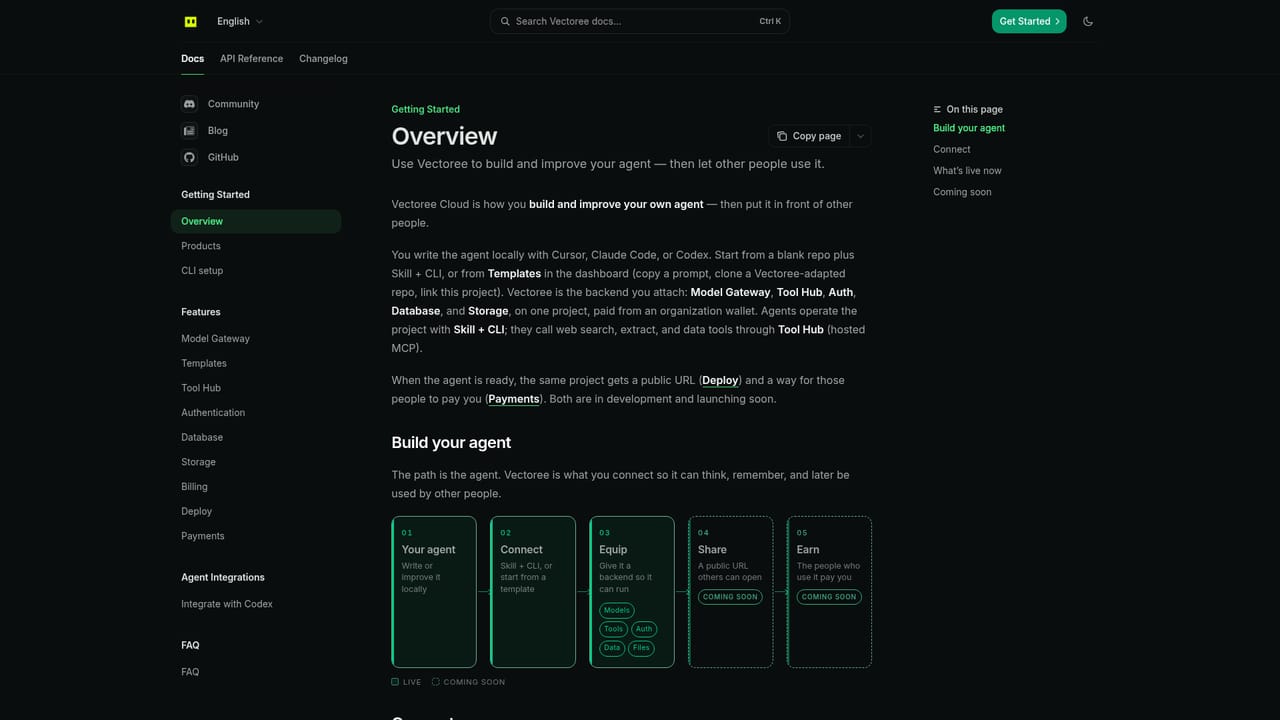
Vectoree is a coding tool. Vectoree bundles model access, authentication, a Postgres database, and object storage behind one project key, built so coding agents like Cursor, Claude Code, and Codex can set it up and call it directly.

Vectoree packages the infrastructure a coding agent needs to ship an application: model access, authentication, a Postgres database, and object storage, all reachable through one project key. Instead of wiring separate accounts for an LLM provider, an auth service, a database host, and a storage bucket, a developer installs a skill and CLI that let tools such as Cursor, Claude Code, or Codex bind a project to Vectoree directly, then keep writing code against a familiar OpenAI-compatible endpoint. The console is organized into six blocks: Model Plaza for calling multiple model providers through one gateway, Tool Hub for MCP-based tools such as search and SEO data providers, Templates for starter project skeletons, Auth for email and Google sign-in, a per-project Postgres database, and bucket-based object storage for files. Developers can browse models, query tables, manage buckets, and review usage from the same dashboard the agent is bound to. Vectoree targets three overlapping audiences: startup teams running multiple projects under one organization and shared wallet, individual developers who already have an app and want to consolidate model, auth, database, and storage calls behind one key, and non-technical builders who start from a template, hand the prompt to a coding agent, and let it wire up the backend. Pricing is pay-as-you-go with no monthly subscription; a $5 credit arrives after the first CLI login and project link, and further usage draws from the organization wallet billed per model call. Within the growing field of backend-as-a-service and AI gateway products, Vectoree's distinguishing idea is that the coding agent itself, not a person clicking through dashboards, performs the initial setup: installing the skill, logging in, linking the project, and selecting a model. That workflow suits teams already standardized on agent-driven development more than those wanting a traditional point-and-click backend console.
How do you use Vectoree?

  1. 1Install the Vectoree skill
    Point your coding agent's skill installer at the Vectoree skill file so it can run atomic CLI commands for login, database, and storage operations.
    Vectoree — Install the Vectoree skill
  2. 2Login and link the CLI
    Run the Vectoree CLI login command against the Vectoree API URL, then link the current project so Auth, Database, Storage, and the gateway become available under one key.
    Vectoree — Login and link the CLI
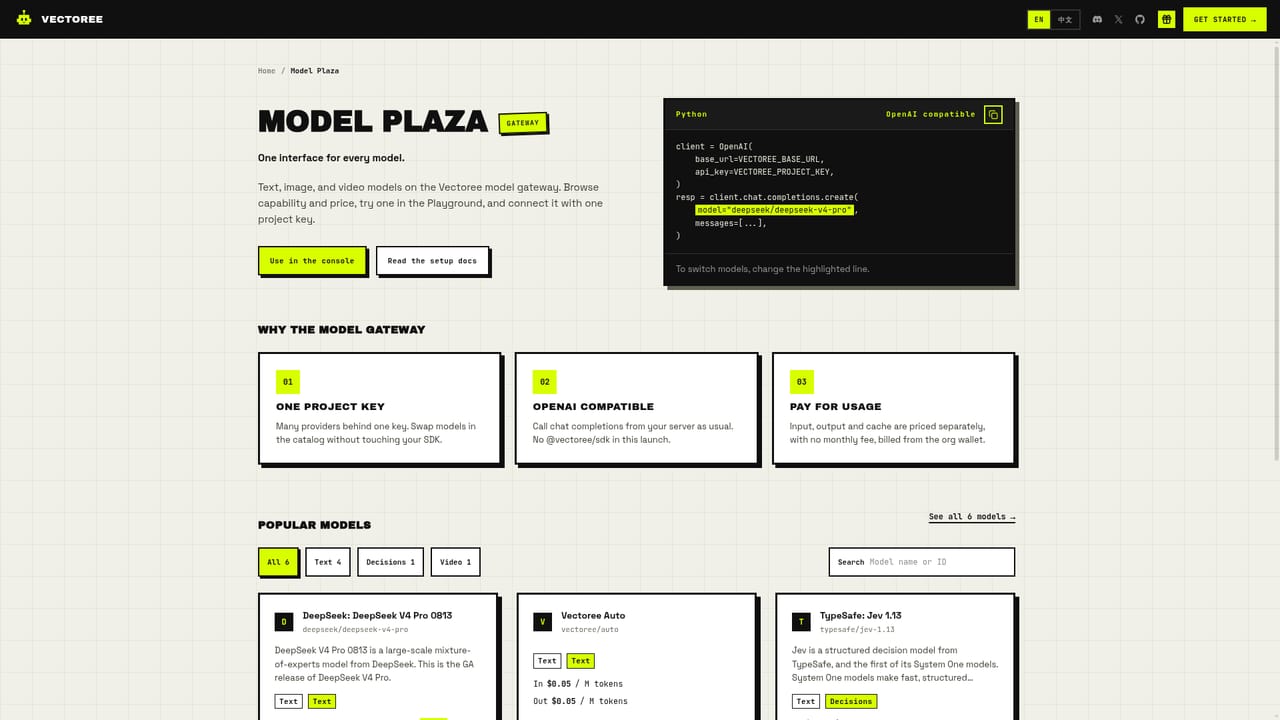
  3. 3Pick a model in Model Plaza
    Browse the model catalog and choose a model such as vectoree/auto, positioned as cheaper than Flash while matching its intelligence.
    Vectoree — Pick a model in Model Plaza
  4. 4Call the gateway from your app
    Point the OpenAI SDK's baseURL at the Vectoree API endpoint with the project key, then call chat completions exactly as with a native OpenAI client.
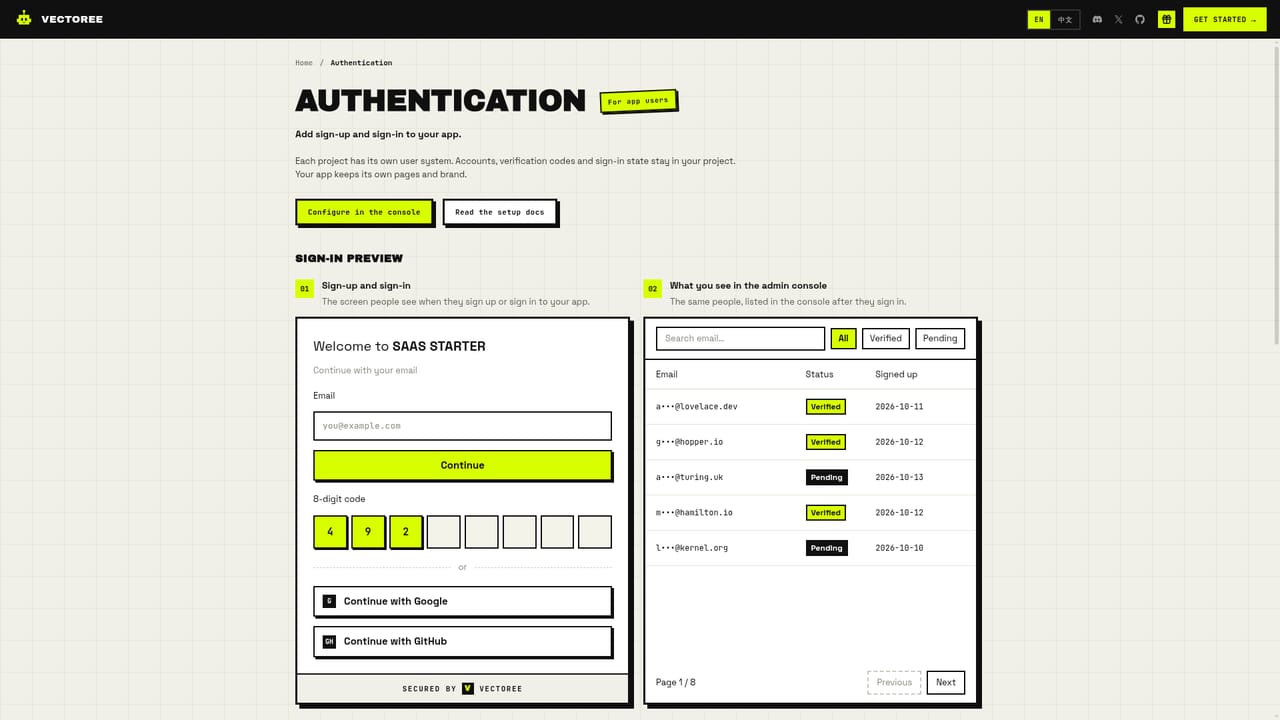
  5. 5Add auth, database, and storage to the app
    Use the Auth, Database, and Storage blocks in the console to add sign-up and sign-in, create Postgres tables, and set up public or private storage buckets.
    Vectoree — Add auth, database, and storage to the app
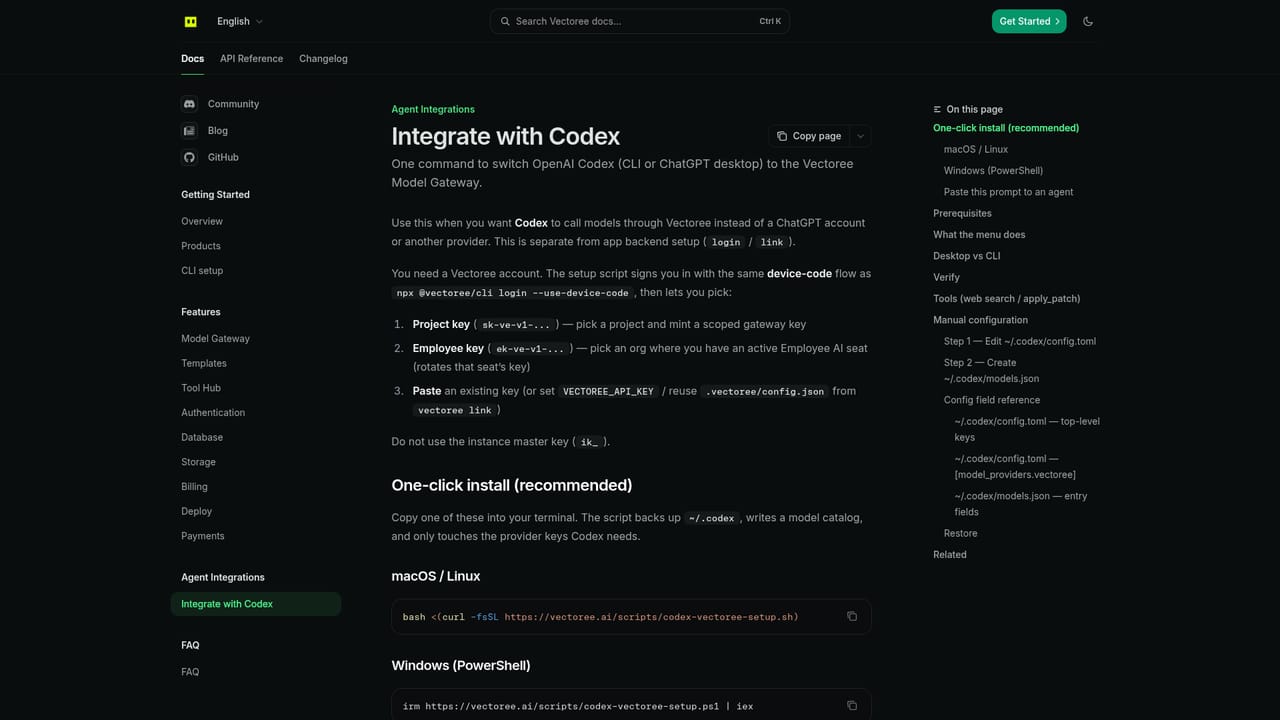
  6. 6Connect Codex CLI directly (optional)
    Run the one-click setup script to point Codex CLI or ChatGPT desktop at the Vectoree model gateway instead of configuring it manually.
    Vectoree — Connect Codex CLI directly (optional)

Pros and cons

Pros

  • One project key covers multiple model providers, auth, database, and storage together.AI
  • Coding agents can install the skill and link a project without manual dashboard setup.AI
  • OpenAI-compatible gateway lets existing SDK code and prompts stay largely unchanged.AI
  • No monthly fee; pay-as-you-go pricing with a $5 welcome credit to start testing.AI
  • Templates give non-technical users a starting point an agent can build on.AI

Cons

  • Usage bills from a shared organization wallet, so an empty wallet halts all gateway calls.AI
  • Tool Hub currently lists only four integrations: Vectoree Search, Similarweb, Semrush, and Ahrefs.AI
  • Workflow depends on third-party coding agents (Cursor, Claude Code, Codex) rather than a standalone interface.AI
  • Homepage does not disclose per-model token pricing, making cost forecasting difficult upfront.AI
  • Auth is limited to email and Google sign-in according to the homepage.AI

How much does Vectoree cost?

Free trial

A $5 credit is granted after the first CLI login and project link, enough to test models and Tool Hub before adding funds to the wallet.

Learn more

Pricing

Pay-as-you-go with no monthly subscription fee. Usage is billed per model call from a shared organization wallet funded through Stripe top-ups; an empty wallet blocks gateway calls.

Learn more

Support

Support channels listed include documentation, a blog, Discord, GitHub, and a feedback link in the site footer.

Learn more

Integrations

Tool Hub connects via MCP to Vectoree Search, Similarweb, Semrush, and Ahrefs; the OpenAI-compatible gateway reaches models from OpenAI, Anthropic, Google, xAI, and DeepSeek.

Learn more

Features

Model Plaza gives one gateway key across multiple model providers; Tool Hub adds MCP-based tools (search, Similarweb, Semrush, Ahrefs); Auth handles email and Google sign-in; a dedicated Postgres database and bucket-based object storage complete the backend.

Frequently asked questions about Vectoree

  • How much does Vectoree cost?
    Pay-as-you-go with no monthly subscription fee. Usage is billed per model call from a shared organization wallet funded through Stripe top-ups; an empty wallet blocks gateway calls.
  • Does Vectoree offer a free trial?
    A $5 credit is granted after the first CLI login and project link, enough to test models and Tool Hub before adding funds to the wallet.
  • Does Vectoree have an API?
    Yes, Vectoree offers an API.
  • How do you use Vectoree?
    The walkthrough on this page covers 6 steps: 1. Install the Vectoree skill 2. Login and link the CLI 3. Pick a model in Model Plaza 4. Call the gateway from your app 5. Add auth, database, and storage to the app 6. Connect Codex CLI directly (optional).
  • What platforms does Vectoree support?
    Vectoree is available on Web App, MacOS, Windows and Linux.
  • What does Vectoree integrate with?
    Tool Hub connects via MCP to Vectoree Search, Similarweb, Semrush, and Ahrefs; the OpenAI-compatible gateway reaches models from OpenAI, Anthropic, Google, xAI, and DeepSeek.

Status

StatusActive
Views0
Outbound clicks0
Added10/19/2026

Platforms

Web AppMacOSWindowsLinux

Pricing

FreemiumPaid