
DaVinci

50+ image and video models wrapped in one subscription.

Beginner
Screenshot of DaVinci, 50+ image and video models wrapped in one subscription

What is DaVinci?

DaVinci is an AI image upscaler tool. A single workspace for over 50 generative image, video, music and voice models, with a built-in editor for resizing, object removal and upscaling. Credit based subscriptions start at the Max tier, and mobile apps cover creation away from a desktop.

DaVinci is a generative media workspace that bundles more than 50 AI models for images, video, music and voice behind a single login. Instead of holding separate subscriptions to Sora, Veo, Nano Banana, Kling, Seedance, Seedream and Flux, users reach all of them from the same interface and pay with one credit balance. The platform states it serves over 100 million creators, a figure it uses to signal both scale and model coverage. The workflow is built around picking a model before you commit. An image project starts in the Image workflow, where you choose a model, write a plain language prompt describing subject and style, and generate. The first result is a draft: users can rewrite the prompt or open a dedicated image editor to change a specific region while holding the rest of the frame constant. Video works similarly, with the option to load a photo as a Start Image and describe motion and camera direction. The site is candid that outputs may alter faces, product details and on-image text, so review before publishing. The suite extends past raw generation. An editor handles auto-resize across social, ad and web formats, object removal and replacement, and upscaling for high resolution placements. Product stills can be converted into short commercial clips. Music and voiceover tools accept prompts that specify genre, mood, tempo and instruments. Credit costs appear before each generation, which matters because image, video and music requests do not consume the same amount. It suits marketers, designers and content teams producing volume across several channels, plus individual creators who want breadth without stacking vendor accounts. Beginners get a guided model selection path; experienced users get model comparison. The tradeoff is abstraction: heavy users of one specific model may prefer buying it directly, and the subscription ladder starts well above hobbyist spending.

How do you use DaVinci?

  1. 1Create an account and open the workspace
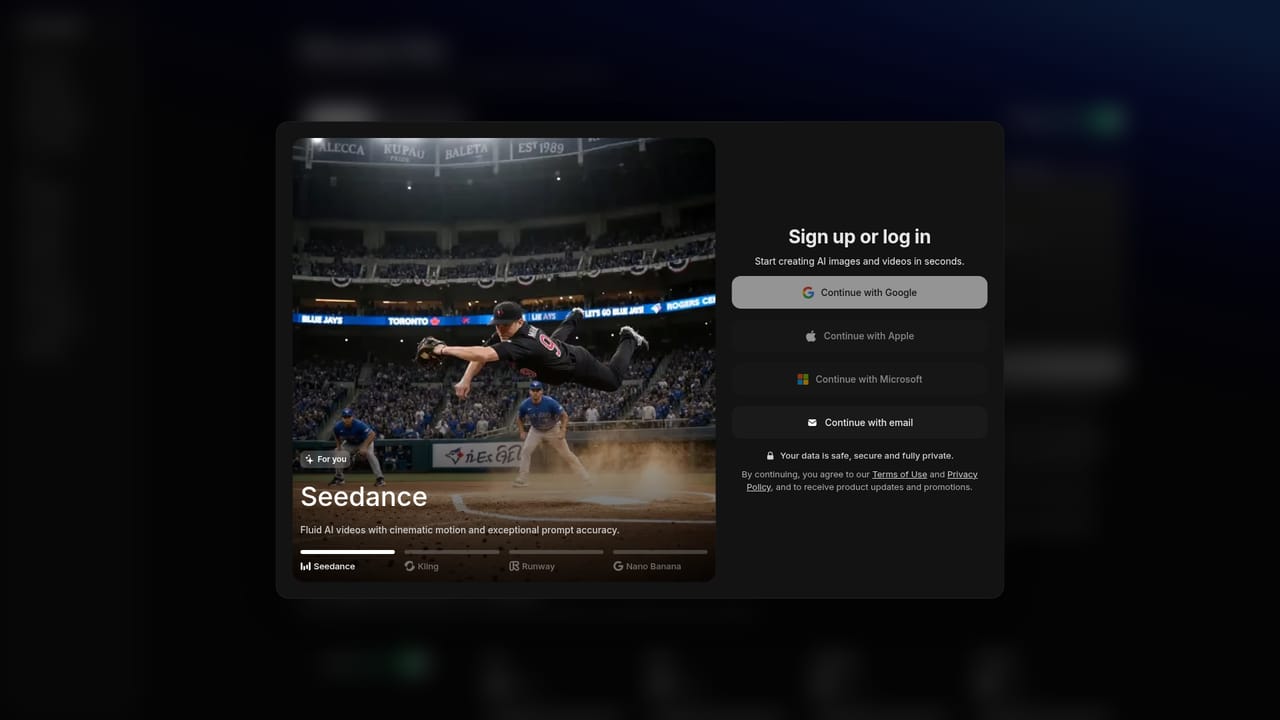
    Sign up from the homepage to reach the app workspace, where the Image, Video and Music workflows sit alongside the model list.
    DaVinci — Create an account and open the workspace
  2. 2Start an image project and pick a model
    Open the Image workflow, then compare candidates on text accuracy, style and reference control before choosing one. Running the same short brief through two models gives a fair comparison.
  3. 3Write the prompt and generate
    Describe the subject and desired style in plain language, submit the request, and check the displayed credit cost before confirming.
  4. 4Refine in the image editor
    Open the result in the editor, describe the area to change and state what must stay fixed, then compare the revision against the original.
  5. 5Turn a photo into a video
    In the Video workspace, add a photo as the Start Image, describe movement and camera direction, and select a video model. Review the clip for changes to faces, products and text.
  6. 6Choose or change a plan
    Compare Max, Ultimate and Creator on credits and monthly image and video ceilings, then select the tier that matches expected output.
    DaVinci — Choose or change a plan

Pros and cons

Pros

  • One subscription unlocks a broad roster of image and video models including Sora, Veo, Kling, Flux and Seedream.AI
  • Credit cost is shown before each generation, so spending is visible at the point of request.AI
  • The bundled editor covers auto-resize, object removal and upscaling without leaving the platform.AI
  • Mobile apps for iOS and Android reproduce the model catalogue on a phone.AI
  • Clear model selection guidance helps match a tool to the task rather than guessing.AI

Cons

  • Entry pricing sits at $39.99 per month on promotion, renewing at $69.99, which rules out casual or hobby use.AI
  • The site warns that video output can alter faces, product details and on-image text, so results need review.AI
  • Image, video and music generations draw different credit amounts, making monthly output hard to predict upfront.AI
  • Commercial use depends on model specific restrictions in the Terms of Use, which vary by model.AI
  • No free tier is described on the homepage, so evaluating quality requires paying first.AI

How much does DaVinci cost?

Pricing

Three monthly tiers, all billed monthly. Max: $39.99 per month on promotion, renewing at $69.99, with 5,000 credits, up to 1,000 images and 250 videos. Ultimate: $99.99 renewing at $174.99, with 15,000 credits, up to 3,000 images and 750 videos. Creator: $199.99 renewing at $329.99, with 40,000 credits, up to 8,000 images and 2,000 videos.

Learn more

Features

Access to 50+ image, video, music and voice models in one workspace, including Sora, Veo, Nano Banana, Kling, Seedance, Seedream and Flux. Built-in editor tools handle auto-resize for each channel, photo to commercial video, upscaling for high resolution formats, and object removal or replacement. Credit costs are displayed per generation, priority queue access scales with plan, and data is not used for model training without permission.

Frequently asked questions about DaVinci

  • How much does DaVinci cost?
    Three monthly tiers, all billed monthly. Max: $39.99 per month on promotion, renewing at $69.99, with 5,000 credits, up to 1,000 images and 250 videos. Ultimate: $99.99 renewing at $174.99, with 15,000 credits, up to 3,000 images and 750 videos. Creator: $199.99 renewing at $329.99, with 40,000 credits, up to 8,000 images and 2,000 videos.
  • How do you use DaVinci?
    The walkthrough on this page covers 6 steps: 1. Create an account and open the workspace 2. Start an image project and pick a model 3. Write the prompt and generate 4. Refine in the image editor 5. Turn a photo into a video 6. Choose or change a plan.
  • What platforms does DaVinci support?
    DaVinci is available on Web App, iOS and Android.
  • What are the limitations of DaVinci?
    Entry pricing sits at $39.99 per month on promotion, renewing at $69.99, which rules out casual or hobby use. The site warns that video output can alter faces, product details and on-image text, so results need review. Image, video and music generations draw different credit amounts, making monthly output hard to predict upfront.

Status

StatusActive
Views0
Outbound clicks0
Added10/21/2026

Platforms

Web AppiOSAndroid

Pricing

SubscriptionPaid