ElevenCreative

Speech, music, sound effects and video in one creative studio

Beginner API
Screenshot of ElevenCreative, Speech, music, sound effects and video in one creative studio

What is ElevenCreative?

ElevenCreative is ElevenLabs' content production studio: ultra-realistic text to speech across 90+ languages, voice cloning, music, sound effects, and image and video generation, unified in one editor built for podcasts, audiobooks, ads and localization.

ElevenCreative is the content production side of the ElevenLabs platform, split off from the ElevenAgents tooling that handles conversational customer support. The focus here is generation: ultra-realistic speech, music in any genre, custom sound effects, voice cloning, and image or video work built on top of leading video models. The library lists more than 17,500 voices across 90+ languages, and a single workspace hosts the whole set. Narration, advertisement, character, conversational and social media voice presets are exposed as starting points, so a podcast producer and a game studio are pointed at different rooms of the same building. In practice the work happens in an all-in-one editor built for podcasts, audiobooks and voiceovers. Scripts get written or pasted, voices assigned per line, and expressive direction such as whispered or sarcastic delivery can be embedded in the text itself. Speech is layered across languages, which is what makes localization viable without re-recording: the same script can be pushed into dozens of languages while keeping the chosen voice. Music and sound effects sit beside the speech tools, so a scene can be scored and foleyed without leaving the tab. Image and video generation and editing round out the studio for teams producing short-form social content or ads. Who it is for: content teams, audio producers, audiobook and podcast makers, marketing departments, localization leads and game studios that need volume without a recording booth. Developers who want the same models programmatically can move to the API tier, which exposes text to speech, speech to text, and music endpoints through SDKs. The tradeoff is positioning. ElevenCreative is one half of a larger platform, and the enterprise names on the customer page mostly signal voice agent deployments rather than creative work. Teams that only need a clean text to speech voice are paying for a studio with music, video and dubbing attached. Teams that want fine control over mixing, mastering or video timelines may still export into a dedicated editor. It competes with standalone voice generators on realism and language coverage, and with general video and music generators on convenience rather than depth.

How do you use ElevenCreative?

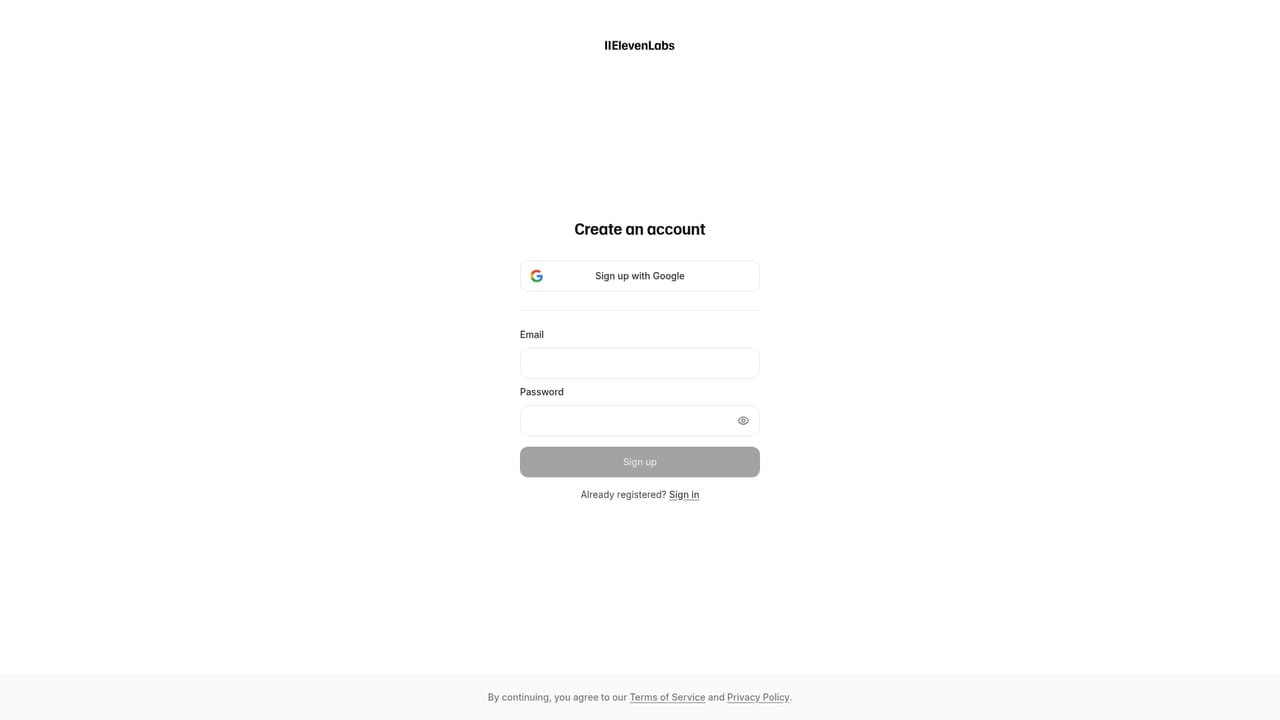
  1. 1Create an ElevenLabs account
    Sign up with an email or existing login. The free sign-up path drops you into the app, where the creative tools and the voice library are available from the same workspace.
    ElevenCreative — Create an ElevenLabs account
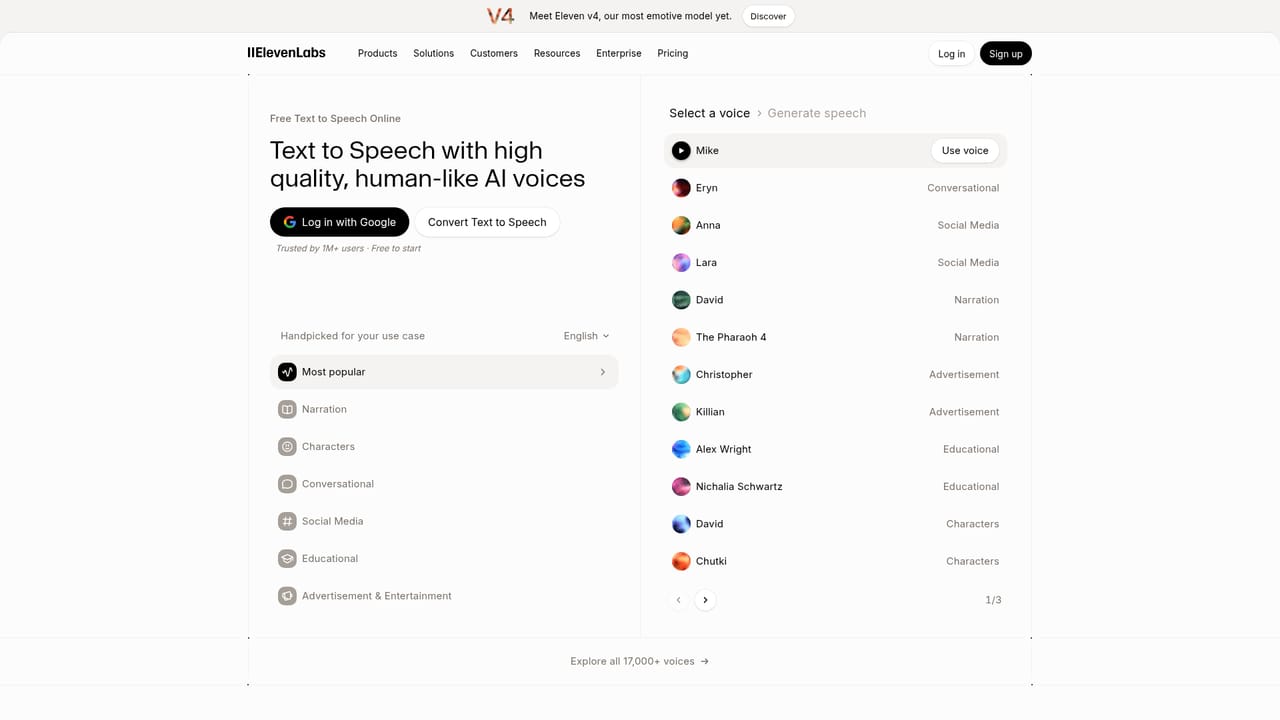
  2. 2Pick a use case in the voice library
    The voice library filters by intent: narration, advertisement, characters, conversational and social media. Choosing a use case first narrows thousands of voices to a relevant shortlist before you audition anything.
  3. 3Write or paste your script in the editor
    Open the creative editor and enter the script. Expressive cues such as whispers or sarcastic delivery can be placed in brackets so the model reads the line with the intended tone.
  4. 4Assign voices and generate speech
    Attach a library voice, a cloned voice or a prompt-designed voice to each line, then generate. Preview the result and swap voices or adjust delivery before committing to a longer piece.
    ElevenCreative — Assign voices and generate speech
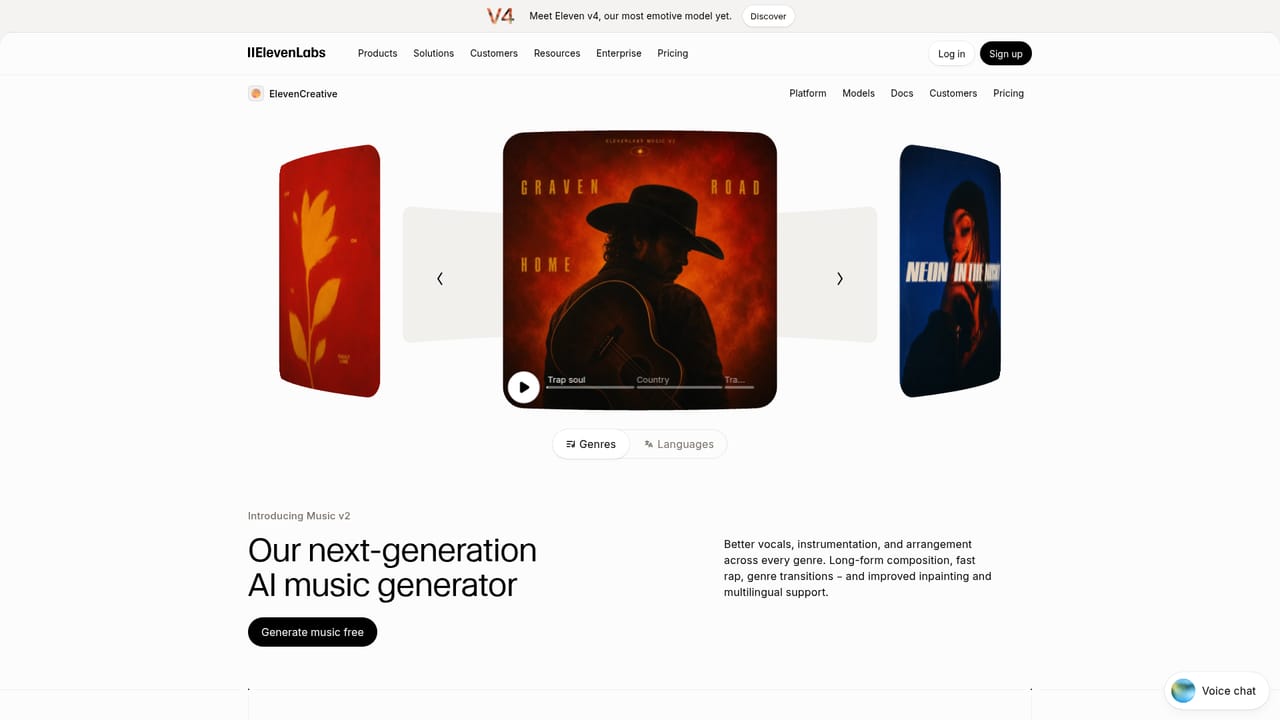
  5. 5Add music and sound effects
    Describe the track you need in plain language, choosing genre and structure, and generate sound effects or ambience separately. Both are placed alongside the speech in the same project.
    ElevenCreative — Add music and sound effects
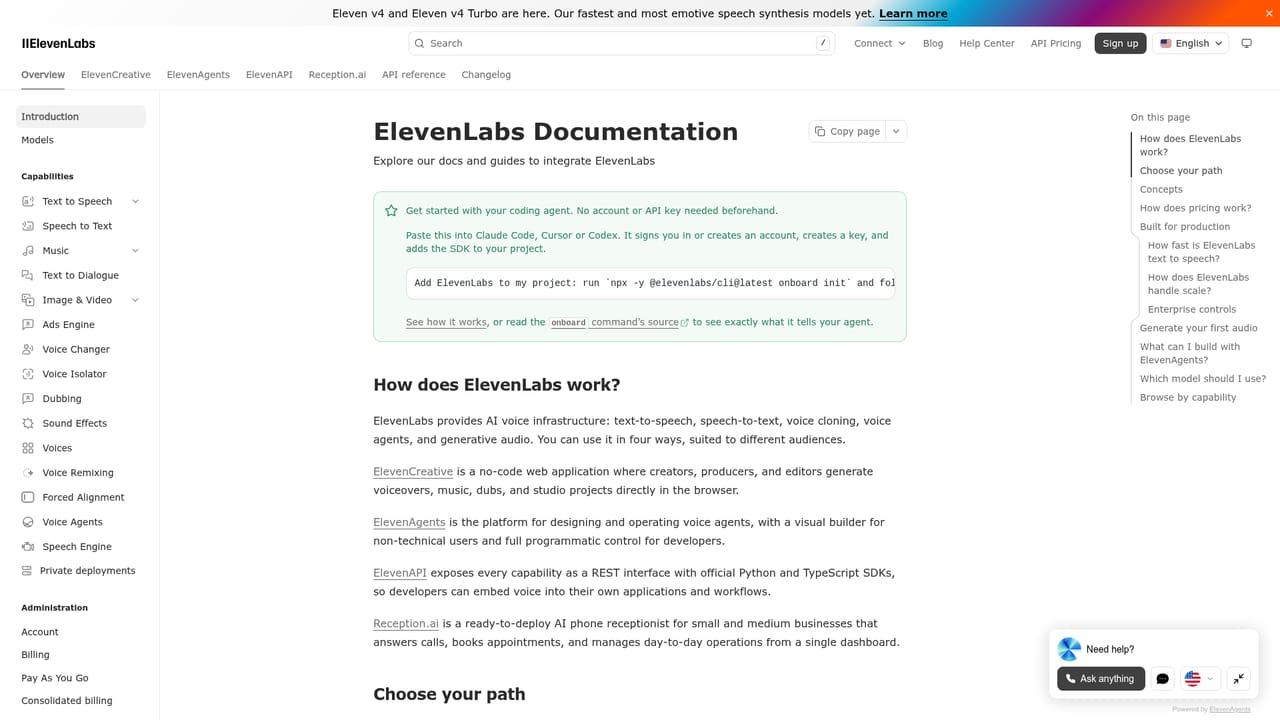
  6. 6Localize or move to the API
    Push the finished script into additional languages while keeping the same voice, or move the workflow into code using the documented SDKs if production needs to be automated.
    ElevenCreative — Localize or move to the API

Pros and cons

Pros

  • Very large voice library (17,500+ voices) spanning 90+ languages in one placeAI
  • Expressive speech control, including emotional direction written directly into the scriptAI
  • Music, sound effects and video generation sit alongside speech, so a full scene can be produced in one workspaceAI
  • Localization is a first-class workflow: the same script can be voiced in many languages with the chosen voiceAI
  • Programmatic access via text to speech, speech to text and music APIs for teams that outgrow the interfaceAI

Cons

  • The platform spans creative tools and conversational agents, so the product surface is broad and takes time to navigateAI
  • No pricing figures appear on the homepage, so cost has to be checked per use case with sales or on the pricing pageAI
  • Commercial rights for generated music vary by subscription tier, which complicates clearance for some teamsAI
  • Video and image work relies on third-party models (Veo, Wan, Kling, Seedance) rather than a fully in-house pipelineAI
  • Teams needing only a simple voiceover may find the full studio and agent ecosystem heavier than requiredAI

How much does ElevenCreative cost?

Features

Ultra-realistic text to speech across 90+ languages with expressive control, voice cloning and prompt-based voice design from a 17,500+ voice library, music generation in any genre with or without vocals, a sound effects library and generator, image and video creation using Veo, Wan, Kling and Seedance, plus an all-in-one editor for podcasts, audiobooks and voiceovers.

Learn more

Frequently asked questions about ElevenCreative

  • Does ElevenCreative have an API?
    Yes, ElevenCreative offers an API.
  • How do you use ElevenCreative?
    The walkthrough on this page covers 6 steps: 1. Create an ElevenLabs account 2. Pick a use case in the voice library 3. Write or paste your script in the editor 4. Assign voices and generate speech 5. Add music and sound effects 6. Localize or move to the API.
  • What platforms does ElevenCreative support?
    ElevenCreative is available on Web App.
  • What are the limitations of ElevenCreative?
    The platform spans creative tools and conversational agents, so the product surface is broad and takes time to navigate. No pricing figures appear on the homepage, so cost has to be checked per use case with sales or on the pricing page. Commercial rights for generated music vary by subscription tier, which complicates clearance for some teams.