Free trial
No timed trial is advertised. Free accounts get limited access with watermarks, and the site allows two free accounts per 48 hours via its cookie notice.
Learn moreOne dashboard for Sora 2, Veo 3.1, Kling and top image models.

HookHero AI is a generative image tool. A single web interface for generating video and images with Sora 2, Veo 3.1, Kling, Flux 2.0 and Nano Banana. Saved prompt templates (Formats) remove repetition on recurring content. Paid plans remove watermarks and allow commercial use; monthly credits cap output volume.
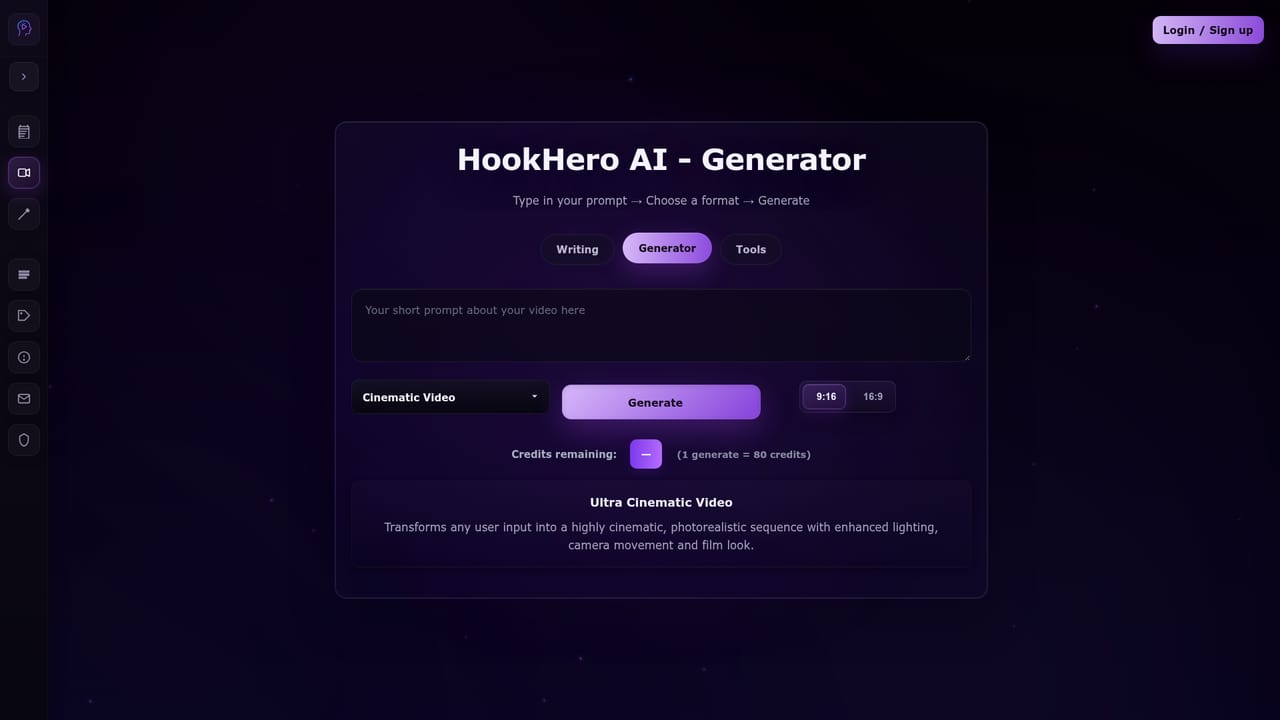
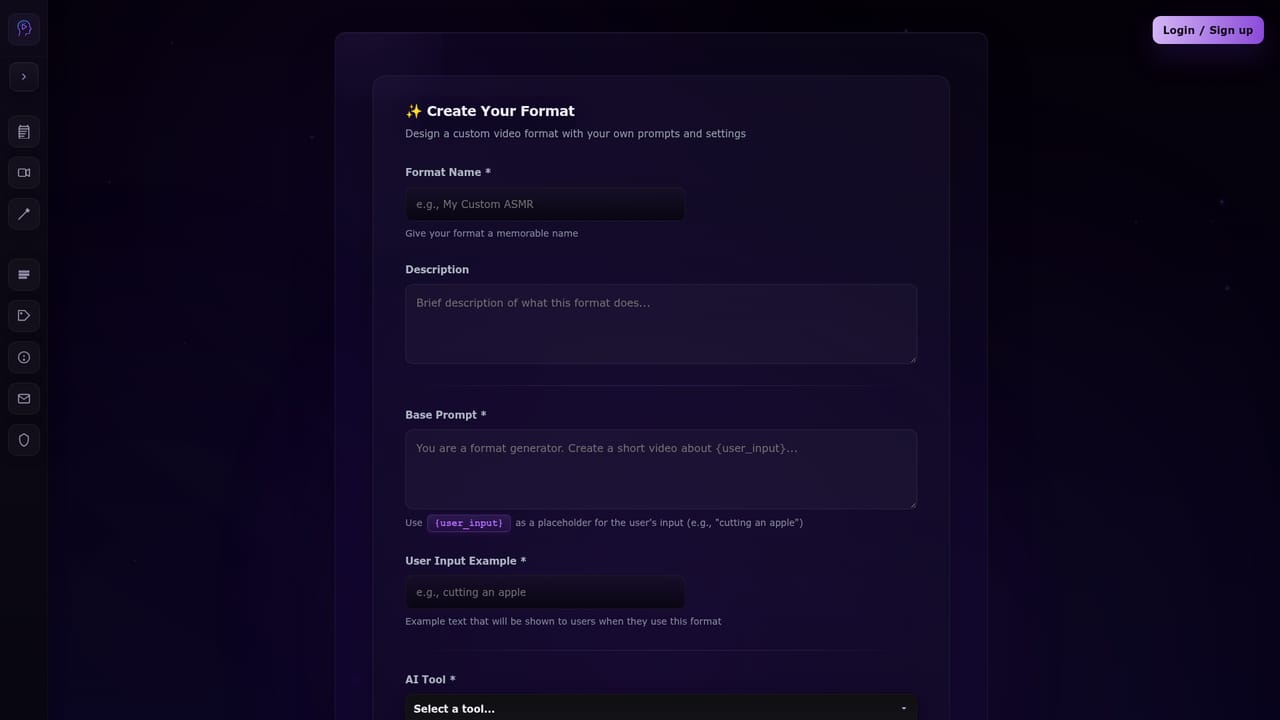
HookHero AI is an aggregator for leading video and image generation models. Instead of holding separate accounts with each provider, you work from a single interface that exposes Sora 2, Veo 3.1, Kling 2.5 and 2.6, Wan 2.5, Flux 2.0, Nano Banana, Nano Banana Pro and Seedream 4.5. The site pitches this as one workflow rather than a stack of tools, and the controls stay visible: prompts, aspect ratio, quality, duration and other model-specific parameters are adjustable rather than hidden behind a simplified form. The feature that separates HookHero from a plain model menu is Formats. A format is a saved prompt template containing a {user_input} placeholder, bound to a chosen model and a fixed set of settings. You write the prompt once, lock in the tool and parameters, and thereafter only type the changing idea. The site supplies ready-made formats such as ASMR Short, Ultra Cinematic Video, Animal Podcast, Object Transform, AI Vlog and Night Dashcam. Formats are optional and the same models can be used directly. The tool targets creators who generate frequently: short form video producers, marketing agencies, small teams and entrepreneurs who need repeatable visual output. Typical use looks like a batch of vertical clips on a proven template, or a set of product visuals made with an image model. Outputs are watermark-free on paid plans and cleared for commercial use. A credit allowance determines how many images or videos each month's plan supports. Requests vary by model and each model has its own strengths, so experimentation is part of the workflow. HookHero sits between buying individual model subscriptions and using a single-vendor generator. The tradeoff is straightforward: breadth and convenience in exchange for a credit system and dependency on third-party models. Access is browser based. The site states it is updated weekly with new models and features, and the support page offers no further detail beyond what the pricing tiers mention.
No timed trial is advertised. Free accounts get limited access with watermarks, and the site allows two free accounts per 48 hours via its cookie notice.
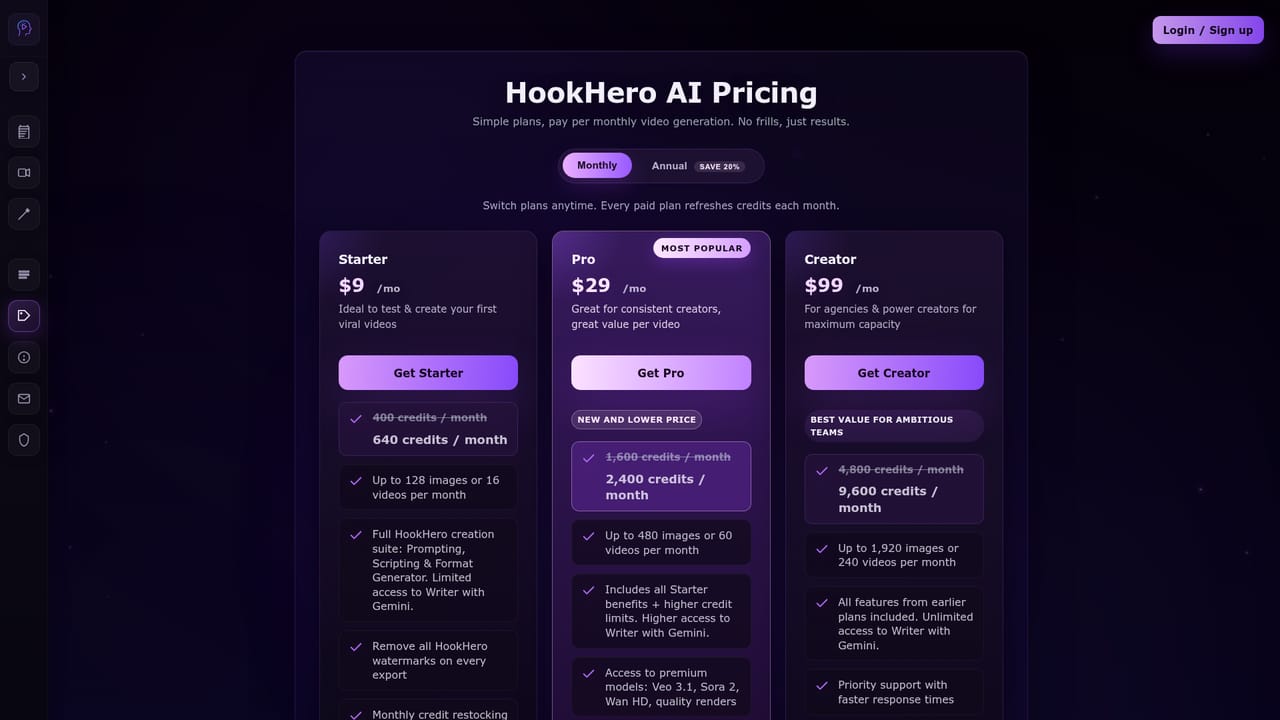
Learn moreStarter is $9/mo for 640 credits (up to 128 images or 16 videos), Pro is $29/mo for 2,400 credits (up to 480 images or 60 videos) with priority support, and Creator is $99/mo for 9,600 credits (up to 1,920 images or 240 videos) for teams. All tiers include every model, formats and Writer (Gemini). Annual billing saves roughly 20%.
Learn morePro includes priority support and Creator includes dedicated support, per the pricing section. No help centre, documentation or contact channel is listed on the homepage.
Learn moreUnified access to video models (Sora 2, Veo 3.1, Kling 2.5 and 2.6, Wan 2.5) and image models (Flux 2.0, Nano Banana, Nano Banana Pro, Seedream 4.5) with full prompt and parameter control. Optional Formats store a prompt template with a {user_input} placeholder, model and settings for repeatable generation. Writer (Gemini) handles scripts and prompts. Watermark-free commercial output on paid plans.
Learn more AI Angels400+ customizable AI girlfriends for NSFW chat, voice calls, and roleplay
 Candy AIExperience the future of companionship with AI friends who chat, role-play, and connect with you on a human level.
 ourdream.aiA vast AI roleplay platform with millions of characters for chat, images, video and voiceAI Angels400+ customizable AI girlfriends for NSFW chat, voice calls, and roleplayCandy AIExperience the future of companionship with AI friends who chat, role-play, and connect with you on a human level.ourdream.aiA vast AI roleplay platform with millions of characters for chat, images, video and voice


