Free trial
Meta description text invites users to try the creator for free, and the homepage mentions flexible plans, but no trial length or free generation quota is stated.
Learn morePrompt to polished icon, without a designer

IconWizardAI is an icon generator tool. A prompt driven icon and logo generator that turns short text descriptions into brand ready marks, positioned as a faster and cheaper alternative to stock hunting or hiring a designer.
IconWizardAI is a browser based icon and logo generator built around a single idea: describe the mark you want in words and let the system render it. The homepage frames the product as an intelligent generator that turns prompts into unique, professional icons intended to reflect a brand's identity. Instead of browsing stock libraries or briefing a designer, a user types a short description and receives generated artwork back. The tool is aimed at people who need brand marks quickly and cheaply. Freelancers, small business owners and product teams are the audiences named on the site, and the pitch is explicitly about time and money saved. The gallery of sample output on the homepage shows the range it is going for: animal mascots, vehicles, abstract geometric shapes, and a few playful character icons. That spread suggests the generator is general purpose rather than locked to one visual style, though the samples lean toward illustrated and cartoon adjacent marks rather than strict flat line iconography. In practice the workflow is short. A prompt is written, the generator produces candidates, and the user iterates by adjusting the wording until something usable appears. The site stresses customization and an interface simple enough that beginners and experienced designers can both operate it. Because output is generated rather than drawn, expect variation between runs and budget time for prompt refinement rather than a one shot result. Where it fits: IconWizardAI sits alongside general image generators and dedicated logo makers. Compared with a broad image model, it is narrower and easier to point at icon sized tasks. Compared with a traditional logo service, it is faster and cheaper but leaves vector production, trademark checks and final refinement on your side. The flexibility in pricing mentioned on the homepage is the main signal that a free entry point exists alongside paid tiers, but the site does not publish figures, generation counts or file format details, so confirm those before committing.
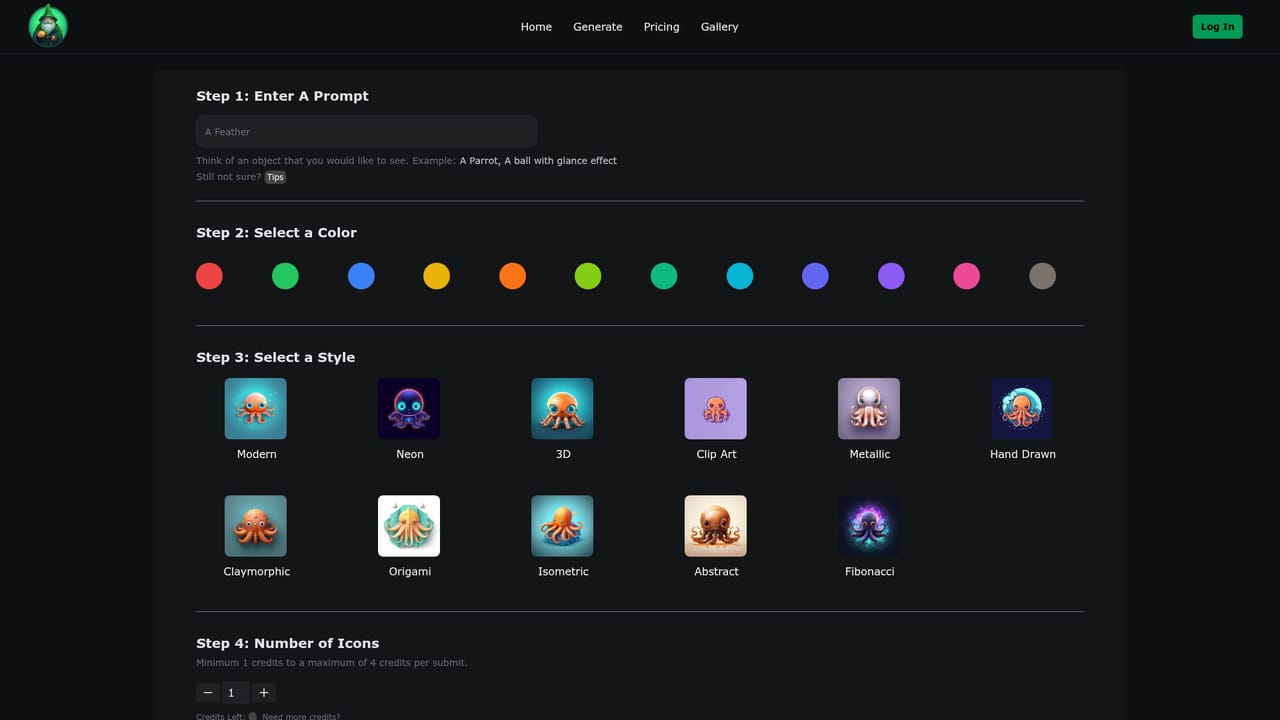
Meta description text invites users to try the creator for free, and the homepage mentions flexible plans, but no trial length or free generation quota is stated.
Learn moreThe homepage refers to a range of flexible pricing options aimed at freelancers, small businesses and larger teams, but no prices, tiers or usage limits are published there. Treat cost as unknown and confirm current plans directly before relying on the tool.
Learn morePrompt driven icon generation forms the core, with an emphasis on producing many candidates rather than one fixed mark. The site highlights customization, a beginner friendly interface, time savings versus manual search or design work, and an output variety spanning mascots, vehicles and abstract shapes.
 AI Angels400+ customizable AI girlfriends for NSFW chat, voice calls, and roleplay
 Candy AIExperience the future of companionship with AI friends who chat, role-play, and connect with you on a human level.
 ourdream.aiA vast AI roleplay platform with millions of characters for chat, images, video and voiceAI Angels400+ customizable AI girlfriends for NSFW chat, voice calls, and roleplayCandy AIExperience the future of companionship with AI friends who chat, role-play, and connect with you on a human level.ourdream.aiA vast AI roleplay platform with millions of characters for chat, images, video and voice


