Free trial
Demo projects open in the editor without registration or a credit card, so the tool can be tried before paying. The site does not describe a time-limited free trial.
Learn moreSocial-first video editing that skips the manual busywork
Own Keyframes.studio? Verify ownership to get a dofollow link
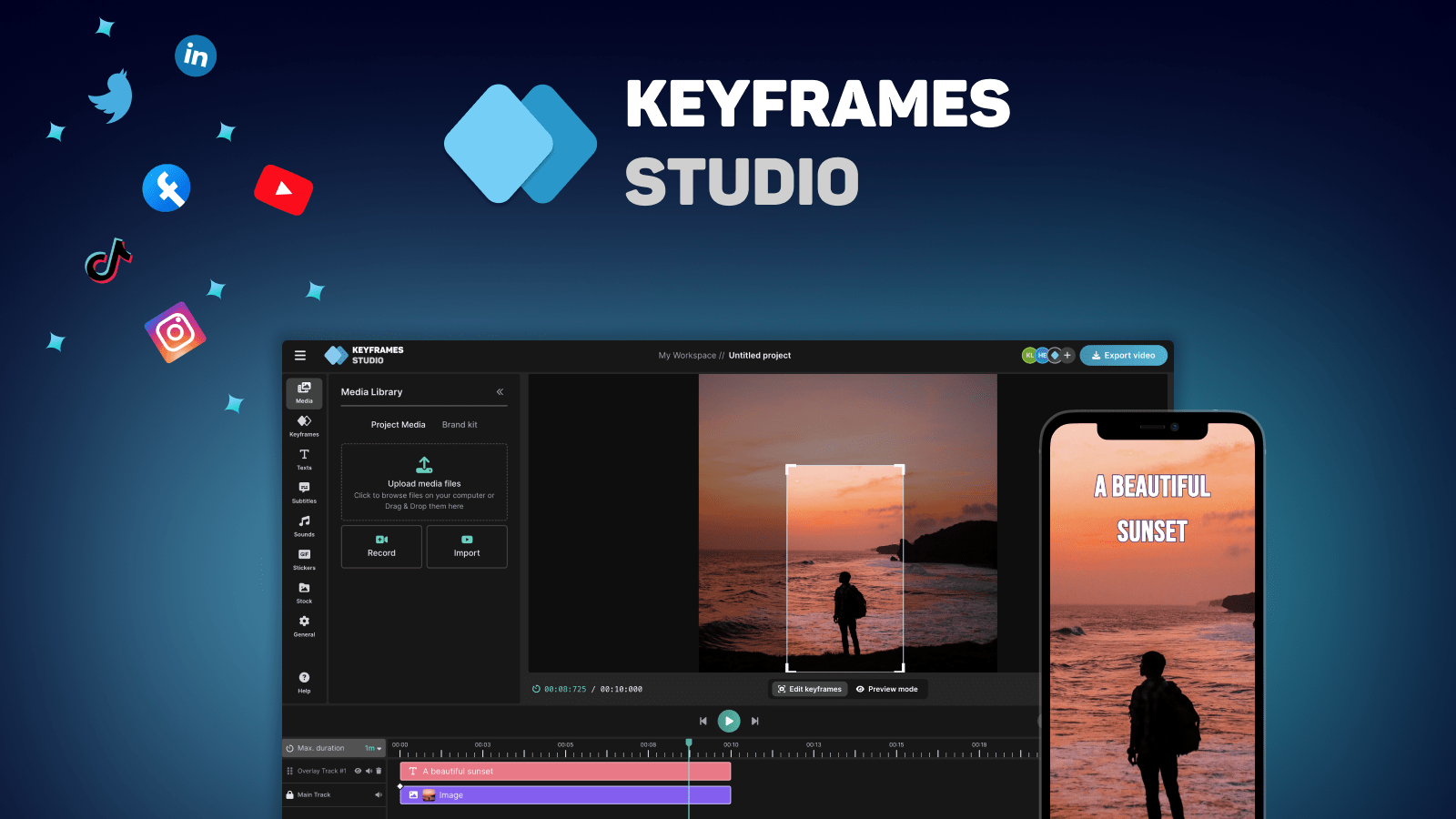
Keyframes.studio is a code animation tool. A browser video editor for social clips that automates keyframes, subtitles and vertical reframing, with a simple timeline, stock libraries and team workspaces.
Keyframes Studio is a browser-based video workspace built around a narrow promise: get a social-ready clip finished in about five minutes without learning a heavy editor. The pitch is aimed squarely at people who already have footage and no patience for timeline software. You upload media, or record your screen and camera inside the tool, then shape the result using camera keyframes rather than conventional pan-and-zoom tinkering. The workflow leans on automation. A repurposing feature processes uploaded footage, picks out the parts it considers important and assembles keyframes and subtitles with what the site describes as two clicks. Subtitle generation is one button, spans 12 languages and supports word-by-word karaoke highlighting. Horizontal source material gets reframed for vertical screens, which addresses the common headache of a widescreen recording looking wrong on a phone. The editor itself is deliberately plain: resize, trim, crop, cut, zoom and move assets, with live preview as you go. Stock images and videos, curated sound effects and keyword search are built in, so extra polish does not require leaving the tab. Teams can share a workspace, keep unlimited projects, save drafts for later and pull from a brand kit. Content creators working through podcasts, vlogs or gameplay clips are the obvious audience, and agencies get the brand-kit angle. Anyone editing long-form narrative video or needing frame-accurate colour work should look elsewhere. Against general editors, Keyframes Studio competes on speed and preset discipline rather than depth.
Demo projects open in the editor without registration or a credit card, so the tool can be tried before paying. The site does not describe a time-limited free trial.
Learn moreTwo paid tiers are advertised: Starter and Professional. A promotional price drop is running at $6 per month for Starter (down from $12) and $10 per month for Professional (down from $20), with yearly billing quoted at $5 and $8 per month respectively.
Learn moreAutomated repurposing that builds keyframes and subtitles, one-click subtitle generation across 12 languages, vertical reframing for mobile, a simplified editor with trim and crop tools, stock image and video libraries, curated sounds, brand kits, shared workspaces and unlimited projects.
 AI Angels400+ customizable AI girlfriends for NSFW chat, voice calls, and roleplay
 Candy AIExperience the future of companionship with AI friends who chat, role-play, and connect with you on a human level.
 ourdream.aiA vast AI roleplay platform with millions of characters for chat, images, video and voiceAI Angels400+ customizable AI girlfriends for NSFW chat, voice calls, and roleplayCandy AIExperience the future of companionship with AI friends who chat, role-play, and connect with you on a human level.ourdream.aiA vast AI roleplay platform with millions of characters for chat, images, video and voice