Free trial
A free account provides up to five renders with no credit card required, which is enough to evaluate output quality before choosing a paid plan.
Learn moreTurn any 3D view into a photorealistic render in under 30 seconds.

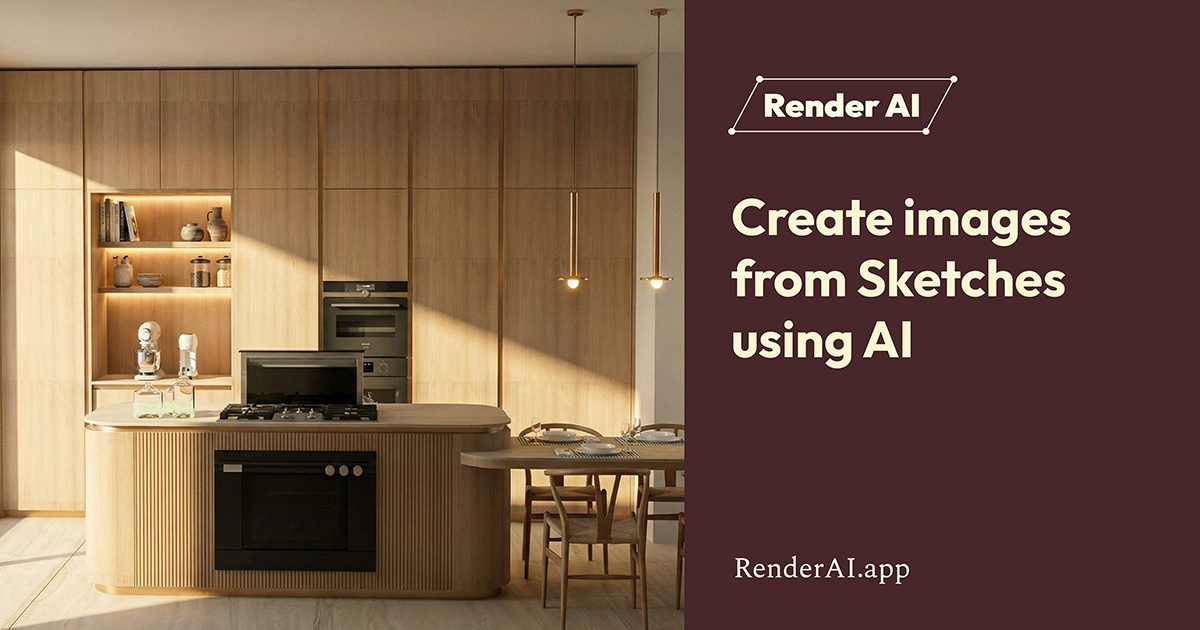
Redraw is a drawing to image tool that turns any 3D view into a photorealistic render in under 30 seconds. Cloud AI renderer for architects and interior designers that turns 3D screenshots or sketches into photorealistic images in under 30 seconds, with brush editing, reference styling, multi-angle consistency and image-to-video tools.
Redraw is a cloud-based AI rendering platform built for architects, interior designers and engineers who want photorealistic visuals without the usual rendering bottleneck. It takes a screenshot or export from SketchUp, Revit, ArchiCAD, Rhino, Blender, 3ds Max, AutoCAD or even a hand-drawn sketch and returns a finished render in roughly 20 to 40 seconds. No GPU, no software installation and no written prompts are required: the models are trained on architectural references, so the tool understands rooms, materials and lighting from the image itself. The workflow is deliberately narrow. You upload a view, tell Redraw whether it is an interior or an exterior, and pick a model. From there the platform offers a set of companion tools: a Brush for editing selected areas without regenerating the whole image, a Reference Image option that copies the lighting and colour grade of a photo you like, multi-angle rendering that keeps materials consistent across views, and a Video Generator that turns a still render into a short animated walkthrough. There is also a text-to-image path for quick concept exploration and a Render Enhancement tool for cleaning up and upscaling output from other renderers. In practice Redraw sits next to traditional engines like V-Ray, Lumion, Enscape and D5 Render rather than replacing them. It is not a physically based renderer and it does not produce construction documentation; it is an ideation and presentation layer that lets a designer test ten atmospheres in a couple of minutes, or hand a client a polished image before the detailed 3D model is finished. The company reports more than 10,000 monthly subscribers and about 800,000 images generated per month, with a particularly strong base in Brazil. Pricing is credit-based and starts at around $15 per month for 300 renders on a single seat, rising to $32 for 1,500 renders and $92 for 6,000 renders shared across up to three users. Every plan unlocks the full toolset, so the only variable is volume. A free account with up to five renders and no credit card is the natural way to test whether the output style matches your practice.
A free account provides up to five renders with no credit card required, which is enough to evaluate output quality before choosing a paid plan.
Learn morePlans start at about $15 per month for 300 renders on a single user, $32 per month for 1,500 renders across up to two users, and $92 per month for 6,000 renders across up to three users. Every tier includes the full toolset; annual subscriptions add two free months.
Learn moreSupport runs through in-app chat in English and Portuguese, backed by a Help Center with guides and troubleshooting plus Redraw Academy courses and a blog on AI rendering technique.
Redraw accepts screenshots or exports from SketchUp, Revit, ArchiCAD, Rhino, Blender, 3ds Max, AutoCAD and any software that produces 3D views, as well as hand-drawn sketches. No plugin installation is described.
Core tools cover AI Render from 3D views, sketches or text; a Brush for localised edits; Reference Image styling; multi-angle rendering with consistent materials; a Video Generator for turning stills into animations; Render Enhancement for upscaling and clean-up; and an Idea Generator for facade and style variations.
 AI Angels400+ customizable AI girlfriends for NSFW chat, voice calls, and roleplay
 Candy AIExperience the future of companionship with AI friends who chat, role-play, and connect with you on a human level.
 ourdream.aiA vast AI roleplay platform with millions of characters for chat, images, video and voiceAI Angels400+ customizable AI girlfriends for NSFW chat, voice calls, and roleplayCandy AIExperience the future of companionship with AI friends who chat, role-play, and connect with you on a human level.ourdream.aiA vast AI roleplay platform with millions of characters for chat, images, video and voice