Free trial
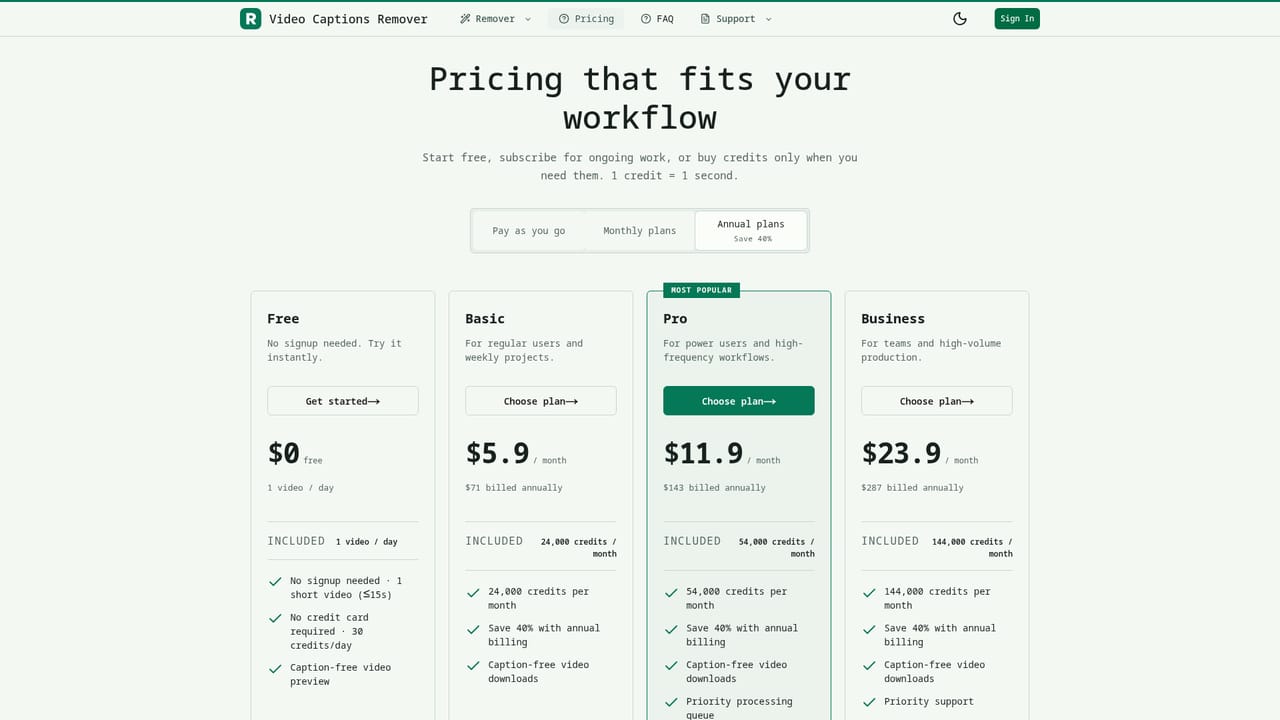
No signup or credit card is required for the free tier, which allows one short video preview (up to 15 seconds) per day with 30 credits daily.
Learn moreErases burned-in video captions while keeping original audio, framing, and timing intact.

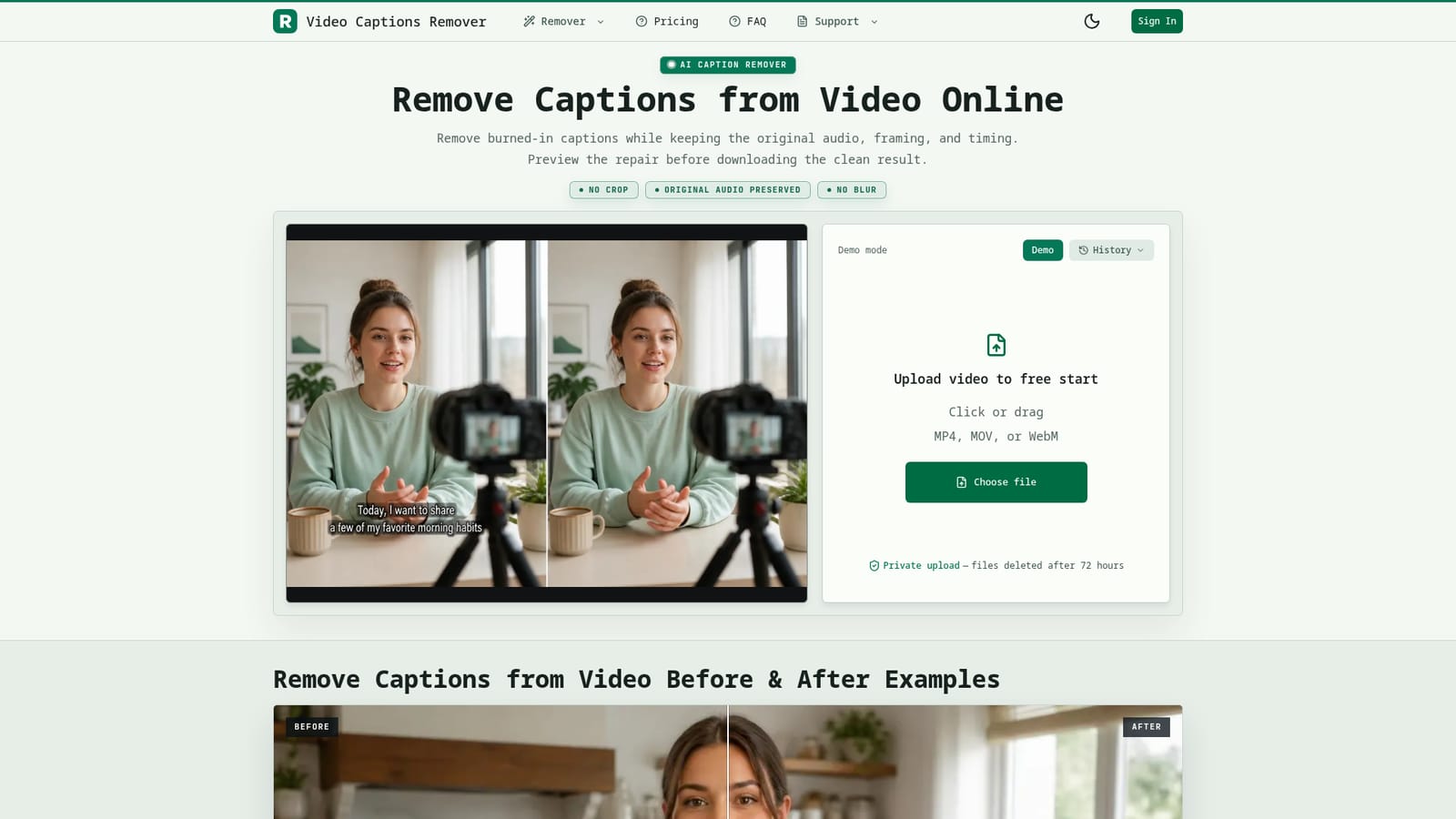
RemoveCaptions is a video subtitle remover tool. A focused web tool that repairs video frames to erase burned-in captions, preserving original audio, resolution, and timing, with a free daily preview and paid credit plans for regular use.
RemoveCaptions is a web-based tool built to solve one narrow but common post-production problem: captions that have been burned directly into a video's pixels and can no longer be toggled off like a standard subtitle track. Instead of cropping the frame or covering the text with a blur or black bar, the tool repairs the image area behind the caption so the original footage looks clean again, while preserving the source audio, duration, and aspect ratio. The workflow is built around three steps: upload a captioned clip, let automatic detection find the caption region (or mark it manually when captions sit in an unusual spot or move around), then preview the repaired result before committing to a download. This preview step matters for quality control, since the FAQ notes that captions overlapping faces, hands, fast motion, or busy backgrounds can leave artifacts that need a closer look. It is aimed at people who need to reuse footage that was exported with hardcoded text already in place, such as video editors rescuing an old ad, localization teams who want a clean base before adding translated subtitles, course creators who no longer have the original editing project, and short-form creators preparing old TikTok, Reels, CapCut, or Shorts exports for a new caption style. It is not a general video editor and does not touch separate subtitle tracks, which the tool explicitly directs users to handle with a subtitling or remuxing tool instead. Within the broader landscape of caption and subtitle tools, RemoveCaptions occupies a specific niche: it is less a captioning tool and more an image-repair utility focused solely on removing text burned into footage. For teams whose work is blocked by a captioned export rather than a missing one, that focus is the main differentiator from full-featured video editors or subtitle managers.
No signup or credit card is required for the free tier, which allows one short video preview (up to 15 seconds) per day with 30 credits daily.
Learn moreFree tier offers one short video per day (up to 15 seconds, 30 credits/day) with no signup. Paid plans start at Basic ($5.9/mo or $71/yr), then Pro ($11.9/mo or $143/yr) and Business ($23.9/mo or $287/yr), with credits scaling from 24,000 to 144,000 per month; 1 credit equals 1 second of processing.
Learn moreSupport is available through a dedicated contact page, alongside a detailed FAQ covering caption types, file handling, and processing limitations.
Learn moreDetects or lets users manually mark burned-in caption areas, repairs the footage without cropping or blurring, preserves original audio, resolution, aspect ratio, and frame rate, supports clips up to 15 minutes, and offers a preview before download.
 AI Angels400+ customizable AI girlfriends for NSFW chat, voice calls, and roleplay
 Candy AIExperience the future of companionship with AI friends who chat, role-play, and connect with you on a human level.
 ourdream.aiA vast AI roleplay platform with millions of characters for chat, images, video and voiceAI Angels400+ customizable AI girlfriends for NSFW chat, voice calls, and roleplayCandy AIExperience the future of companionship with AI friends who chat, role-play, and connect with you on a human level.ourdream.aiA vast AI roleplay platform with millions of characters for chat, images, video and voice


