Free trial
New users receive free credits to test the image enhancer before deciding whether to subscribe to a paid plan.
Learn moreAI upscaler that turns blurry, low-res photos into sharp 8K images

ResLeap is a web-based AI tool that upscales and sharpens photos, portraits, anime art, and product images up to 8K resolution, with a free credit tier and paid plans for heavier use.
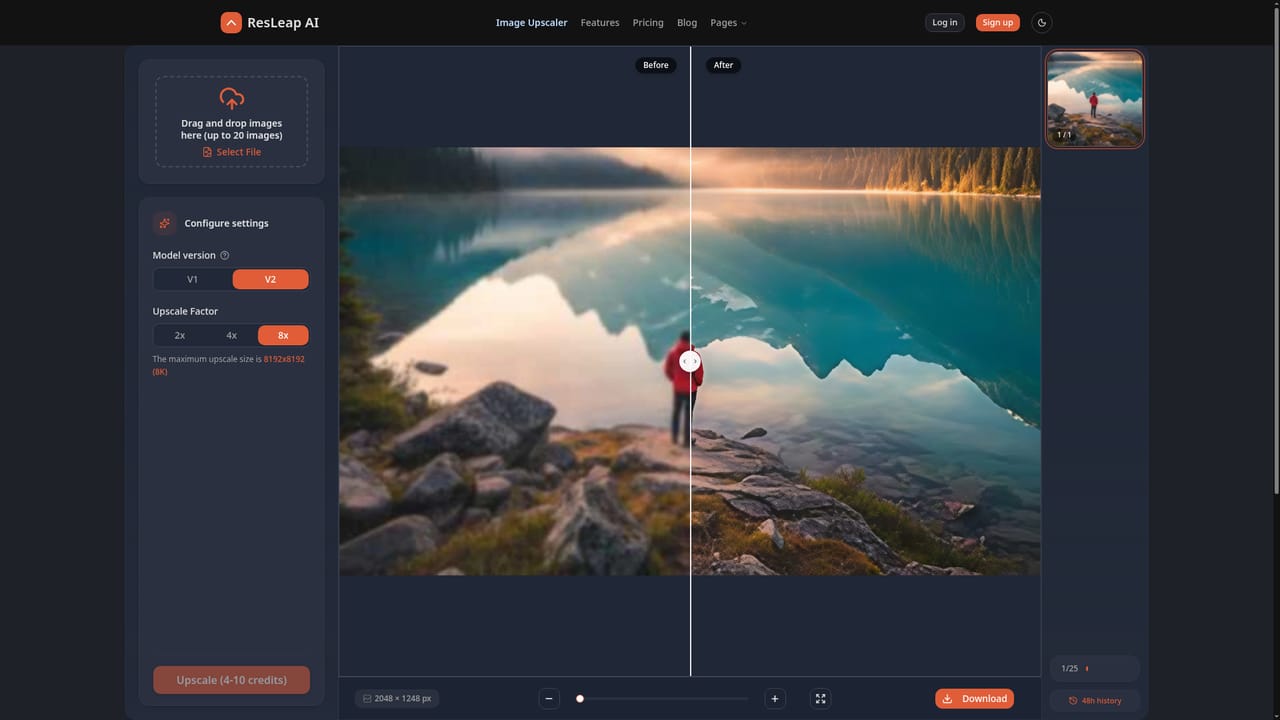
ResLeap is a web-based AI image enhancer and upscaler built to take low-resolution, blurry, or faded photos and output sharper versions at up to 8x their original size, with 8K as the stated ceiling for ultra resolution. The core promise is detail recovery: the tool claims to reveal hidden texture and pixel-level clarity rather than simply stretching an image, and it applies this to a mix of content types including portraits, anime artwork, product photos, and old or damaged pictures. The tool is aimed at people who need higher-fidelity images without manual retouching skills: photographers cleaning up client shots, online sellers sharpening product photography, anime and illustration fans who want crisper line art, and anyone restoring old family photos that have lost definition over time. Dedicated modes for portrait enhancement, photo restoration, and anime upscaling suggest the product is tuned for these specific use cases rather than acting as a single generic filter. In practice, a user uploads an image through the web app, lets the model process it, and compares a before and after view to judge the result before downloading. The site runs on a credit-based system with a free tier for first-time testing and paid plans for heavier or repeated use, so casual users can try the enhancer before deciding whether to subscribe. Within the broader image-upscaling space, ResLeap sits among browser-based enhancement tools that prioritize ease of use over deep customization. It does not appear to offer desktop software, mobile apps, or a public API, which narrows its fit to users comfortable working entirely through a web interface rather than integrating enhancement into an existing pipeline. The product is newly launched, so its track record and feature depth are still building compared with more established upscaling tools.
New users receive free credits to test the image enhancer before deciding whether to subscribe to a paid plan.
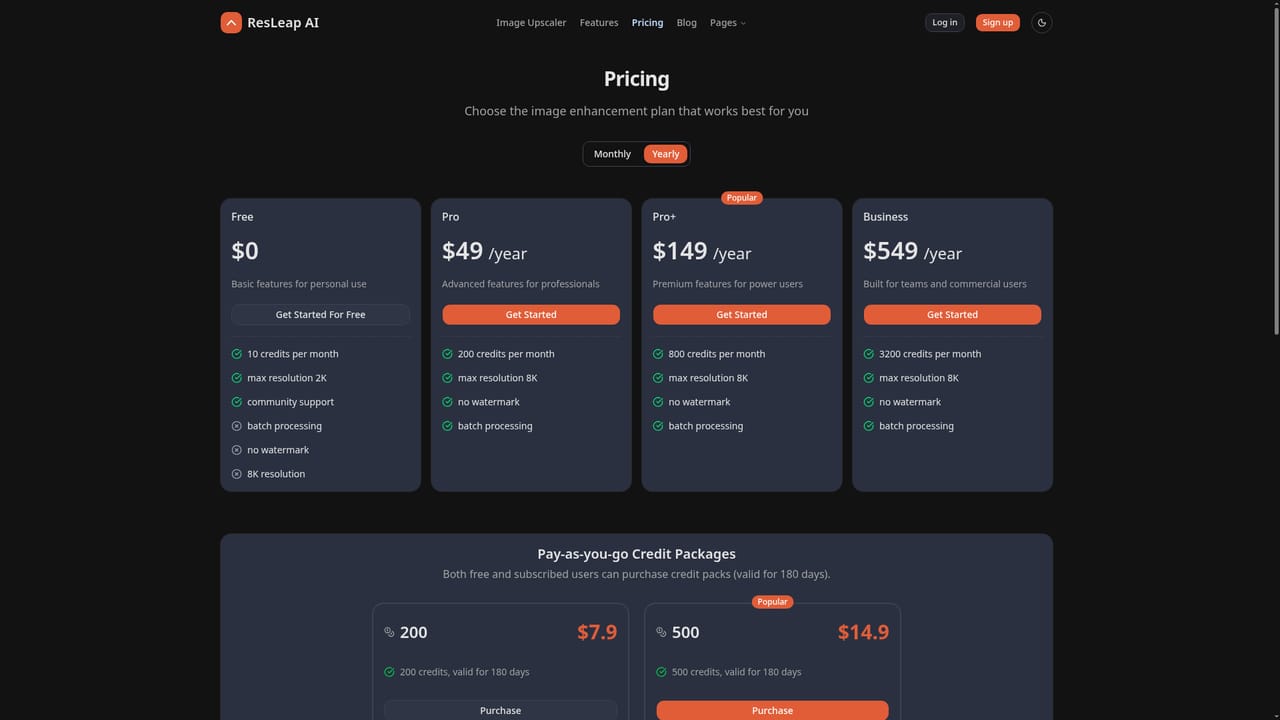
Learn moreResLeap uses a credit-based model with a free tier for initial use and paid plans for higher volume or larger output; exact tier pricing is listed on the pricing page rather than the homepage.
Learn moreSupport is available through a contact page and an FAQ section covering free usage, credit costs, refunds, payment security, supported formats, and file size limits.
Learn moreCore features include 8x image upscaling, 8K ultra resolution output, a detail revealer mode, portrait-specific enhancement, photo restoration for old or faded images, and dedicated anime image upscaling.
Learn moreTwitter / X
 AI Angels400+ customizable AI girlfriends for NSFW chat, voice calls, and roleplay
 Candy AIExperience the future of companionship with AI friends who chat, role-play, and connect with you on a human level.
 ourdream.aiA vast AI roleplay platform with millions of characters for chat, images, video and voiceAI Angels400+ customizable AI girlfriends for NSFW chat, voice calls, and roleplayCandy AIExperience the future of companionship with AI friends who chat, role-play, and connect with you on a human level.ourdream.aiA vast AI roleplay platform with millions of characters for chat, images, video and voice


