Free trial
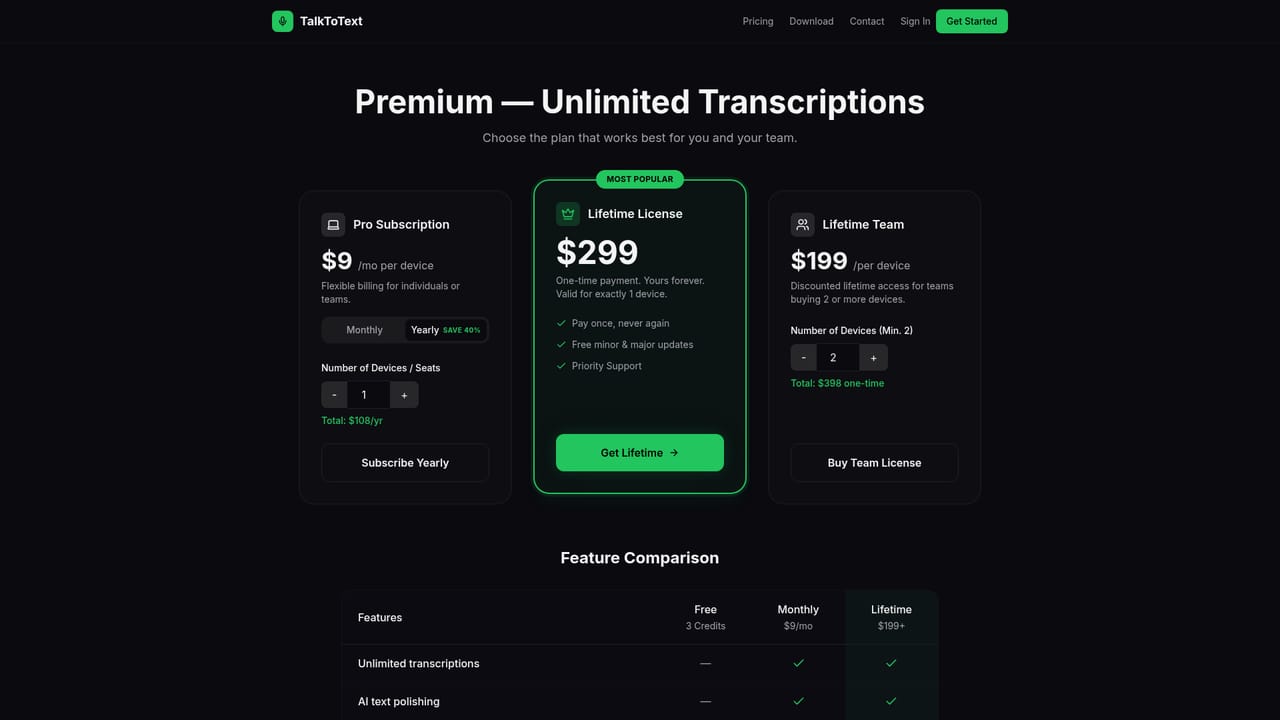
A 3-day free trial is available, with no credit card required to start. Cancel anytime.
Learn moreSpeak your text in any app.

TalkToText is an AI transcriber tool that speaks your text in any app. TalkToText is a voice-to-text tool that works system-wide, letting you dictate into any app with a text field. It offers pure dictation and AI-enhanced writing modes, supports over 100 languages, and is available on five platforms.
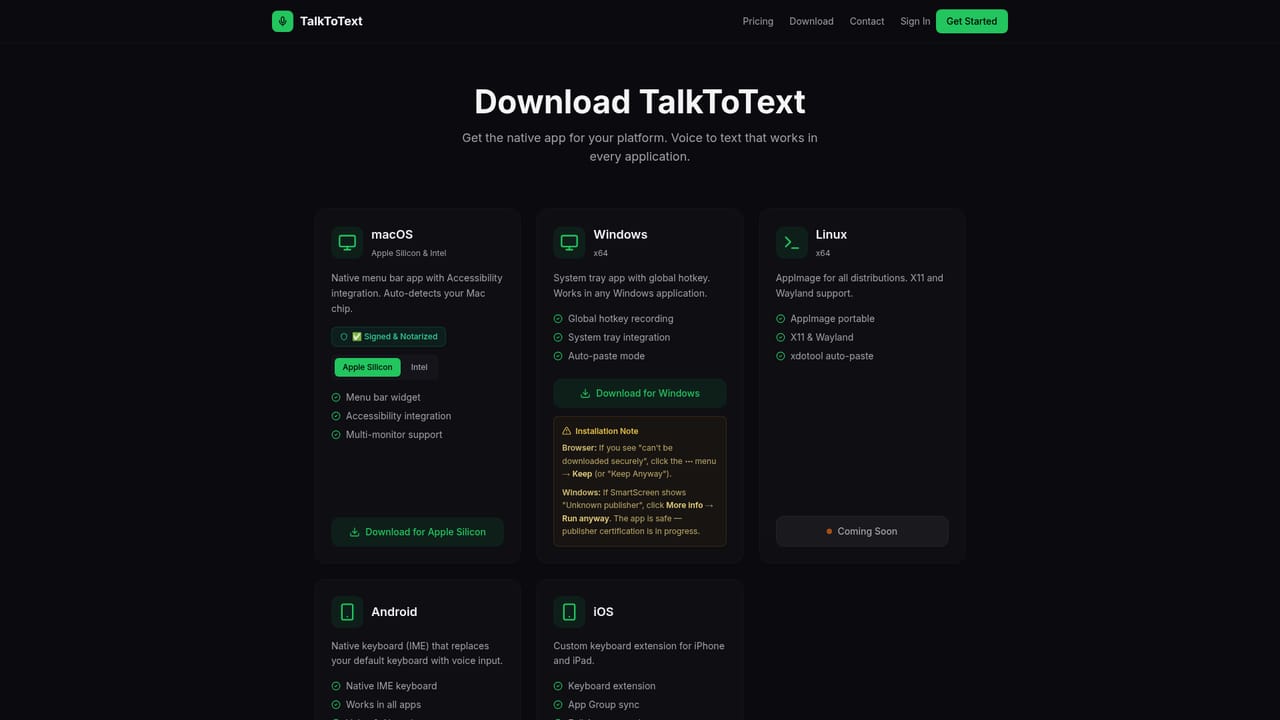
TalkToText is a voice dictation tool that turns speech into written text across a wide range of applications. It installs as a lightweight desktop or mobile client and works system-wide, so the same input method functions inside Slack, Gmail, Notion, VS Code, and any other app with a text field. The pitch is simple: stop typing and start talking, with the software handling punctuation and formatting automatically. The tool offers two distinct modes. In Type for Me, it acts as a pure dictation engine, converting spoken words into text with high accuracy and inserting it exactly as spoken. In Write for Me, it applies AI to reshape your speech into polished prose, adjusting tone, fixing grammar, and rewriting ideas into professional messages. That second mode is useful for drafting emails or responses where raw transcription would sound too informal. TalkToText is aimed at professionals who write throughout the day: customer support teams, developers, salespeople, and anyone who finds typing slow. It lists support for over 100 languages and claims a 99 percent accuracy rate, and it emphasizes privacy by keeping voice data on the device. The install is around 50MB and is available for macOS, Windows, Linux, Android, and iOS. Setup is designed to be immediate, with a single hotkey that works in every app. Among transcription tools, TalkToText sits closer to a system utility than a meeting recorder or a standalone note-taking service. It does not appear to offer meeting summarization or speaker diarization; instead it focuses on real-time dictation wherever you happen to be typing. That makes it a direct alternative to built-in dictation features and to specialized voice-to-text apps, with the added benefit of AI rewriting and broad app compatibility. A 3-day free trial is available, and no credit card is required to start.
A 3-day free trial is available, with no credit card required to start. Cancel anytime.
Learn moreWorks with 100+ apps including Slack, Gmail, Notion, VS Code, Discord, Figma, ChatGPT, Linear, Microsoft Teams, GitHub, and any app with text input.
Two modes: Type for Me for pure dictation with auto punctuation, and Write for Me for AI rewriting and tone adjustment. Works system-wide in any text field, supports 100+ languages, claims 99% accuracy, and includes a 50MB install across five platforms.
 AI Angels400+ customizable AI girlfriends for NSFW chat, voice calls, and roleplay
 Candy AIExperience the future of companionship with AI friends who chat, role-play, and connect with you on a human level.
 ourdream.aiA vast AI roleplay platform with millions of characters for chat, images, video and voiceAI Angels400+ customizable AI girlfriends for NSFW chat, voice calls, and roleplayCandy AIExperience the future of companionship with AI friends who chat, role-play, and connect with you on a human level.ourdream.aiA vast AI roleplay platform with millions of characters for chat, images, video and voice


