WhisperWizard

Voice to text for macOS, refined by your own ChatGPT prompts

Beginner
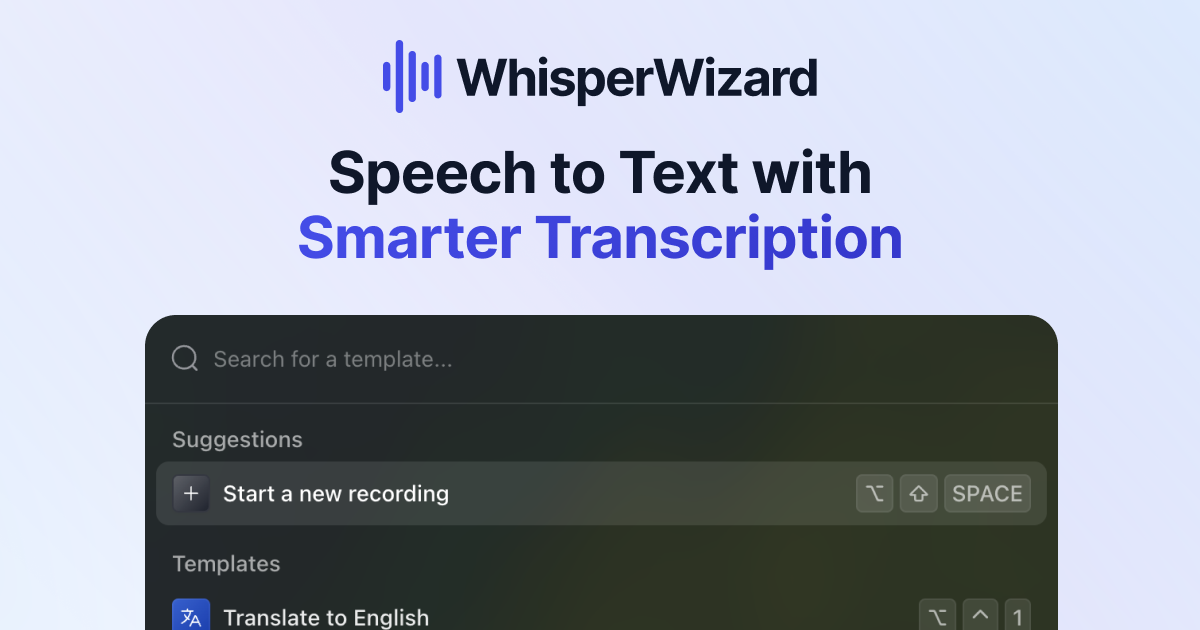
Screenshot of WhisperWizard, Voice to text for macOS, refined by your own ChatGPT prompts

What is WhisperWizard?

WhisperWizard is an AI transcriber tool. A macOS dictation app that records your voice with a hotkey, transcribes it, and runs the text through custom ChatGPT prompts before you paste it anywhere. Templates and shortcuts handle recurring jobs like emails and translations, and past recordings stay available for replay.

WhisperWizard is a macOS utility that turns spoken words into written text and then passes that text through a ChatGPT prompt of your choosing. A hotkey starts a recording, the speech is transcribed, and the resulting transcript is edited according to a template you set up in advance. The premise is simple: talking is faster than typing, but raw dictation is messy, so an extra AI pass cleans it up before it lands in an email, a document or a note. The template system is the part that separates it from plain dictation software. Each template pairs a prompt with a shortcut, so a single key combination can produce a polished email, a translation into another language, or a looser brainstorm depending on which template is active. Settings such as the model and the creativity level are exposed, which means the output style is tunable rather than fixed. Every recording is kept and can be replayed later, with transcripts copyable in one click, so a thought captured last week is still retrievable. The tool is aimed at Mac users who write for a living or write a lot by accident: people drafting emails, notes and documents who would rather speak first and edit second. It is not a meeting recorder or a team transcription service, and it does not ship its own speech engine or model access. You bring an OpenAI API key, and requests go directly to OpenAI's servers under OpenAI's privacy terms. A ChatGPT Plus subscription does not cover it; API billing is separate. Against dedicated transcription apps, the differentiator is the prompt layer, not raw accuracy, and against general AI writing assistants it wins on capture speed because the microphone is always one hotkey away. The trade-offs are equally clear: macOS only, a one time license fee on top of usage based API costs, and no Windows or Linux path. Buyers who want a single flat bill or cross platform coverage should look elsewhere.

How do you use WhisperWizard?

  1. 1Download and install the macOS app
    Grab the build from the download page and install it on a Mac running macOS 10.12 or newer. Confirm the version before starting, since older systems are unsupported.
  2. 2Enter your license and OpenAI API key
    Paste the license key from your purchase and your own OpenAI API key into the app. The key needs a payment method and sufficient usage limits on the OpenAI account, otherwise requests fail with an error.
  3. 3Record with the keyboard shortcut
    Press Option plus Space to begin recording and speak your draft. Stopping the recording hands the audio off for transcription.
  4. 4Build a template for a recurring task
    Create a prompt that describes the output you want, such as an email rewrite or a translation, and assign it a shortcut. Set the model and creativity level to match the task.
  5. 5Run a recording through a template
    With a template active, record as usual and let the prompt reshape the transcript. Review the result before pasting it into your document or mail client.
  6. 6Revisit earlier recordings
    Open the recording history to replay past sessions and copy their transcripts. This is useful for recovering an idea captured days earlier.

Pros and cons

Pros

  • Hotkey recording keeps capture fast, with Option plus Space starting a session from anywhere on the MacAI
  • Custom templates pair a ChatGPT prompt with its own shortcut, so one keystroke can reformat speech for a specific taskAI
  • Model and creativity level are exposed, giving direct control over how aggressive the rewrite isAI
  • Recordings are retained and replayable, with one click copying of the transcriptAI
  • One time purchase with lifetime usage and a 14 day refund window, rather than an ongoing subscriptionAI

Cons

  • macOS only, with no Windows, Linux or mobile versions, so mixed device teams cannot standardize on itAI
  • Requires a separate OpenAI API key and API billing, and a ChatGPT Plus subscription does not substitute for itAI
  • The license buys one year of updates; beyond that, continuing updates presumably means paying againAI
  • No stated handling of your audio or text beyond routing through OpenAI, and OpenAI's privacy rules govern those requestsAI
  • No team management, shared templates or admin controls are described, which limits it to individual buyersAI

How much does WhisperWizard cost?

Pricing

One time purchase with three tiers priced in USD, with VAT possibly added. Essential is $29 (listed from $69) for one macOS device, Advanced is $49 (from $69) for two licenses, and Ultimate is $69 (from $129) for three licenses plus priority support. All tiers include full features, lifetime usage and one year of updates. API usage is billed separately by OpenAI.

Learn more

Support

Email and chat support are included in every tier, and Ultimate adds priority support. Refund requests are handled by email within 14 days of purchase. Contact address listed is hello@whisperwizard.com.

Integrations

Built around the OpenAI API: you supply your own OpenAI API key and requests go directly to OpenAI. No other third party integrations are described on the homepage.

Features

Hotkey voice recording (Option plus Space), speech to text transcription, and a post-processing layer where custom ChatGPT prompts rewrite the transcript. Templates can be saved with their own shortcuts for tasks like emails or translation, and the model and creativity level are configurable. Recordings are stored for later replay, and transcripts copy with one click.

Frequently asked questions about WhisperWizard

  • How much does WhisperWizard cost?
    One time purchase with three tiers priced in USD, with VAT possibly added. Essential is $29 (listed from $69) for one macOS device, Advanced is $49 (from $69) for two licenses, and Ultimate is $69 (from $129) for three licenses plus priority support. All tiers include full features, lifetime usage and one year of updates. API usage is billed separately by OpenAI.
  • How do you use WhisperWizard?
    The walkthrough on this page covers 6 steps: 1. Download and install the macOS app 2. Enter your license and OpenAI API key 3. Record with the keyboard shortcut 4. Build a template for a recurring task 5. Run a recording through a template 6. Revisit earlier recordings.
  • What platforms does WhisperWizard support?
    WhisperWizard is available on MacOS.
  • What does WhisperWizard integrate with?
    Built around the OpenAI API: you supply your own OpenAI API key and requests go directly to OpenAI. No other third party integrations are described on the homepage.
  • What are the limitations of WhisperWizard?
    macOS only, with no Windows, Linux or mobile versions, so mixed device teams cannot standardize on it. Requires a separate OpenAI API key and API billing, and a ChatGPT Plus subscription does not substitute for it. The license buys one year of updates; beyond that, continuing updates presumably means paying again.

Status

StatusActive
Views0
Outbound clicks0
Added10/21/2026

Platforms

MacOS

Pricing

Paid