Free trial
New accounts can start free with daily credits for AI tools. The free allowance differs by tool, and some downloads require a paid plan.
Learn moreBrowser-based AI studio for images, video and audio in one place
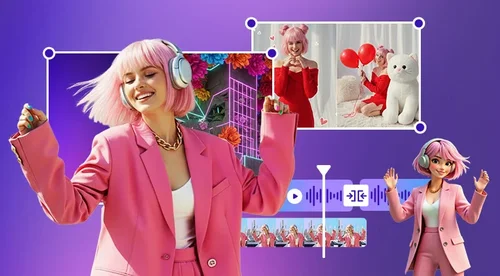
MyEdit is a web-based AI studio for creating and editing images, video and audio. It combines an AI Agent, templates and built-in editors, with free daily credits and paid plans for heavier use.
MyEdit is a browser-based creative platform that covers image, video and audio work under a single account. Instead of sending users to separate apps, it combines generation tools, chat-driven editing and conventional manual editors, so a project can begin as a text prompt or an uploaded photo and end as a finished clip, track or graphic without leaving the site. The image side includes an AI image generator that draws on several third-party models (the homepage names Nano Banana, GPT Image and Flux among others), plus an enhancer that deblurs and upscales small images and screenshots to 4K, background and object removal, and edit-by-chat for changes described in plain words. Style tools let users try a hairstyle or outfit on their own photo or turn a selfie into AI art. Video tools turn text or a still photo into a clip, restyle or alter existing footage by description, enhance old or grainy recordings up to HD or 4K, and assemble photos and clips into a narrated story with captions and music. Audio covers text to speech, noise removal, a podcast studio with transcripts, voice changing, vocal removal and lyrics to song. Work can start in three ways: by asking the MyEdit AI Agent to handle a request, by picking one of more than 1,000 templates, or by opening a dedicated tool. When a result needs precision, the built-in Photo Editor, Video Editor and audio editors allow manual fine-tuning. Access is free with daily credits, with paid plans adding credits and premium features. The audience is mostly social content creators, marketers and casual users who lack professional editing skills. Compared with single-purpose generators or desktop suites, MyEdit trades depth for breadth and convenience: it suits people who want varied media output from one login, while specialists needing frame-level control or heavy offline workflows will likely still reach for dedicated software. It is built by CyberLink, a company with a long multimedia background.
New accounts can start free with daily credits for AI tools. The free allowance differs by tool, and some downloads require a paid plan.
Learn moreFreemium model. Every account gets free credits each day, and what is included free varies by tool. Paid subscription plans add more credits and premium features, and some downloads need a paid plan. Specific prices are not stated on the homepage.
Learn moreThe homepage lists third-party generation models available inside the platform, including Vidu, Kling, Seedance, Wan, Gemini Omni, GPT Image, Nano Banana and Flux. No external app integrations are described.
AI image generation, edit by chat, image enhancer to 4K, background and object removal, text to video, image to video, video enhancer, AI video storytelling, text to speech, audio denoise, podcast studio with transcripts, lyrics to song, AI Agent and 1,000+ templates.
Learn more AI Angels400+ customizable AI girlfriends for NSFW chat, voice calls, and roleplay
 Candy AIExperience the future of companionship with AI friends who chat, role-play, and connect with you on a human level.
 ourdream.aiA vast AI roleplay platform with millions of characters for chat, images, video and voiceAI Angels400+ customizable AI girlfriends for NSFW chat, voice calls, and roleplayCandy AIExperience the future of companionship with AI friends who chat, role-play, and connect with you on a human level.ourdream.aiA vast AI roleplay platform with millions of characters for chat, images, video and voice


